48
Displaying current set temperature or current time of day
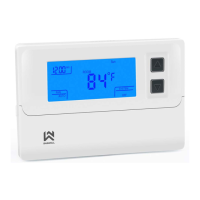
When the thermostat is turned on, the display will show current set temperature and current day of
week. You can also temporary change what information is visible by short pressing the button – by
this you can see the set temperature, current time or current day.
Turning the thermostat ON and OFF
If the thermostat is completely turned off, the display shows 0ff. You can easily turn it on by short
pressing the button. If you wish to turn it off, short press the button. The screen shows “OFF”.
Anti-freeze protection
This function is turned on by default. You can turn it of in the advanced thermostat settings.
The function makes sure, that when the thermostat is turned
0ff and the room temperature falls
below 5°C, the thermostat sends an order to the heating device to turn on (turn on the boiler, pump,…)
and it stays on until the room temperature reaches 8°C.
Thermostat lock with keycode
Thermostat has an option of key lock function. This means that when the thermostat is locked, pressing
any button makes no change to the thermostat function or heating schedule until unlocked.
Thermostat, when locked, works normally and regarding present instructions (e.g. Set temperature,
heating schedule, …).
Thermostat can be locked by holding the + and – button for about 3 seconds. The display shows Loc
when a button is pressed symbol.
You can unlock the thermostat by holding + and – for a few seconds. You've successfully unlocked
your thermostat.



 To Next Page
 Loading...