23
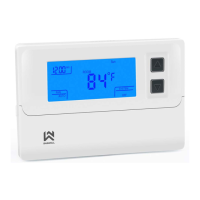
Thermostat description
Buttons
1. Thermostat setting /Heating program
schedule setting button
2. Hour, day button
3. Turn ON / OFF / Confirmation button
4. Increase value
5. Decrease value
6. Display wake up button
Display
1. Current day of the week / Setting day, days in the settings and heating
2. Main display (temperature, hour, settings, …)
3. Low battery warning
4. Using schedule mode / Hour, date
setting mode
5. Hold mode (temporary or constant)
6. Advanced settings mode
7. Current step in advanced settings mode
8. Heating is ON when this is displayed
9. Anti-frost protection is ON when this is
displayed
10. Symbol for current room temperature
display
11. Heating program display
12. Connection display (only in specific
T19 models)


 To Next Page
 Loading...