33
Advanced thermostat settings
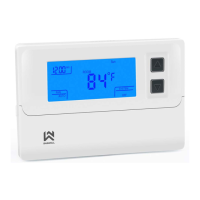
To access advanced thermostat settings, turn off the device by waking up the screen and holding the button for 3
seconds, so that the display shows “OFF”. Now, hold the button for 3 seconds. Now you’ve entered the advanced
thermostat settings and should see a big value on the center of the screen and at the bottom symbol with number 1
near it. The number shows the current step in which you are of editing the settings. You change the values by pressing
or . Settings are automatically saved if nothing is pressed for a few seconds or by pressing the button.
Settings explanation:
Temperature display correction
Maximum heating temperature
Lowest heating temperature
Temperature range: temperature difference between switching on and
off. If, for example, the temperature on the system is set at 22 ° C and
the range at 0.5 ° C the heating system starts to operate if the room
temperature drops to 21.5 ° C and switches off when the temperature
reaches 22.5 ° C. Hysteresis.
Programming mode (see the tables)
7 : Separate setting for each day (Table 1 in 2)
3 : 5 days + 1 + 1 (Table 3 in 4)
2 : 5 days + 2 weekend (Table 5 in 6)
0 : Heating programming schedule disabled
Number of time programs (switches):
In one day you can have 4 or 6 different hour and temperature regimes.


 To Previous Page
 Loading...