DY03005 Users Manual
-4-
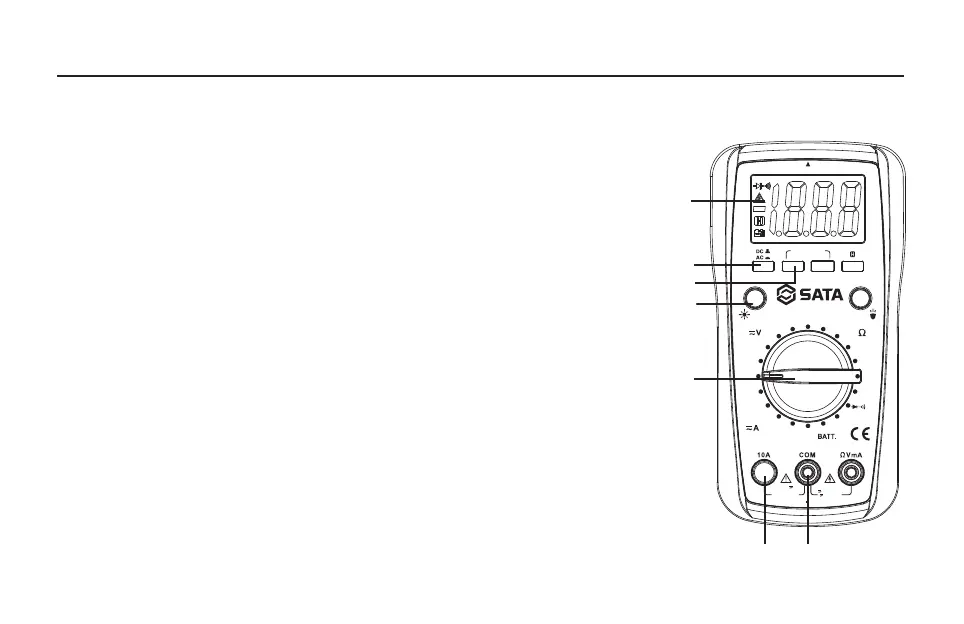
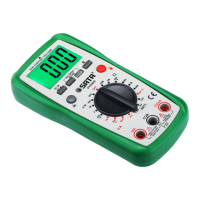
1. Display
3 1/2-digit LCD, with a max. reading of 1999
2. " AC/DC " Button
Used to switch between DC and AC functions.
3. AC Voltage Detection Button
4. Backlight Button
Press this button to turn on or off the backlight. The backlight will turn off automatically about 30
secs later after it is turned on.
5. Function/Range Switch
Used to select desired function or range as well as to turn on or off the meter. To preserve battery
life, set this function/range switch in the " OFF " position when the meter is not in use.
6. " 10A " Terminal
Plug-in connector for the red test lead for current ( 200mA - 10A ) measurements.
7. " COM " Terminal
This terminal is a plug-in connector for the black test lead. It is also a plug-in connector for the
negative (-) plug of the K type thermocouple for temperature measurements.
Screen Instruction
1
2
3
4
5
6 7
NON CONTACT VOLTAGE
NON CONTACT
VOLTAGE
DY03005
OFF
2m
20m
10
20M
2M
20
200
600
2
20k
2k
200
12V
9V
1.5V
FUSED 10A
FOR 10 sec MAX
EVERY 15min
600V MAX
600V
200mA600V
FUSED
MAX
200
k
200
m
200
m
CAT II


 To Next Page