2 VERSA SATEL
green LED – indicates the partition state (each
partition has its own LED)
ON – partition is armed
blinking – exit delay countdown in partition
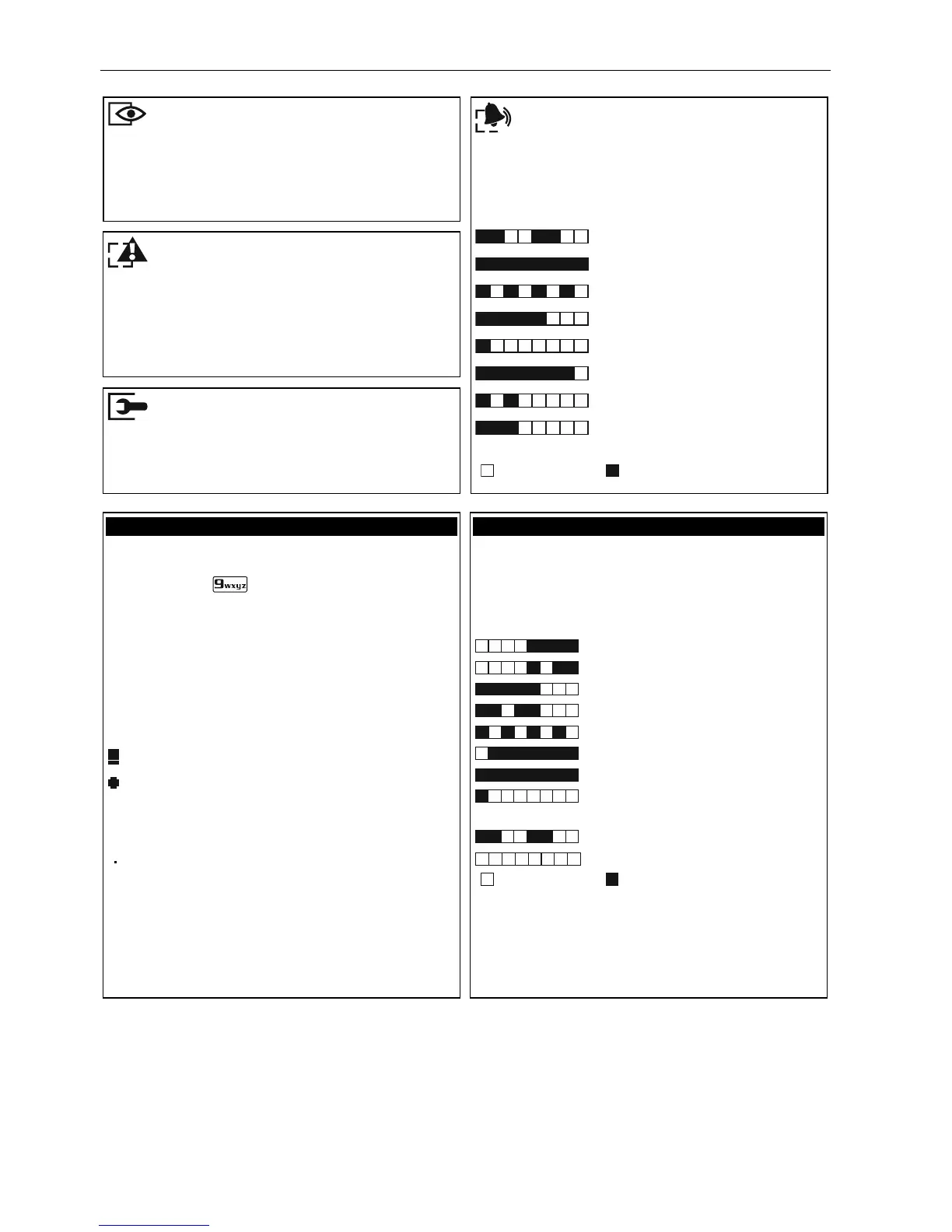
red LED – indicates alarm or alarm memory in
the partition (each partition has its own LED)
The information is presented for 2 seconds and
repeated:
– fire alarm,
–
burglary alarm,
– warning alarm,
– tamper alarm,
– fire alarm memory,
– burglary alarm memory,
– warning alarm memory,
– tamper alarm memory.
( – LED is OFF; – LED is ON)
yellow LED – blinking when the system requires
user's attention (e.g. because of a trouble or
trouble memory) – use the 7. S
YSTEM STATE
user function to find out the cause of LED
blinking
blue LED – indicates the service mode
ON – service menu in this keypad
blinking – service menu in another keypad
LCD display presents the date and time or the
symbols illustrating the zone status (press and
hold down the
key for about 3 seconds to
change the information displayed):
b
– inhibited,
b [blinking] – isolated,
L – long violated,
N – no violations,
! – first triggered alarm,
– tampered (2EOL type zone),
– violated,
t – tamper memory (2EOL type zone),
a – alarm memory,
– normal state.
Some symbols are not displayed in armed
mode.
The installer selects the information to be
displayed, and defines how the display is to be
backlit.
30 LEDs provide information about the zone
status. The LED numbers correspond to the
zone numbers.
The information is presented for 2 seconds and
repeated:
– inhibited,
– isolated,
– long violated,
– no violations,
– first triggered alarm,
– tampered (2EOL type zone),
– violated,
– tamper memory (2EOL type
zone),
– alarm memory,
– normal state.
(
– LED is OFF; – LED is ON)
Some information is not presented in armed
mode.
Additionally, the LEDs show countdown of entry
delay and exit delay (the first partition – LEDs 1-
15; the second partition – LEDs 16-30).















 To Next Page