THE PRO F ES S I ON A L E Q UI P M EN T --- - --- - --- - --- - --| U S E R ’S MANUAL| THE PRO F ES S I ON A L E Q UI P M EN T --- - --- - --- - --- - --| U S E R ’S MANUAL|
Digita Satellite Meter 13
Digita Satellite Meter
|
12
|
2.3.2 Screen format
screen output format slect (4:3TV、16:9TV)
2.3.3 Light setting
Button backlight delay slect switch
(OFF、5 Second、10 Second、20 Second)
2.3.4 Factory reset
Press “OK” key , software return back factory set
2.3.5 SW VER
display software version number
2.3.6 Release Time
display software setting time
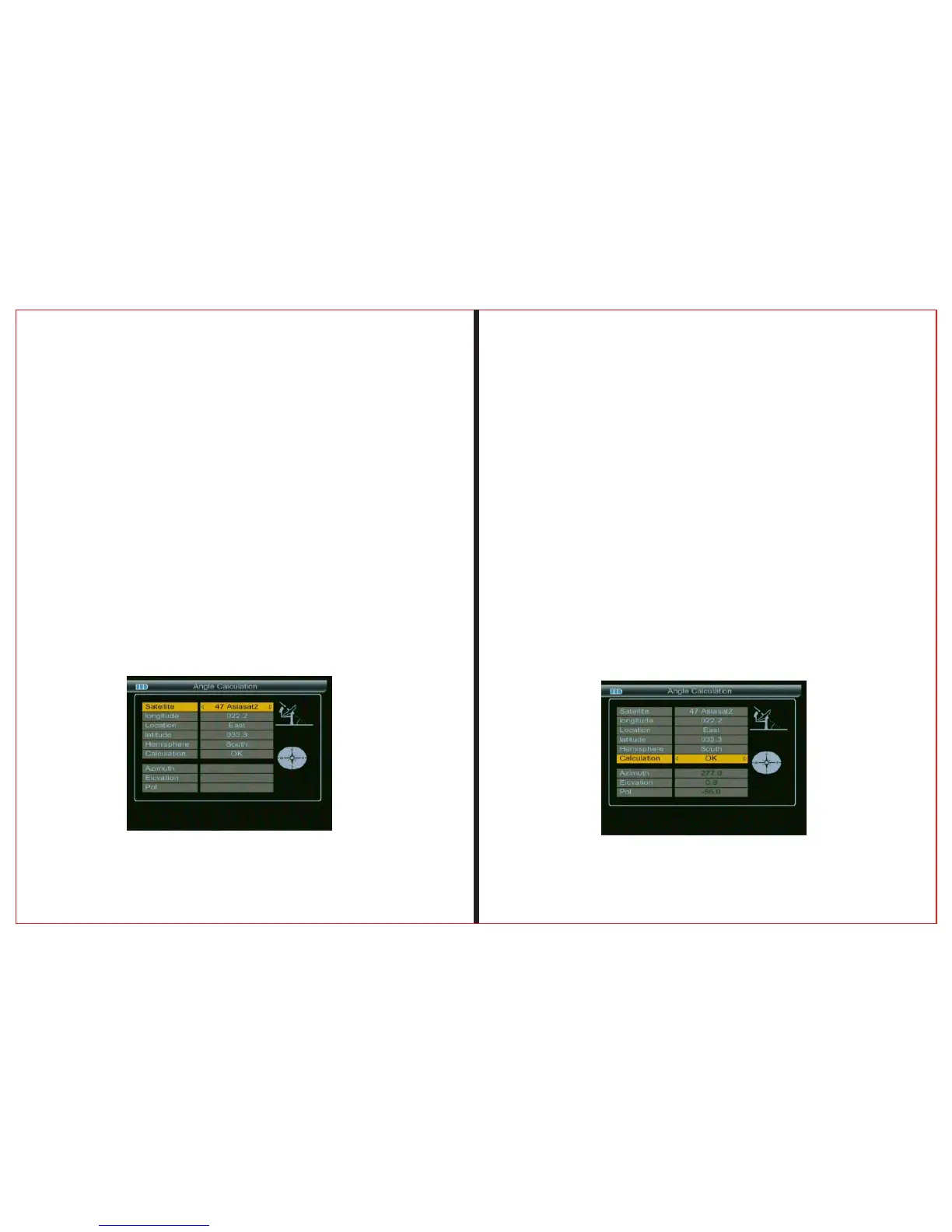
2.4 Angle Calculation
2.4.1 Satellite
Press OK key , choose satellite
2.4.2 Longitude
enter local longitude by number key
2.4.3 Location
choose local west .east of position
2.4.4 Latitude & Hemisphere
enter local latitude by number key
2.4.5 Hemisphere
choose local west .east of position
2.4.6 Calculation
press the “OK” button to calculate the current
parameters(Azimuh、Elcvation、POL)



 To Next Page