THE PROFESSIONAL EQUIPMENT------------------|USER’S MANUAL| THE PROFESSIONAL EQUIPMENT------------------|USER’S MANUAL|
21-Digital Satellite Meter Digital Satellite Meter-22
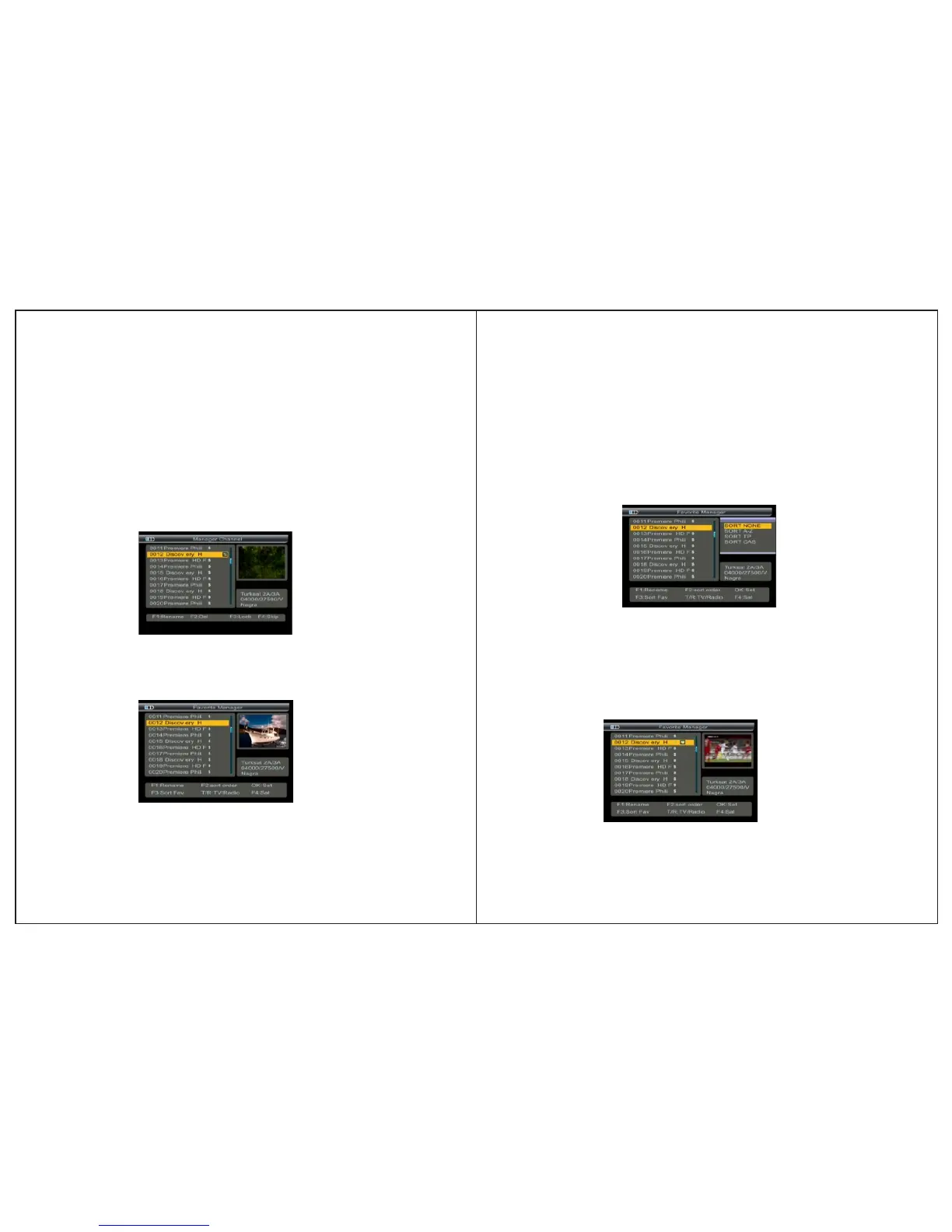
4.1.4 Skip Channel
1.Press ▲▼ key to select TV.
2.Press F4 key, the TV will be marked with the symbol
“↑↓”.
3.Press ▲▼ key to skip TV, Press F4/OK key to confirm,
skip all TV that you need.
4. Press MENU key,the Warning window will appear, if
you select Yes, the modification will be saved.
4.2 Favorite Manager
Press F3 key into the manager channel sort interface,then
press menu key to return favorite manager.
4.2.1Rename:Please make reference to rename of “4.1.1
Rename channel”.
4.2.2Sort order
1.Press F2 key, you will notice the sub-menu with sort order
in screen.
2.Select the desired one of the four sort order in screen and
press OK.
3.Press MENU key, the Warning window will appear, if you
select yes, the modification will be saved
4.2.3 Favorite set
Press ▲▼ key to select TV.
Press OK key, the TV will be marked with the symbol '❤'.
Press MENU key,the Warning window will appear, if you
select yes, the modification will be saved.


 To Next Page