THE PROFESSIONAL EQUIPMENT------------------|USER’S MANUAL| THE PROFESSIONAL EQUIPMENT------------------|USER’S MANUAL|
23-Digital Satellite Meter Digital Satellite Meter-24
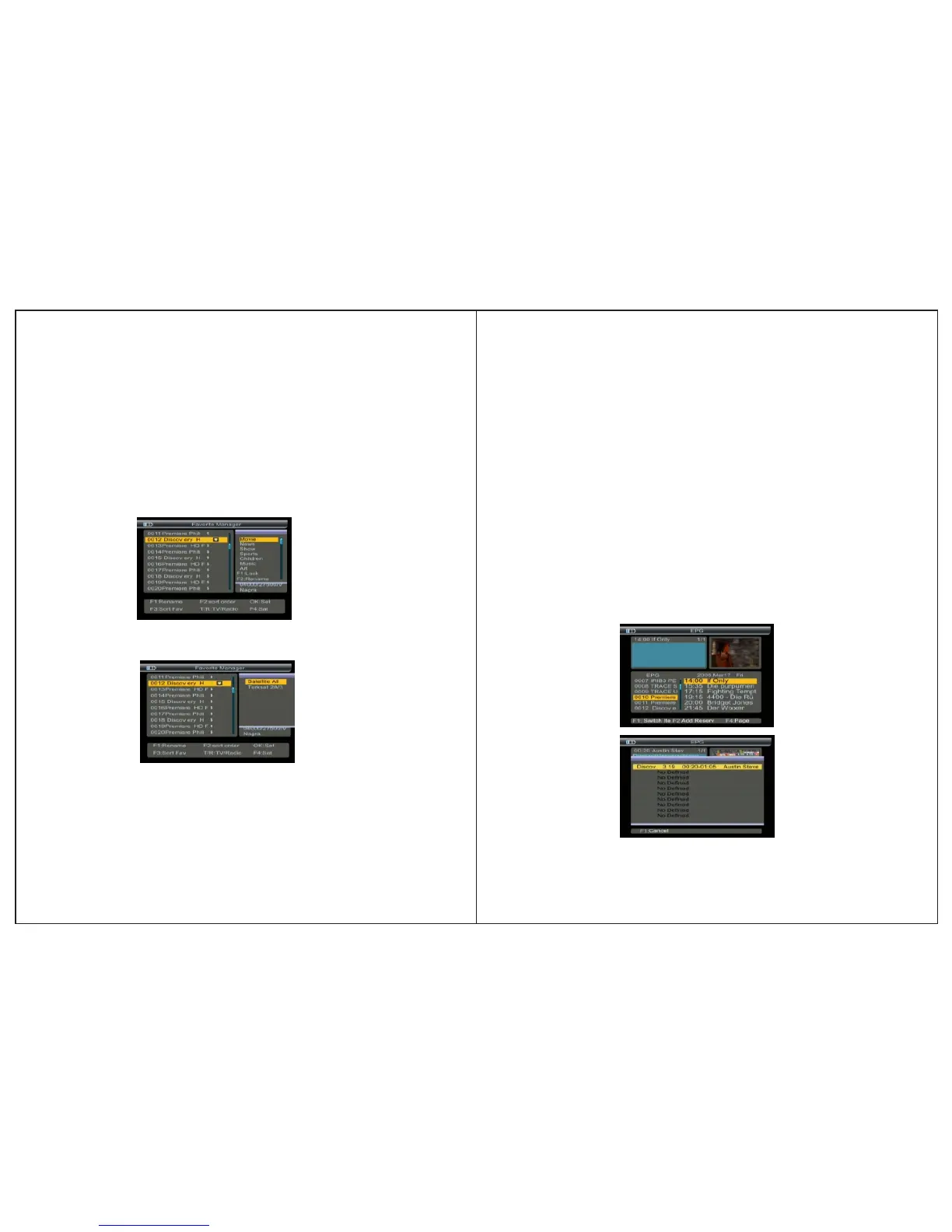
4.3 EPG
Press the F2 key to show EPG menu.
The Guide supplies information such as program listing, star-
ting and ending items for alll available programs.
1.Press ▲▼ key to change current channel.
2.Press ◄►keys to view the information in 7 days
3.Press F2 key to view the bookeditems data.
In the booked items menu, press F1 key to cancle the current
item,press menu to return.
Press F1 key to items setecting.
4.2.6Sat sort
1. Press F4 key, you will notice the sub-menu with sort order
in screen.
4.2.4 Favorite Sort
Press F3 key, you will notice the sub-menu with sort order
in screen.
Press ▲▼ key to select sort.
Favorite setting will be put into this sort.
Press MENU key,the Warning window will appear, if you
select yes, the modification will be saved.
4.2.5TV/Radio:Press TV/Radio key to switch TV or radiolist.
2. Press ▲▼ key to select satellite sort, the channel list will be
changed.
3. Press MENU key, the Warning window will appear, if you
select yes, the modification will be saved.


 To Next Page