THE PROFESSIONAL EQUIPMENT------------------|USER’S MANUAL| THE PROFESSIONAL EQUIPMENT------------------|USER’S MANUAL|
09-Digital Satellite Meter Digital Satellite Meter-10
3.1.11 DisEqc type & Input:Press ◄►key to set the port
type or number, which get the RF signal from the LNB, if
the LNB is connectedto DiSEqC switching box.
3.1.12 Motor: If you use the equipment of motor, Accord-
ing to your motor category, the meter providesDiSEqC1.2/
USALS. This will make you have exactin formation to dir-
ect your antenna toward a satellite.
Press ◄► key to select Motor type, then press OK key into
interface of motor set.
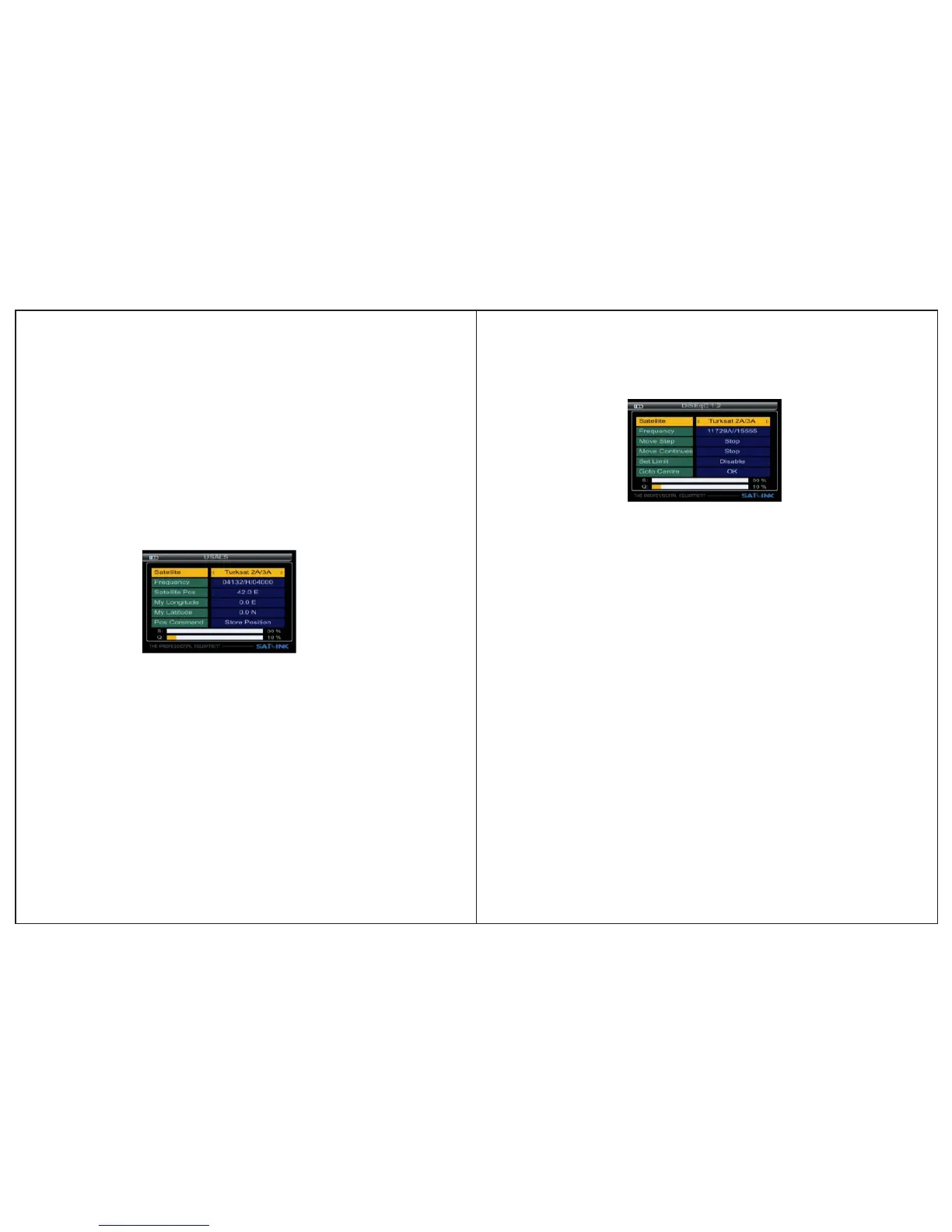
USALS SET
■ Frequency: Press ◄►key to select the TP.
■ Satellite Pos: Position of satellite, input the value by using
the numeric keys.
■ My Longitude & My Latitude : Position of local, Input the
value by using the nu meric keys.
■ Pos Command: Check the signal locked, the motor moves
correct position,press OK key to store the present position.
■ Satellite: Press ◄►key to select the desired satellites.
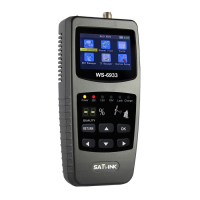
DiSEqC1.2 SET
■ Go to Reference: A starting point for the satellite search fun-
ction can be selected by pressing the OK key. If the signalis locked,
the present position is automatic stored.
■ Frequency: Press ◄►key to select the TP.
■ Satellite: Press ◄►key to select the desired satellite.
■ Move Step:The satellite now can be turned into the desired
direction using the arrow buttons
■ Continuous Move: The satellite can be continuous moved
to the desired direction.
■ Set limits for the antenna.Set Limit:
3.1.13 Unicable setting: If in the '3.1.2 LNB type' select
you can set SCR.
■ Unicable type: You can select '8*SCR”or”4*SCR”.
■ Channel No. : You can select SCR channel.
■ Press ◄► key select frequency of SCR channel or Input the value
by using the numeric keys.


 To Next Page