THE PROFESSIONAL EQUIPMENT------------------|USER’S MANUAL| THE PROFESSIONAL EQUIPMENT------------------|USER’S MANUAL|
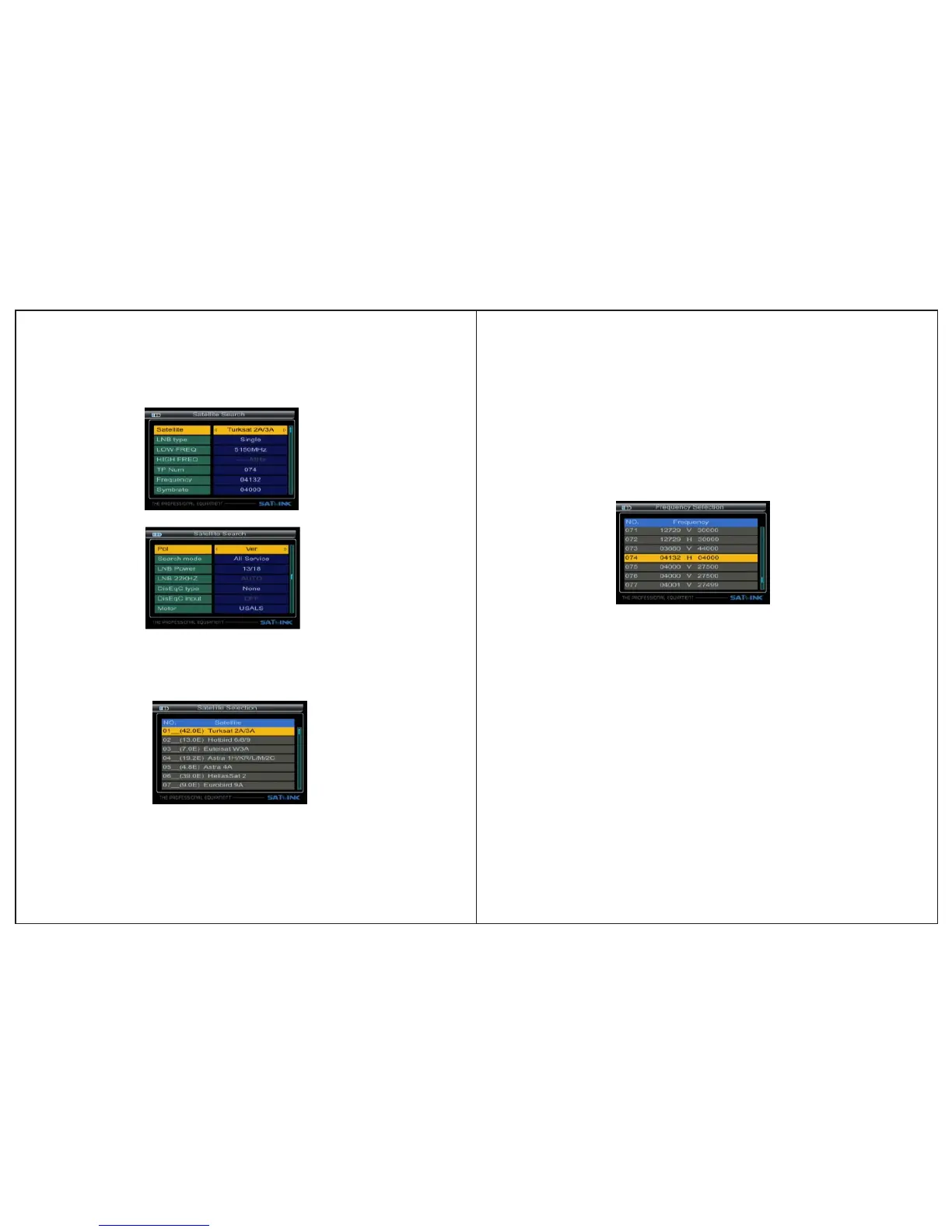
3.1 Search
3.1.1Satellite: Press ◄►key enter the satellite list.Use
▲▼ key to move the cursor, then press OK key to select the
satellite that you want.
3.1.4 TP Num:Press ◄►key into the TP list. Use ▲▼key to
move the cursor then press OK key to select the satellites
that you want.
07-Digital Satellite Meter Digital Satellite Meter-08
3.1.2LNB type: Press ◄►key, you can select single/Universal/
UnicableSCRetc, according to your physical LNB type.
3.1.3LOW FREQ / HIGH FREQ:Using the numeric keys
or pressing ◄► keysenter the proper LNB fre quency refe-
rring to your LNB.
3.1.5Frquency: Frequency of the current transport, Input
the value by using the numeric keys.
3.1.6Symbrate:Symbol rate of the current transport, Input
the value by using the nu meric keys.
3.1.7Pol: Press ◄► key to changeVertical or horizontal of
polarization.
3.1.8 Search mode:Press ◄► key to select search mode:
TV Only, All Service, FTA Only.
3.1.9LNB Power: Press ◄►key to select the desired option.
If your meter is connected to another receiver through
support, in case the other receiver connected dir-
ectly to the LNB, then select OFF.
Loop
Throught
3.1.10 LNB 22KHZ:22KHz control is automatically set for
each LNB alternative. If “Universal” is selected, 22KHz
control should be “off state”.


 To Next Page