5
CONTROLS AND LIGHTING
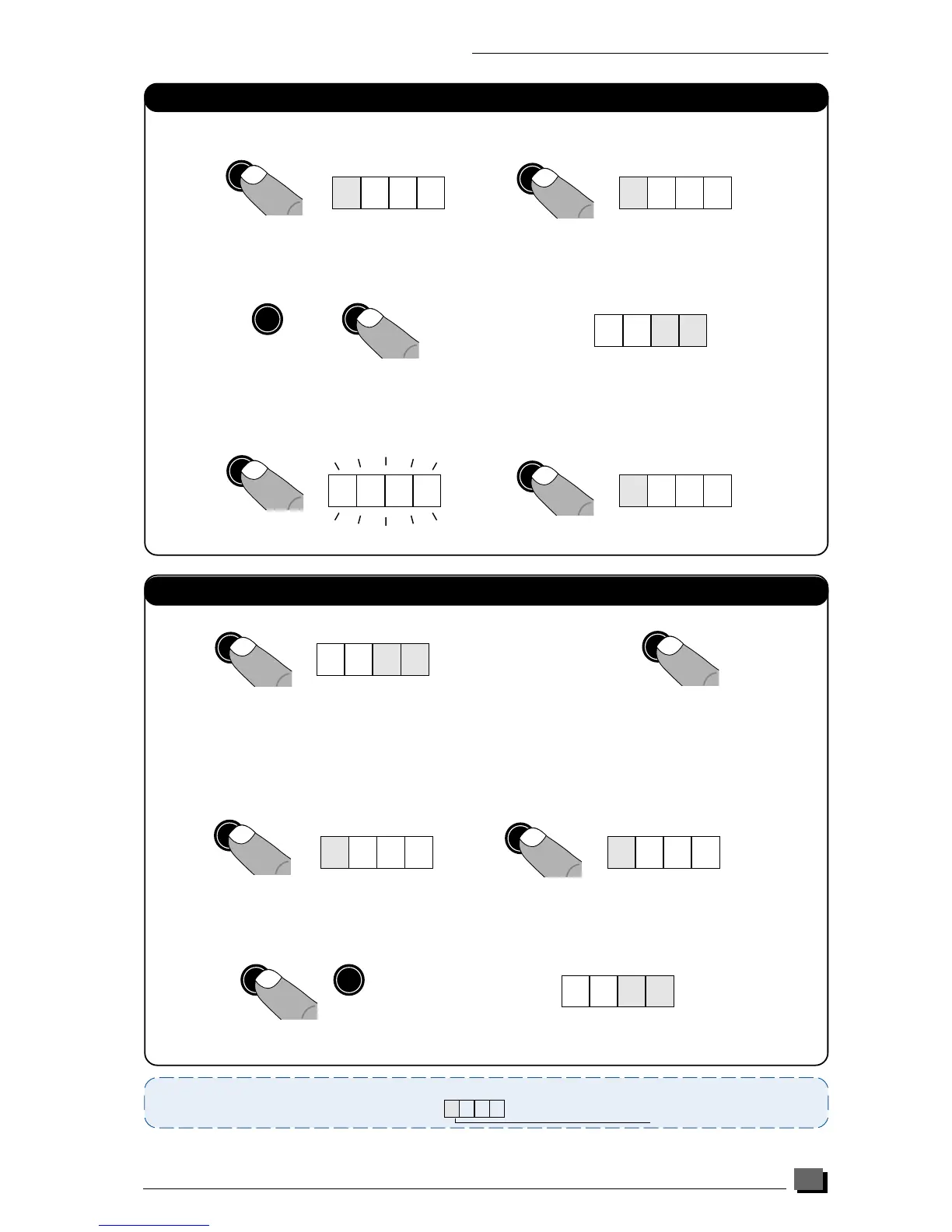
Setting domestic hot water temperature
0 6 5
In all cases, by pressing the «Mode» button until the decimal point disappears, the display reverts to
normal position :
No decimal point displayed
1 - Press «Mode» button once
3 - Press «enter» until the display starts flashing, and press «mode» twice : the boiler is now
operational at the desired hot water temperature.
twice
Note : On the SB versions, this setting is done using the tank thermostat in the tank.
1. 6 5
set
➭➭
2. 6 5
set
mode
➭➭
1. 6 5
enter
-
➭
2. 60
+
2. 60
➜
➜
2 - Press «+» or «-» button to set the desired hot water temperature from 40°C to 65°C
(factory set at 65°C)
Hab 198a
Setting heating temperature
Note :
1/ In case of under floor heating systems, the CH flow temperature can be set to between 20
°
C and
45
°
C - contact
the Saunier Duval Technical Helpline 01773 828400.
6. 7 0
set
mode
➭➭
6. 85
+
-
➭
1. 6 5
mode
➭
-
1. 60
3 - Press «+» or «-» button to set the desired heating temperature from 20°C to 90°C
(factory set at 70°C)
1 - Press «Mode» button once 2 - Press «Set» button 4 times to show 5 on the left
4 - Press «enter» until the display starts flashing, and press «mode» twice : the boiler is now
operational at the desired heating temperature.
Hab 198a
twice


 To Next Page