14
4 To prevent unauthorized use of the lift, take the key out when the unit is not
in operation.
5 Pressing the Emergency Stop button during travel will stop the lift
immediately and activate the alarm (if equipped). The Emergency Stop
overrides the landing station controls. Pull the Emergency Stop out to
return the lift to normal operation.
6 If the COP has an optional Alarm button, pressing the Alarm button during
travel will activate the alarm. If the door is locked at a landing, you can
press the Alarm button to unlock the current landing door.
Operating from the Landing Station Controls
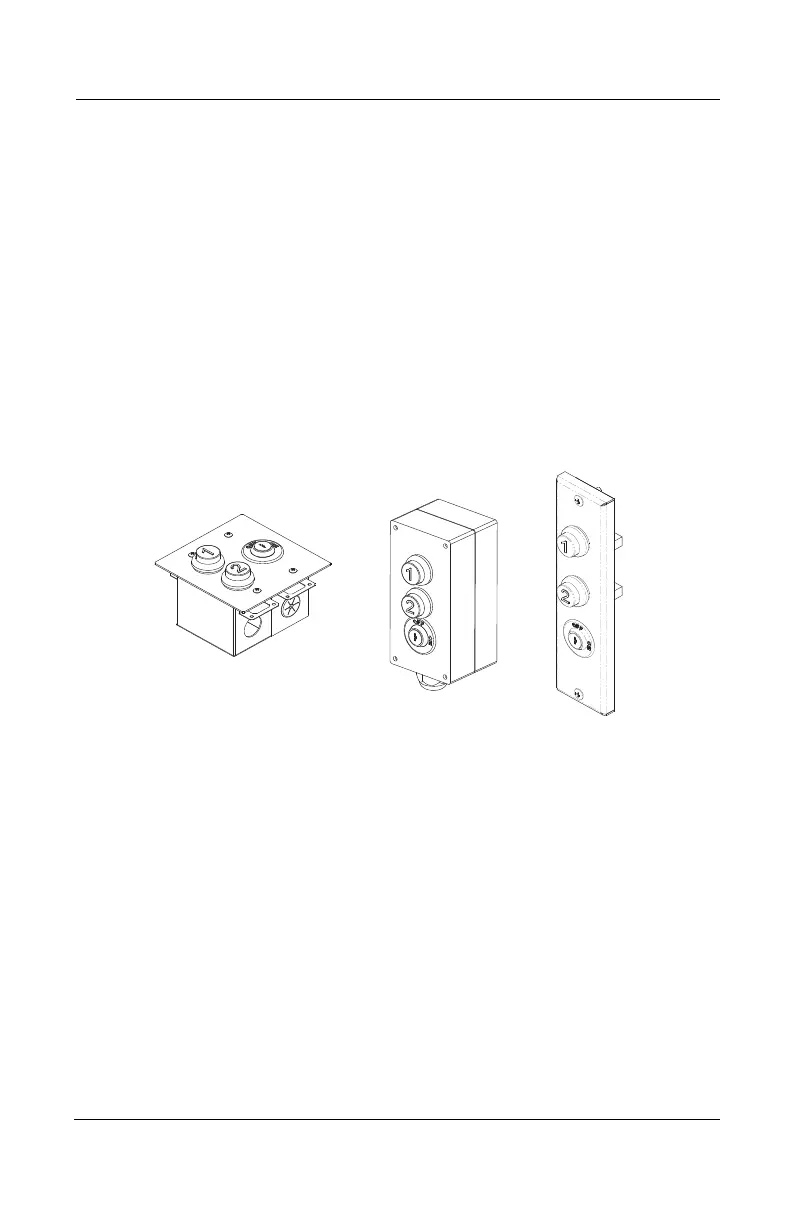
Figure 3 shows the landing station (hall call) controls.
Figure 3
Surface Mount
Flush Mount
In Frame
To operate the Multilift from the landing (call/send) station controls:
1 Insert the key into the key switch and turn it to the ON position to activate
the operating buttons.
2 Apply constant pressure on the appropriate button to call the platform to
the desired landing. Note that the Multilift will not move if one of the
doors/gates is open.
3 When the lift reaches the landing, the door will unlock automatically (for
units with mechanical GAL locks). For units with an interlock (WR500 or
Prolock), the door will unlock automatically for a few seconds when the lift
reaches the landing. If you need to re-open the door after the delay, turn the
key on and press the call button again to unlock the door.
4 To prevent unauthorized use of the lift, take the key out when the unit is not
in operation.
Multilift Owner’s Manual Part No. 000609, 30-m01-2024



 To Next Page