7
Emergency Stop Button
Pressing the red Emergency Stop button during travel will stop the lift
immediately and activate the alarm (if equipped). The Emergency Stop
overrides the landing (call/send) stations. Pull the Emergency Stop out to
return the lift to normal operation.
Manual Lowering Device
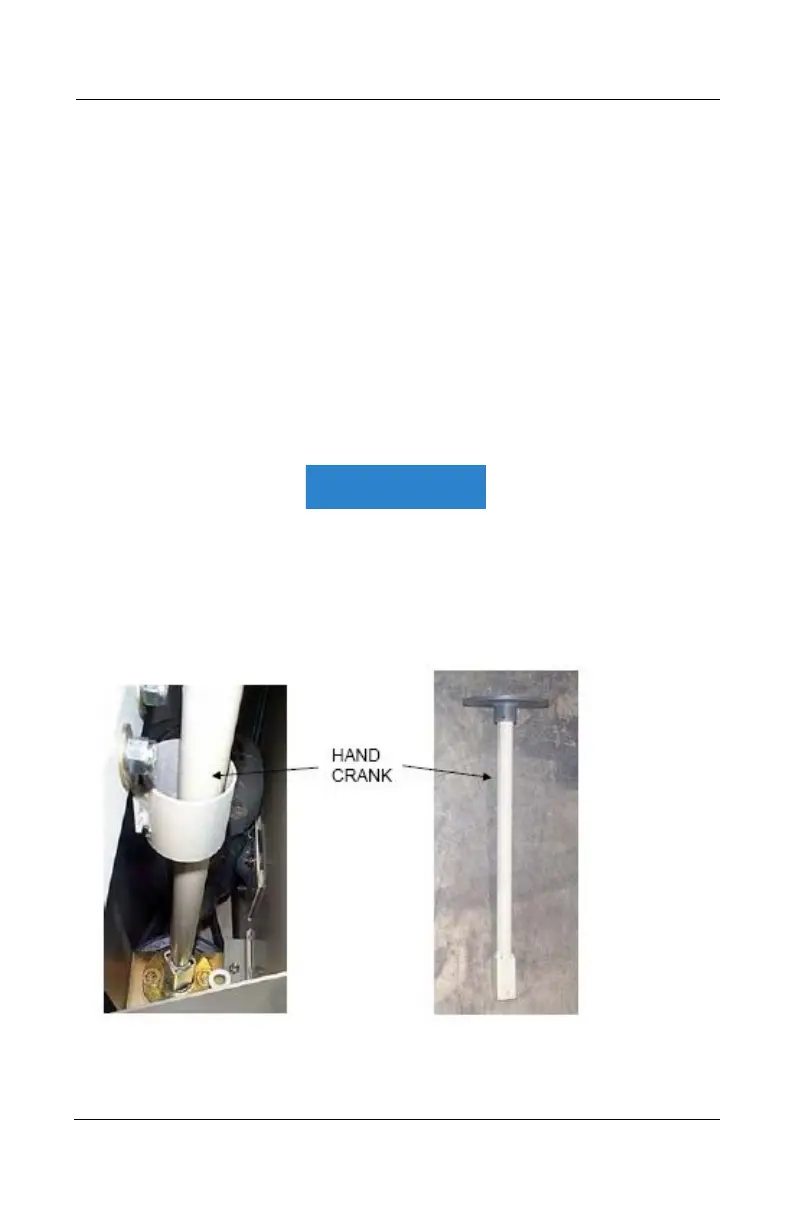
In case of an emergency, you can lower the platform manually using the hand
crank provided (Figure 4).
Take off the cap and insert the hand crank as shown in Figure 6. Turn the hand
crank to move the platform to the desired position at the lower landing.
Remove the hand crank and put the cap back on.
This mechanism is for emergency use only. After use of any emergency
function (access key or manual lowering device), ensure that all
doors/gates are secure and locked. While the emergency function is in
use, DO NOT leave the area unattended.
Figure 4
Part No. 000609, 30-m01-2024 Multilift Owner’s Manual



 To Next Page