OPM 200 en-GB 58
©
Scania CV AB 2014, Sweden
Fuel system
Do not use an adjustable spanner or other open
tool to undo the filter covers, as this risks damag-
ing the filter covers.
1.
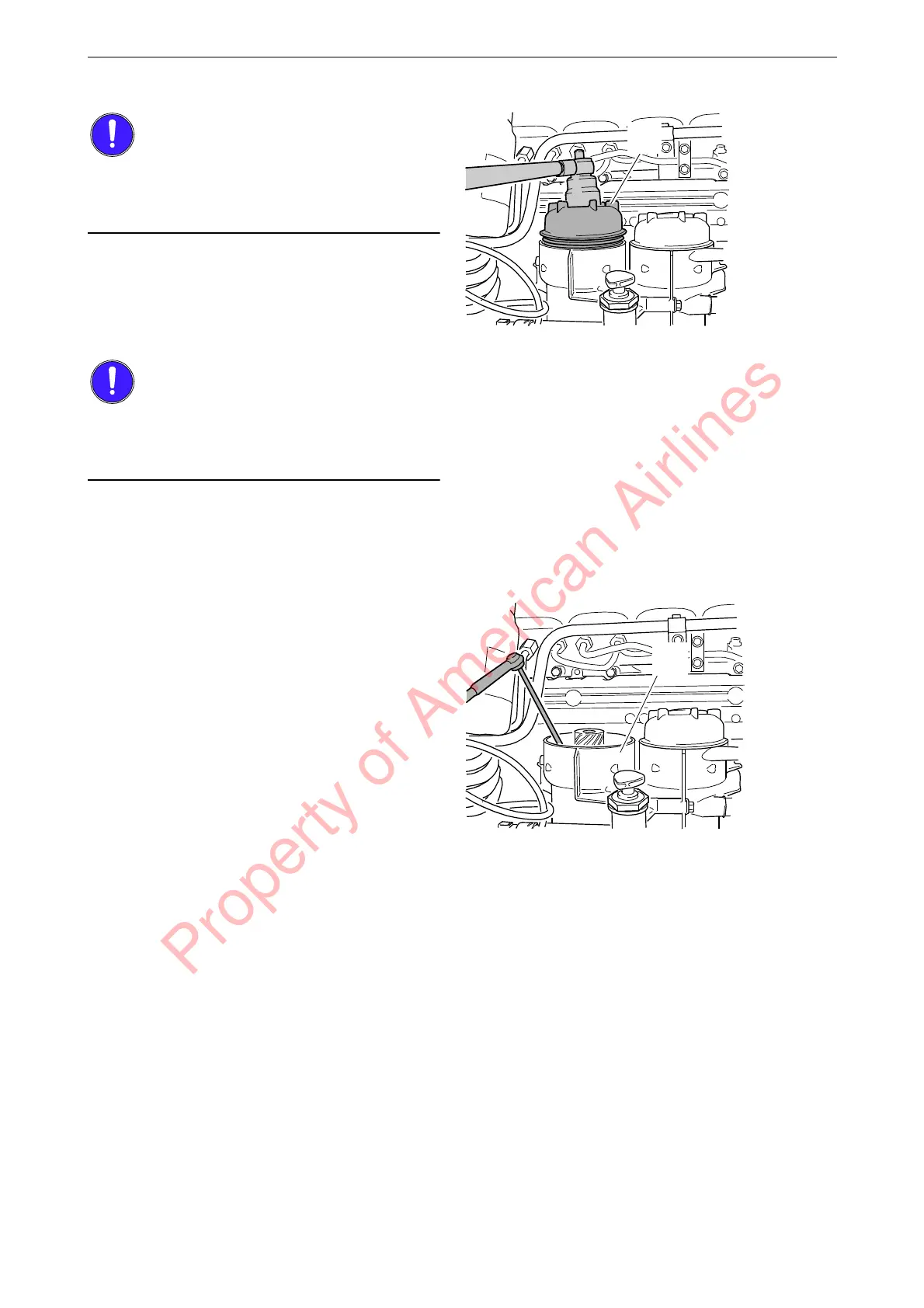
Make a mark on the water separating suction
filter cover (A). Unscrew the cover 3 to 4
turns using a socket wrench with hexagon
driver, e.g. 588 475.
Wait a minimum of 2 minutes to allow as much
of the fuel as possible to drain out of the filter
housing.
2.
Unscrew the filter cover (A) and lift it up
slowly with the filter element.
3.
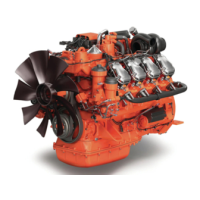
Make sure the suction tool is completely
drained before starting work. Draw out re-
maining fuel and any particles using suction
tool 588 793 or a similar tool.
4.
Keep the suction tool hose in the filter hous-
ing for the water separating suction filter (A).
Property of American Airlines



 To Next Page