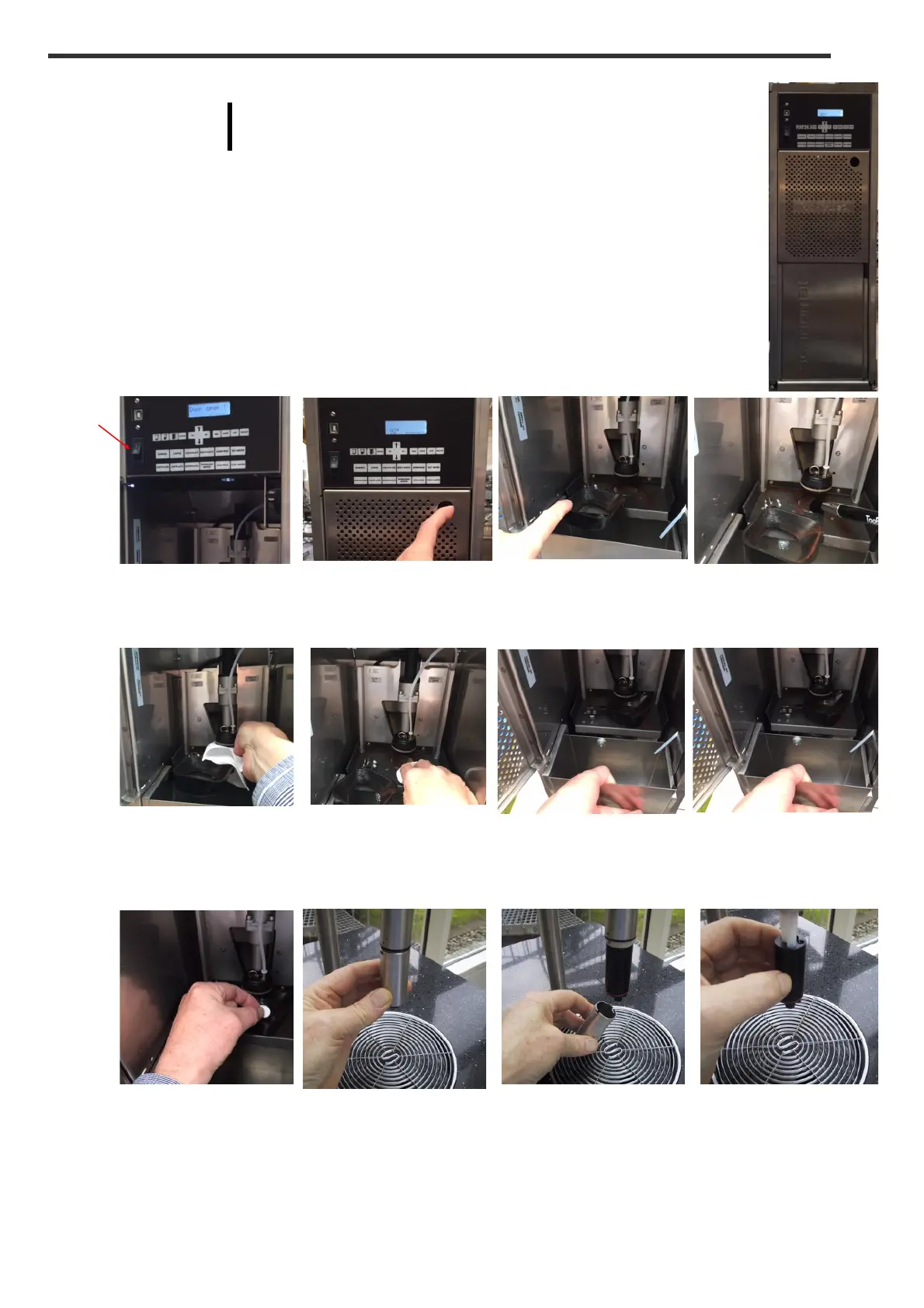
Daily cleaning:
Caution: Before starting the cleaning procedure make sure that the coffee brewer is
switched off in order to avoid damages and injuries with hot water and moving parts.
Make sure to switch the machine off at the machine ON/OFF switch (see point D on
the General Drawing). Please note that only the low voltage control circuit will be cut
off by this switch, if the internal covers are removed there will still be mains voltage to
the required circuits heaters etc. Open the small door.
Turn off power switch Open door, and flip open Move the scraper with Remove dry coffee
D to the machine your finger. with a soft brush.
Clean the top piston Clean the scraper plate Lift out the dreg bin and Replace the dreg bin.
with a wet cloth empty.
Drop a cleaning tablet Turn the outlet shirt Pull off the outlet shirt. Pull down the outlet
in the brewer and clockvise. tube.
and close the door.


 To Next Page