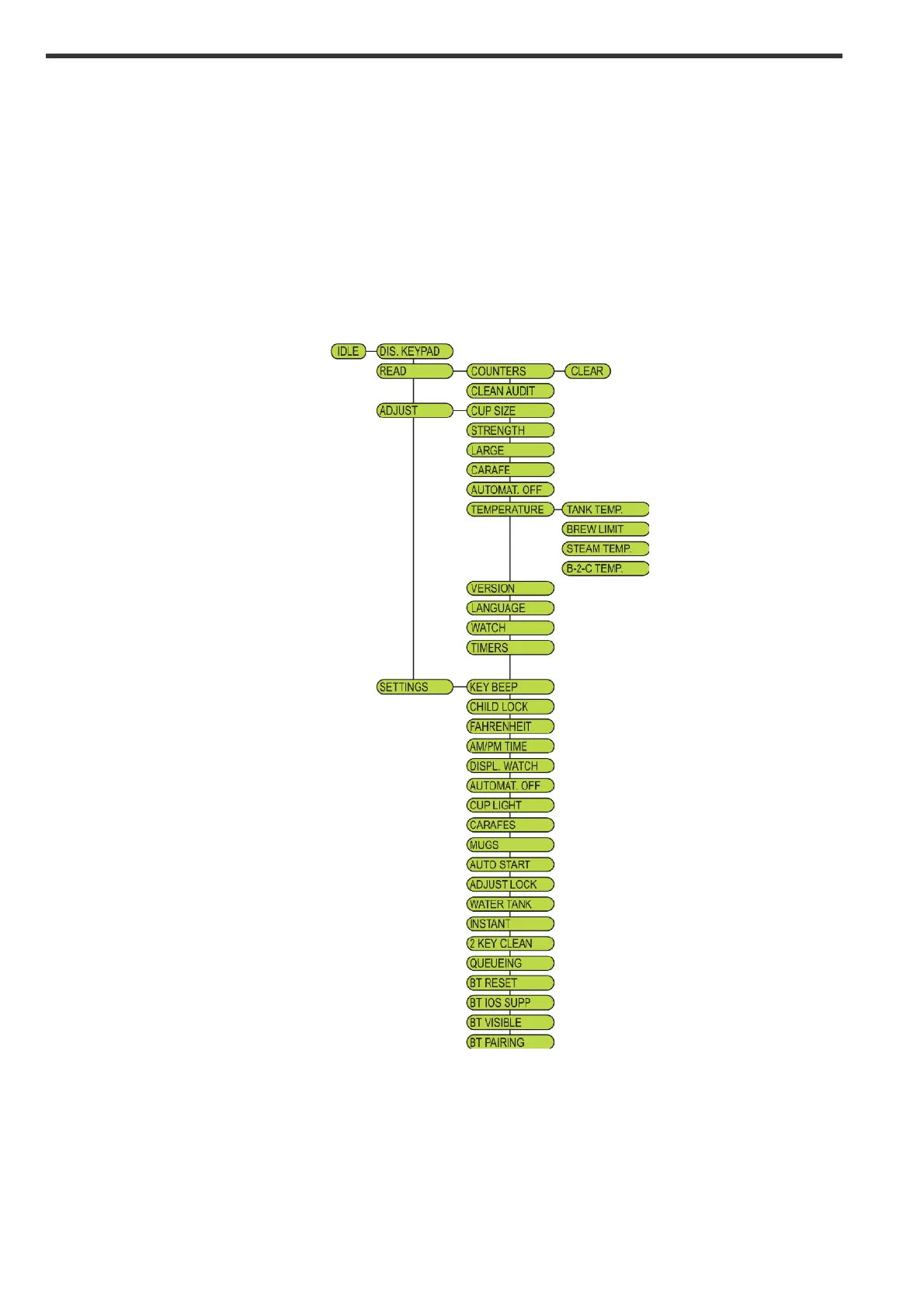
The menu:
Using the navigation button, the menu system for accessing all audit data, adjustments and settings of
the machine can be reached. Pressing the arrow up and down, YES to enter a function, NO to go back
one step, does the navigation through the different menus.
Please note that not all menu points described in this manual is available in all machines, as this can
vary with different configurations.
The following sketch shows an overview of the complete menu system.
! !


 To Next Page