Advanced Sample Sessions 6–11
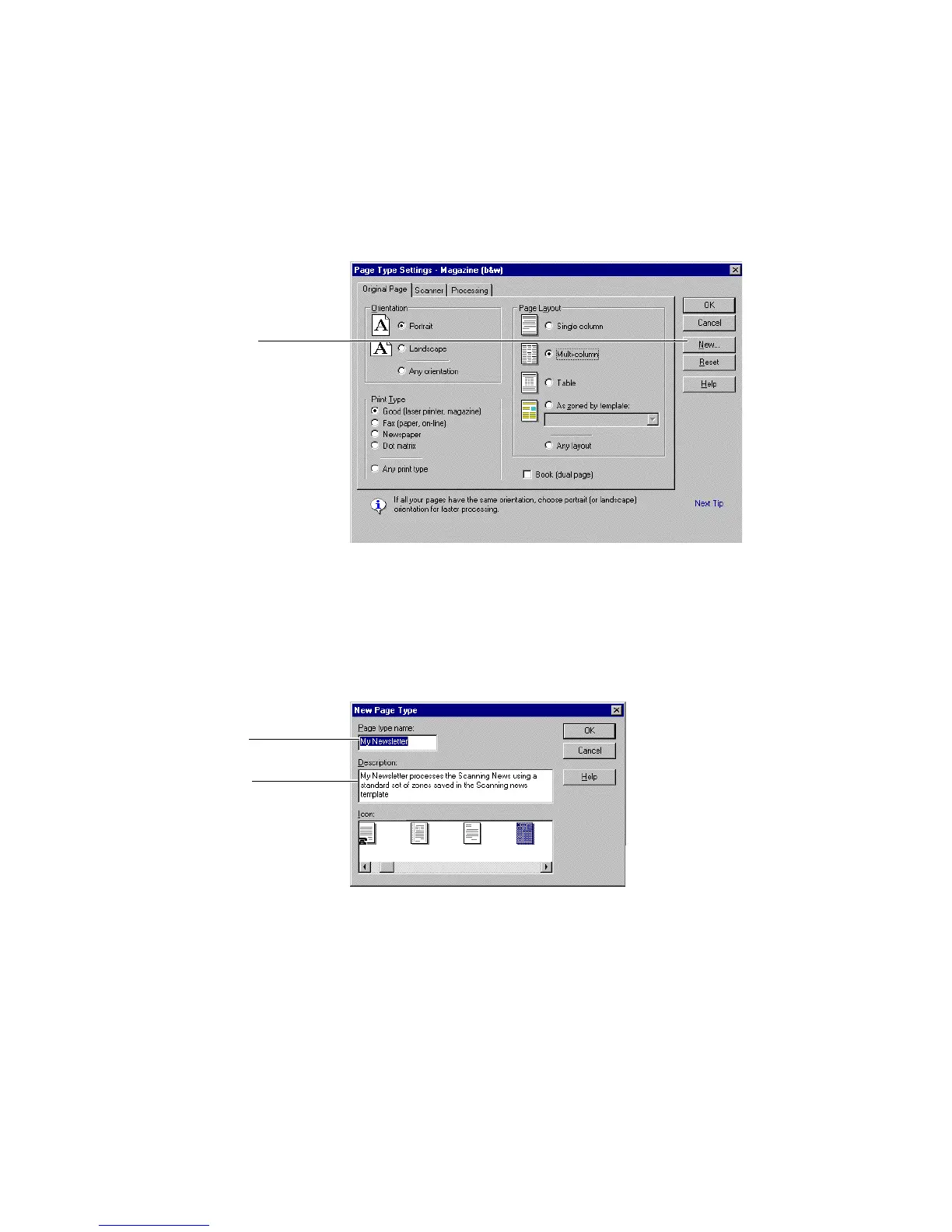
Click to create a new
page type
Figure 6–8. Page Type Settings–Magazine (b&w) dialog box
7. Create a new page type.
• In the Page Type Settings dialog box, click New to open the
New Page Type dialog box (Figure 6–9).
Type the new name
Enter a description
Figure 6–9. New Page Type dialog box
• In the New Page Type dialog box, type a new name for the
custom page type, “My Newsletter”



 To Next Page