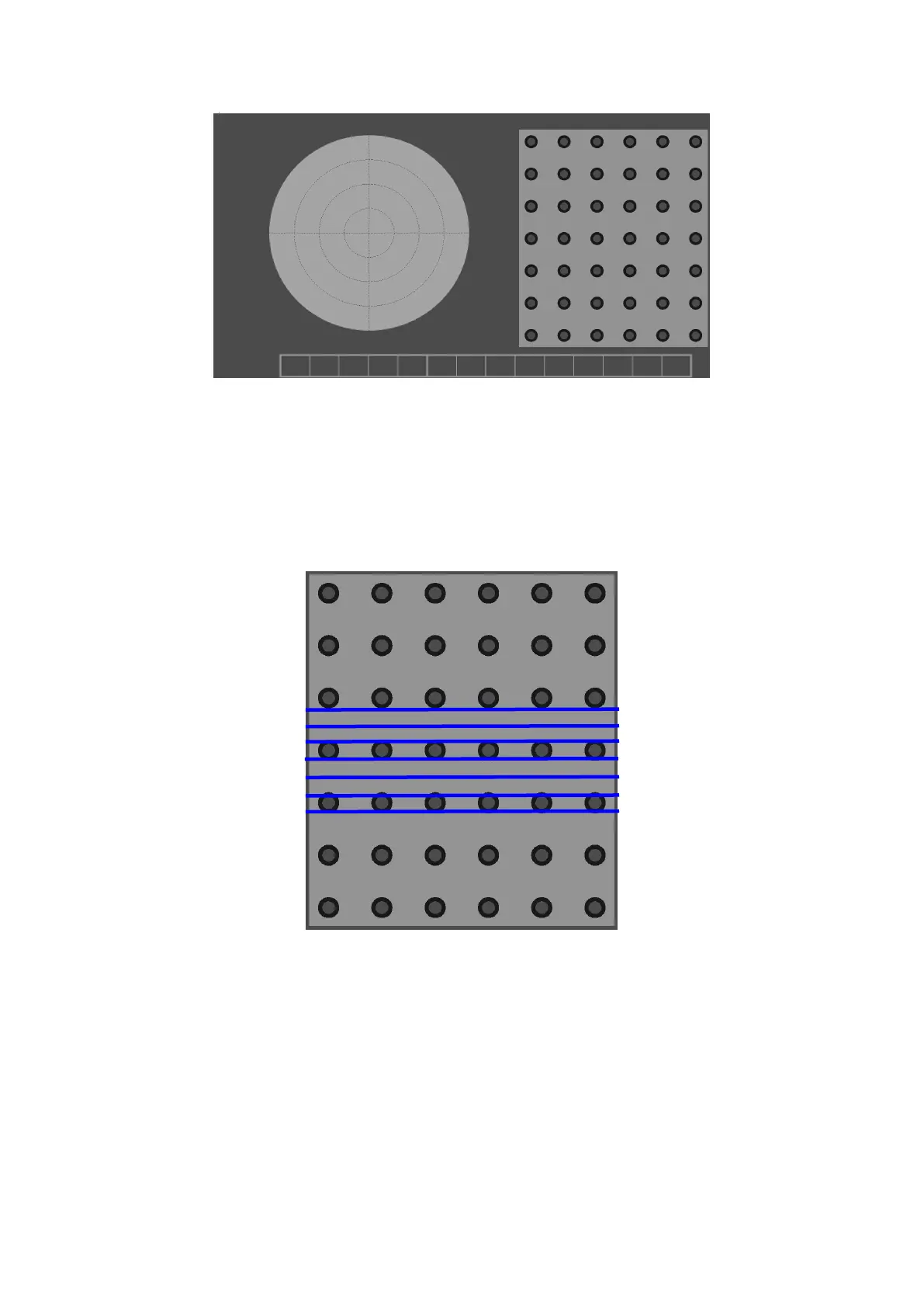
Figure4- 11 Fast Calibration
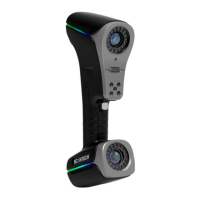
Place the calibration plate on a stable plane. The scanner is facing the calibration
plate. The distance is about 400mm. Press the scanner to open the laser beam
(take seven parallel lasers as an example), as shown in Figure 4-12.
Figure4- 12 Fast Calibration
Control the angle of the scanner, adjust the distance between the scanner and the
calibration plate, so that the shadow circle on the left side coincides; in the state
that the left shadow circle is basically coincident, the angle is not changed, and
the scanner is moved horizontally to make the right side The trapezoidal shadows
coincide and then adjust the distance to match the size. As shown in Figure 4-13.


 To Next Page