Need help?
Do you have a question about the Scantech Shuttle SG-15 COLOUR and is the answer not in the manual?
Describes manual conventions and safety notations like ATTENTION, IMPORTANT, and DANGER.
Safety precautions for laser operation, including warnings against staring into the beam.
Lists compliance standards and certifications for the device.
Details compliance with the European Union's RoHS II Directive.
Explains markings, FCC/CE labels, and identifiers on the device.
Explains the device's primary functions as a price checker and other use cases.
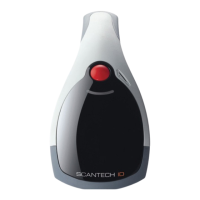
Details the physical build, parts, and display specifications of the Shuttle.
Describes input methods (barcode), output methods, and software control.
Explains the Power Over Ethernet option for device power and connectivity.
Steps for unpacking the device and checking contents.
Instructions for physically attaching the Shuttle to a surface.
Details the device's software, its functionality, and integration aspects.
Guides on connecting and communicating with the Shuttle via network.
Steps to access the device's web interface for initial configuration.
Configuration options for Ethernet network connections.
Configuration options for wireless network connections.
Customization settings for the SG-15 Price Checker application.
Settings for the integrated barcode scanner's symbologies and behavior.
Setting applications to start automatically when the device boots.
Configuration for the web-based price checking application.
Instructions on how to clean the Shuttle's exterior and scanner window.
Details physical interface connections for Ethernet and DC power.
Explains ESC commands for controlling the display and terminal.
Answers common user queries regarding general use, configuration, and networking.
Guidelines for integrating the Shuttle into store IT systems.
Lists the device's default configuration parameters like IP address and network settings.
Comprehensive technical details covering electrical, scanner, physical, and system architecture.
Lists product part numbers for different configurations (scanner types, connectivity).
Provides a template and instructions for easy physical mounting of the device.
 General
| Brand | Scantech |
|---|---|
| Model | Shuttle SG-15 COLOUR |
| Category | Barcode Reader |
| Language | English |


 To Next Page