Scantech-ID Shuttle
C
SG-15
Colour
45
5.6 Desktop Configurator
Through the Desktop Configurator the application must be selected,
which to Start At Boot:
SGPriceChecker:
or
WebPriceChecker:
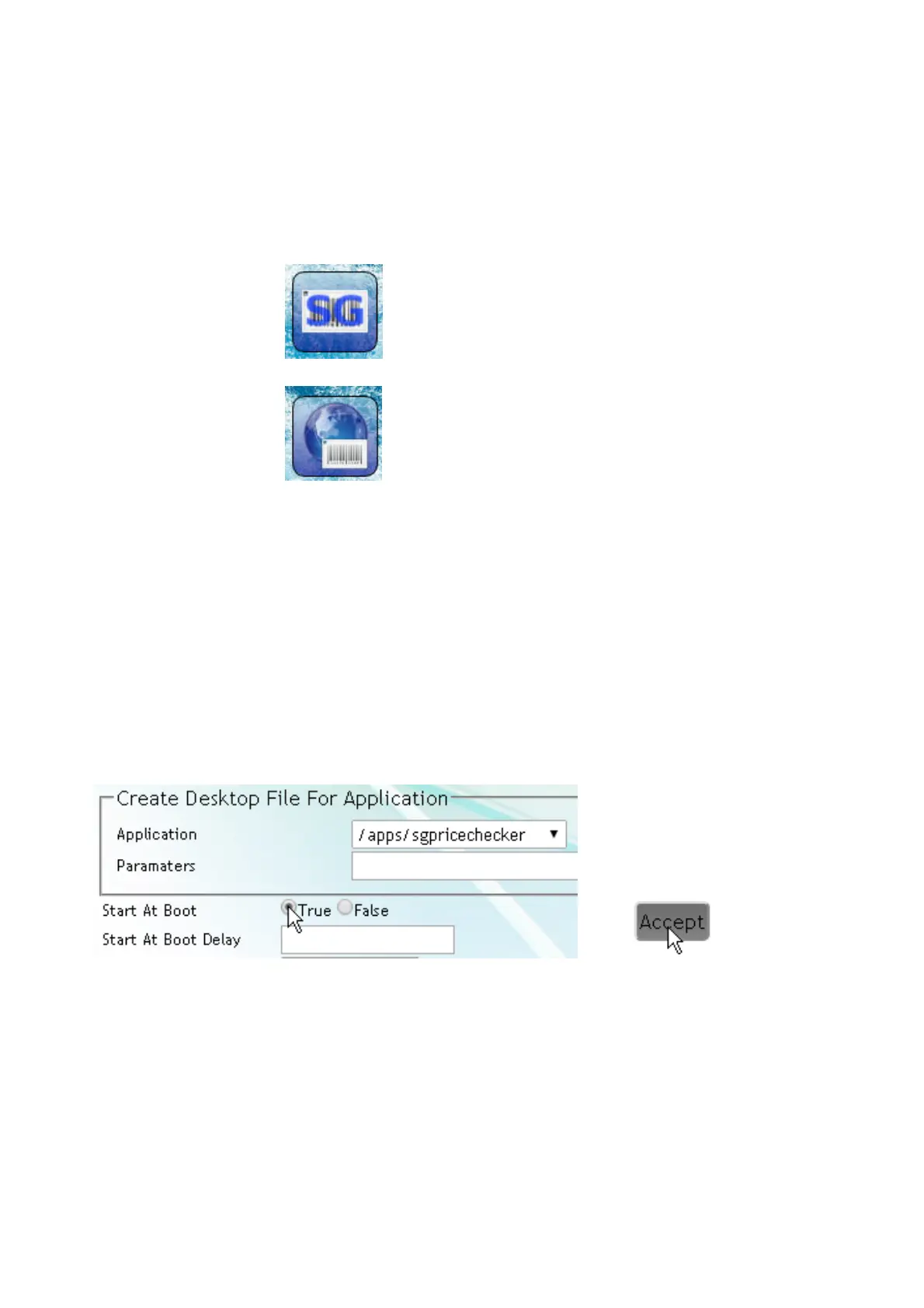
• See web page Applications/DeskTopConfigurator (illustration left)
• Click on the SG icon
• Edit item
• app/sgpricechecker (for instance) is selected and
• Set to Start at Boot
• Accept
Illustration:
+
Note:
Desktop settings are saved in the Templates section.
For any desktop setting you want to install on other SG's, go to page
« System -> Templates », select « Save Customer Templates » and
« Create & Download Template Package ». The latter action downloads
a file sk-customer-templates-name_0.9.1_armhf.deb to your PC/laptop.



 To Next Page