Scantech-ID Shuttle
C
SG-15
Colour
19
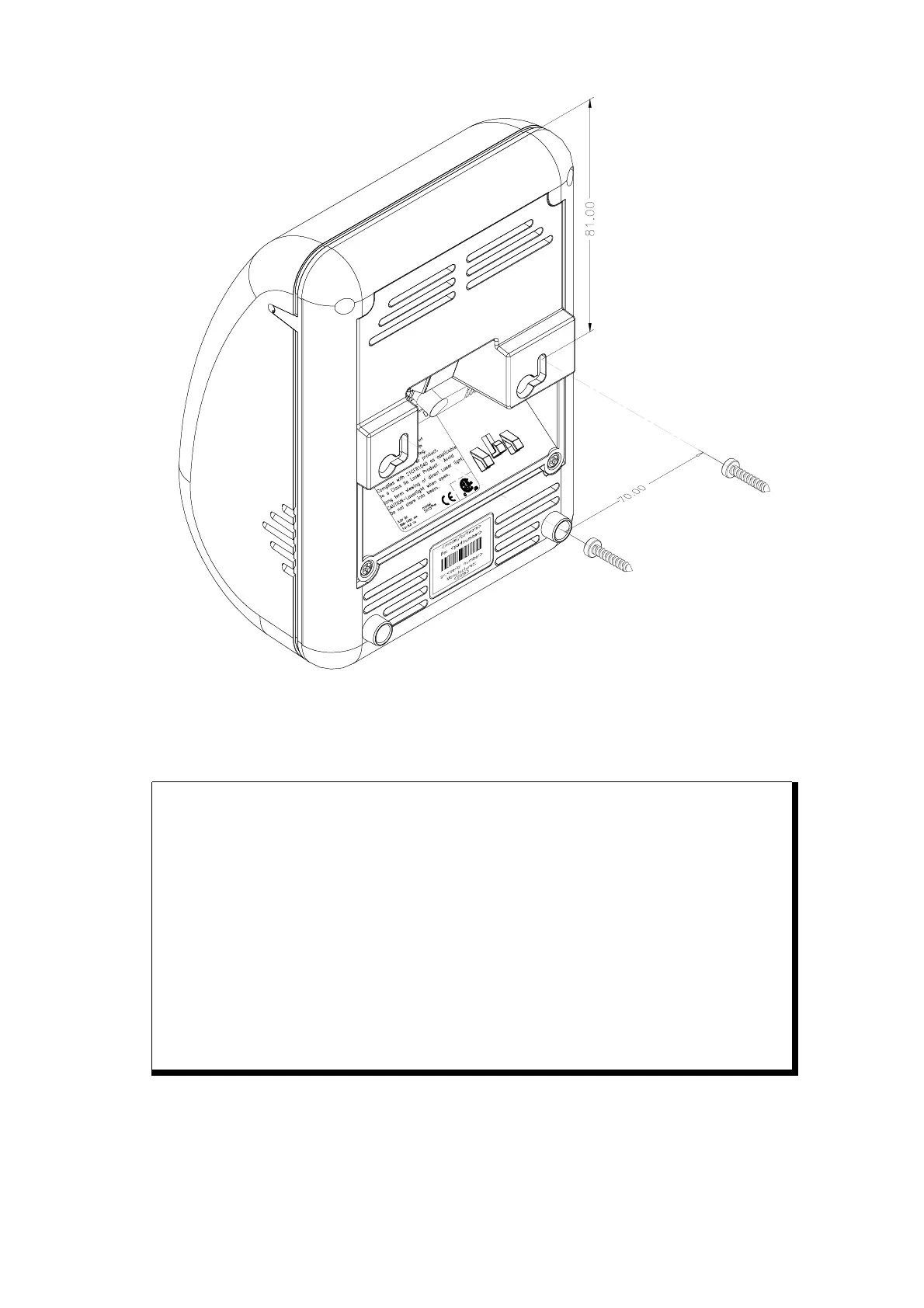
fig 3.1
ATTENTION
Mount the Shuttle
C
on a height for convenient
• view of the display
• scanning of the articles.
1. See Drilling Template in Appendix P and mark the locations
for the mounting holes on the wall and drill the two holes.
2. Put plugs in the holes.
3. Connect the power cable and the communication cable of the
Shuttle
C
(see figure 3.1 above).
4. Fasten the Shuttle
C
to the wall by clicking it on the 2 screws
(parkers, indicated by A).
A



 To Next Page