Scantech-ID Shuttle
C
SG-15
Colour
41
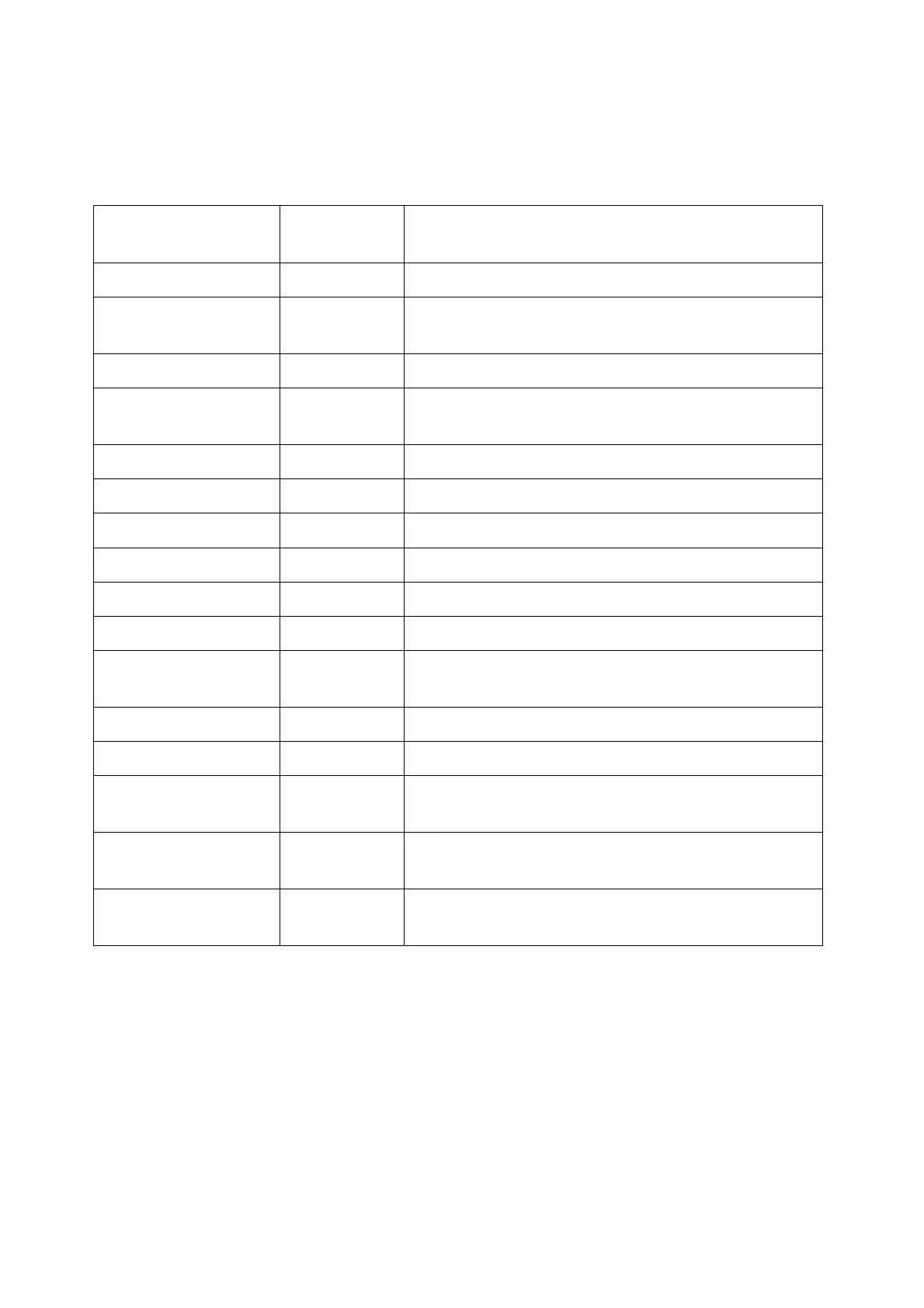
5.4.9 SG-15 <ESC><COMMAND> compatibility table
The following table represents the list of <ESC> commands:
<ESC><COMMAND> Command
Character
Legend
C_CLEARDISPL 0x25 Clear screen (clear screen and cursor moves to home
position i.e. Top-Left)
C_CURSORPOS 0x27 Position cursor (X[0-15], Y[0-4])
C_ALIGN 0x2E Align a string of text: Left-Top, Center-Top, Right-Top
etc.
C_STANDBY
1
0x40 De-activate TFT-backlight and scan-engine
C_WAKEUP
2
0x41 Activate TFT-backlight and scan-engine
C_SETFONT 0x42 Select between font size-1 or -2
C_PIXELPOS 0x44 Set Pixel Position (X[0-127], Y[0-63])
C_SHOWGIF 0x58 Show image[1-4] (can be gif, jpg, png bmp).
C_RESET 0x5A SGPriceChecker restarts by parent process (launcher)
C_SCANNING 0x5B Disable and Enable scanning by scan-engine:
Not Implemented
C_BACKLIGHT 0x5C Enable/Disable TFT-backlight
C_BEEP 0x5E Internal speaker will beep: Not Implemented
C_SHOWVERSION 0x60 Report firmware version string (currently SG15V03.14)
to host application
C_REROUTE 0x70 Reroute Ethernet/WLAN communication to serial port:
Not Implemented
C_PULSE
3
0x7C Activate Exit Gate relay for 0,5 sec.
The SG-15 emulation will reply an ACK (0x06).
1)
The SG-15
Colour
has an advanced standby scheduler that can be programmed
in days/hours/minutes.
2)
Ditto 1
3)
Requires special SG-15
Colour
Entry/Exit Gate Terminal hardware.
"EG" on unit serial number label.



 To Next Page