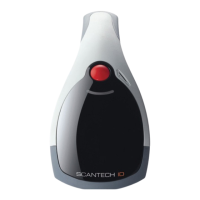
Scantech-ID Shuttle
C
SG-15
Colour
69
G-4 DEMO POSSIBILITIES & HOW TO GET STARTED
What kind of development package does the system-integrator get from
Scantech-ID?
The Shuttle
C
Product Support Library contains lots of technical information
and free source code examples in all popular languages.
Does the Shuttle
C
have an internal memory for an article database?
No, we have chosen not to do this for the following reason:
It is crucial that the information given to the consumer on the Shuttle
C
display
is correct. The best solution to achieve this high level of data integrity is to draw
the information from ONE central source: The article database on the store’s Back
Office computer.
In case the Shuttle
C
terminal would contain a local database,
this needs permanent maintenance, generating lots of data traffic and
logistic hassle.
Also, a local database memory will significantly increase the unit hardware costs.
How can I give a quick demo?
See Shuttle
C
Product Support Library (Demonstration Tool\SG15Demo.exe).
The SG-15
Colour
should run in TCP Server mode to work with this demo tool.
See Appendix K.
How can I give an advanced demo including my own database with demo articles?
See Shuttle
C
Product Support Library (\Source Code Examples\Enhanced).
The SG-15
Colour
should run in TCP Client mode to work with this demo tool.
G-5 BARCODES
Which barcode symbologies does the Shuttle
C
accept?
Basically all popular symbologies as accepted by the integrated Scantech
scanner: EAN 13, EAN 8, UPC A, UPC E, Add-ons, Code/EAN 128, Int 2/5,
Code 39 (full ASCII), Code 32, Codabar and GS1-Databar (most popular types).
By Factory Default EAN-13/8 and UPC-A/E decoding have been activated
inside the omnidirectional laser scanner.



 To Next Page