5 -
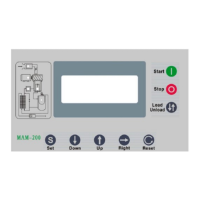
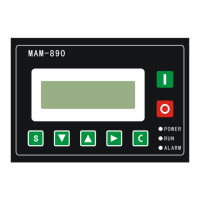
Move down button / Decreasing button:
When viewing the menu, press this button to move downward the cursor
When modifying data, press this button to decrease the data at current position
Move up button/Increasing button:
When viewing the menu, press this button to move upward the cursor
When modifying data, press this button to increase the data at current position
Shift button /Enter button:
When modifying data, press this button to move to the next data bi
When select menu, press this button to switch to submenu. If no submenu available, the controller will
shift to data setting mode
Return button / Reset button:
When modifying data, press this button to exist data setting mode
When viewing the menu, press this button to return to previous-menu
When the controller is at failure stop status, long press this button to reset
1.2 Indicator Instruction
Power Indicator: Indicator on when controller is energized
Run indicator: Indicator is on when motor is running
Alarm indicator: Indicator is blinking when alarming; indicator on when fail to stop; indicator off when error
is cleared


 To Next Page