- 41 -
www.SCEPTRE.com
E246 Series HD Display User Manual
Important DVD Operation Guidelines
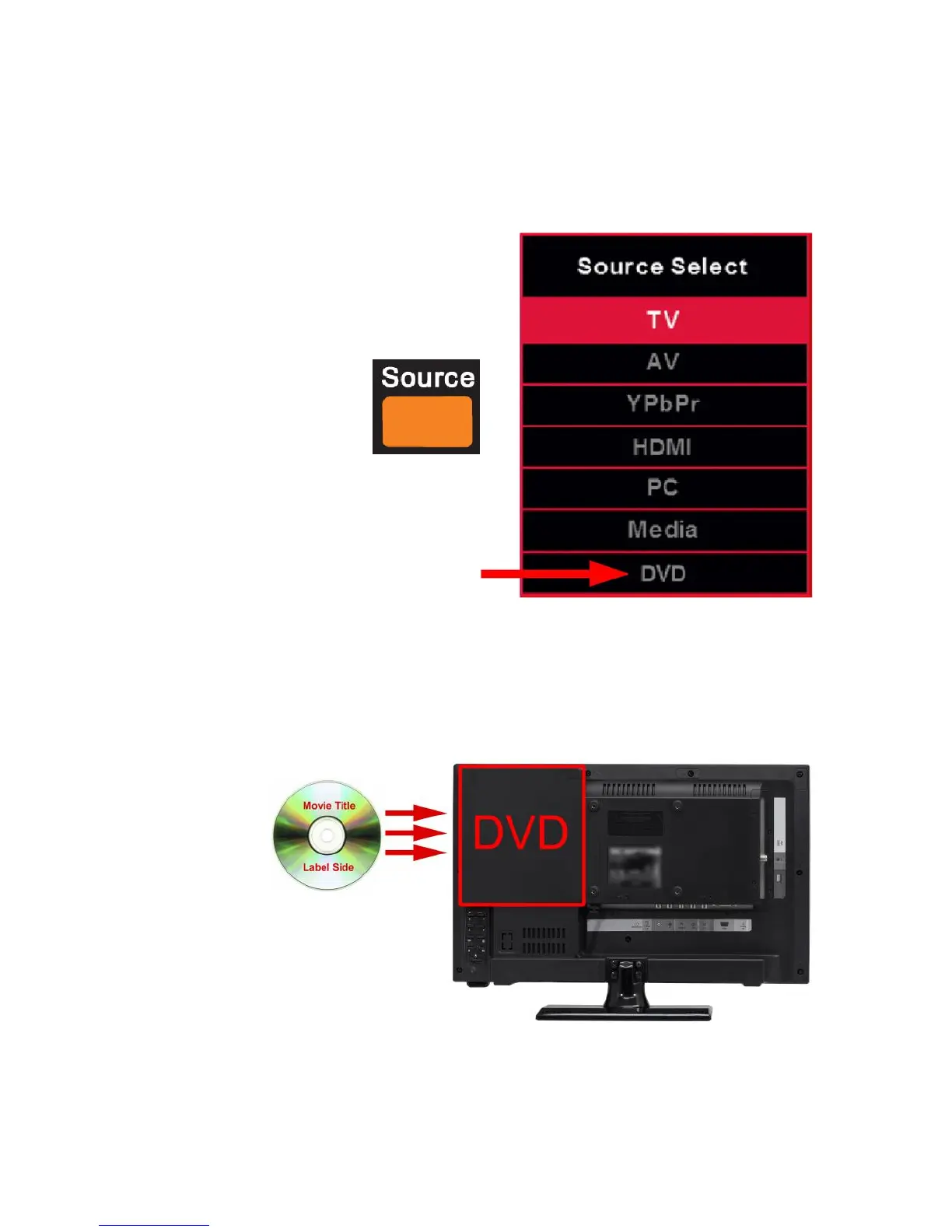
1. The DVD drive only functions while the TV is under the source DVD. In order
to put the DVD disc in, or eject the DVD disc, you must be under the DVD
source. Otherwise the DVD drive will not work.
To be under source DVD press the SOURCE button then select
DVD.
2. With the TV turned on and the DVD button pressed from the TV remote, you
can now insert the DVD disc you want to play. When you are facing the
front of the TV, insert the DVD disc with the side that is labeled with the
movie title facing away from you.



 To Next Page