- 46 -
www.SCEPTRE.com
E246 Series HD Display User Manual
Direct Function Buttons
Sceptre Sound Bar
The Sceptre Sound Bar is an add-on speakers designed to connect to any flat panel HD
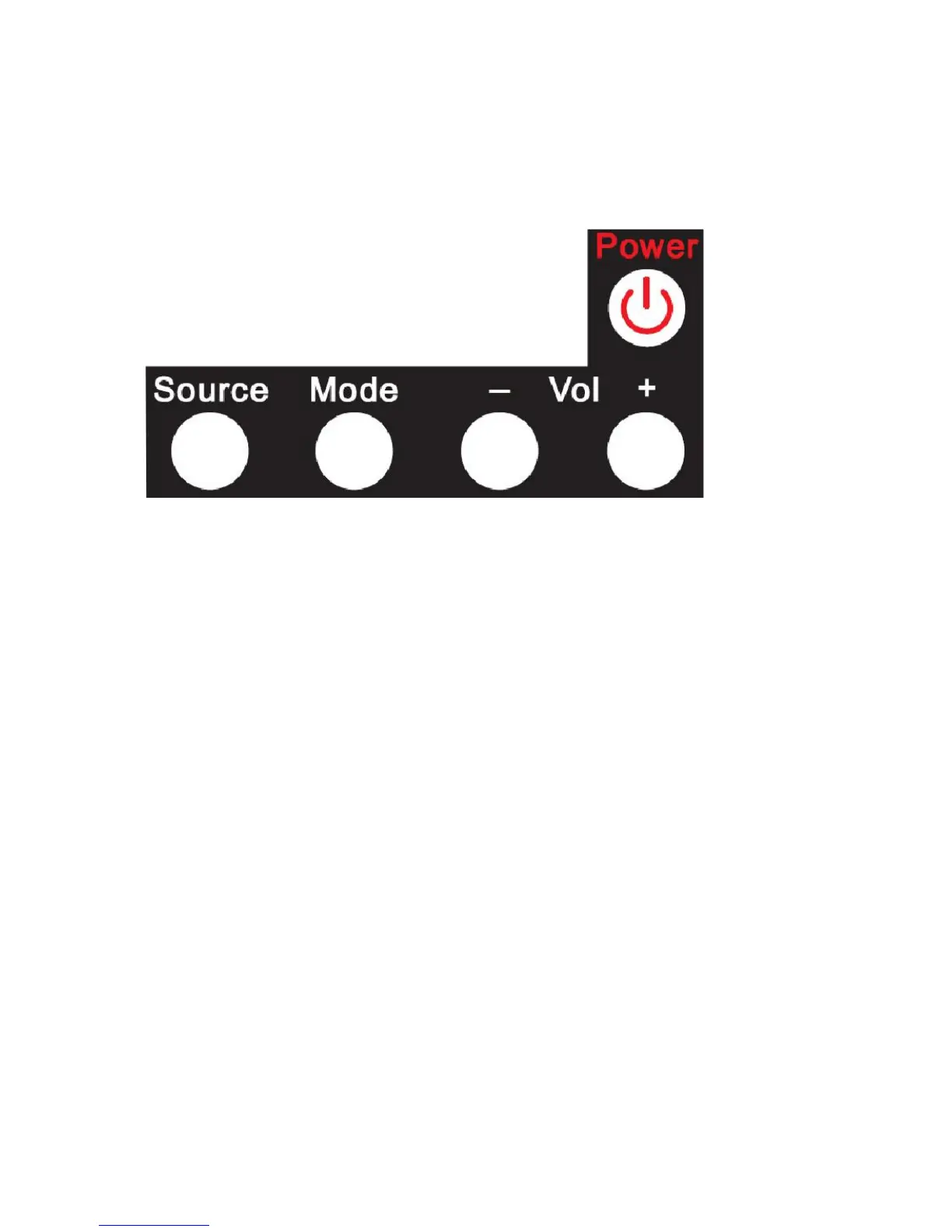
Display including Sceptre’s own. These direct function buttons above help eliminate the
use of the Sound Bar remote.
Power –This button turns the Sound Bar on or off.
Source – This button changes the audio signal of the Sound Bar.
Mode – This button changes the sound mode of the Sound Bar.
Vol(-) – This button decreases the volume of the Sound Bar.
Vol(+) – This button increases the volume of the Sound Bar.
Please Note:
If you own a Sceptre Sound Bar with the Sceptre Display, the Display
remote’s power button will turn on both the Sound Bar and the Display.



 To Next Page