EasyManua.ls Logo

Sceptre E485 - User Manual

Sceptre E485
58 pages
Print Icon
To Next Page IconTo Next Page
Loading...
- 1 -
www.SCEPTRE.com
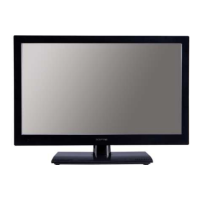
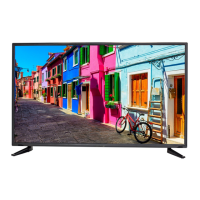
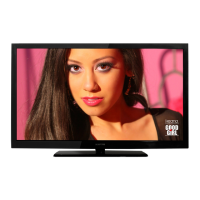
SCEPTRE E485 HDTV User Manual
Dear Sceptre Customer,
Congratulations on your new SCEPTRE E485 HDTV purchase. Thank you
for your support. To ensure safety and many years of trouble free operation
of your TV, please read the manual carefully before making any adjustments,
and keep them in a safe place for future references. We hope you enjoy your
new SCEPTRE HDTV.
For technical assistance, please call 1800-788-2878 and select option 3 or
email our tech support group at SceptreTS@sceptre.com
.
For all other inquiries, please call 1800-788-2878 and select option 4 or
email our customer service group at SceptreCS@sceptre.com
.
Live Chat also available during business hours M-F 8:30AM-5:30PM.
We recommend you register your SCEPTRE HDTV at our online website
http://www.sceptre.com/service_registration.php
Sceptre wants to help you save energy! The default setting for this
HDTV is set to POWER SAVING mode. You can change this setting by
pressing the PICTURE button on the remote control twice.
This TV is ROKU™ and MHL® ready using HDMI 2.
This TV does NOT have QAM support. For digital cable, you’ll need a
cable box.

Questions and Answers

  • T
    Teresa PaulSep 7, 2025
    How to make the picture fill the entire screen on a Sceptre E485 HDTV?
    • K
      Kevin JosephSep 8, 2025
      If the picture on your Sceptre HDTV doesn't cover the entire screen, and you're using HDMI or a digital TV channel, use the ASPECT button to switch to the 16:9 format. If you're using VGA, use the AUTO ADJUST function. For regular analog TV, AV, or component in 480i resolution, use the ASPECT button to switch to 16:9, noting that this may distort the picture.
  • D
    dstevensSep 10, 2025
    Why does the volume change when switching channels on my Sceptre HDTV?
    • S
      Shawn AllenSep 10, 2025
      Volume changes when switching channels or sources on your Sceptre HDTV can occur because different channels and inputs have varying signal volumes. To mitigate this, ensure the AUTO VOLUME LEVEL function is turned on.
  • B
    Brandi WeeksSep 12, 2025
    How to unblock TV channels on Sceptre E485?
    • D
      Dean LoganSep 12, 2025
      If TV channels are blocked on your Sceptre HDTV, check the auto lock function's settings within the OSD. You might have inadvertently locked some channels.
  • C
    Catherine JonesSep 13, 2025
    Why is my Sceptre HDTV picture very dim?
    • E
      Eric MartinezSep 13, 2025
      If your Sceptre HDTV picture is very dim, check if you are in POWER SAVING mode. Press the PICTURE button on the remote control to cycle out of POWER SAVING mode.
  • G
    gjordanSep 15, 2025
    Why does my Sceptre HDTV turn off after 10 minutes?
    • B
      Brian SanchezSep 15, 2025
      Your Sceptre HDTV might be turning off automatically after 10 minutes because it features a power-saving mode. This mode automatically shuts off the TV if there is no signal for more than 10 minutes.
  • P
    Pamela KimSep 18, 2025
    Why am I getting no channels after scanning with digital cable on my Sceptre E485 HDTV?
    • J
      Jennifer CoxSep 18, 2025
      This Sceptre HDTV does not support QAM. To use digital cable, you need a cable box. Connect an HDMI cable from the cable box to your TV, then turn on both the TV and cable box, ensuring your TV's source is set to HDMI.

Summary

SAFETY INSTRUCTIONS

IMPORTANT INFORMATION

Television Antenna Connection Protection

Guidelines for grounding TV antennas to protect against voltage surges and static charges.

Lightning Protection

Steps to protect the TV during lightning storms or when unattended.

Opening the Package

Installation

Instructions and recommendations for setting up the TV, including placement and ventilation.

Rear View Connections

Connection Suggestions

Connecting Various Sources

Guides for connecting antennas, DVD players, PCs, game consoles, and audio devices to the TV.

OSD (On Screen Display) Controls

OSD Options Overview

Picture & Sound Adjustments

Options to customize TV picture quality and audio output settings.

Channel & Parental Controls

Settings for tuner functions, channel management, and content filtering by rating.

Detailed Explanations

USB Media Playback

How to connect USB devices to play music and display pictures on the TV.

Troubleshooting Common Issues

Problem Resolution Guide

A table listing common TV issues and their solutions.

Customer Support Information

Contacting Sceptre Technical Support

Provides contact details for Sceptre Technical Support, including email, phone, and hours.

Product Specifications

Display Panel Technical Data

Technical details of the TV's display panel, including size, resolution, brightness, and contrast.

LIMITED PRODUCT WARRANTY

Sceptre E485 Specifications

General IconGeneral
BrandSceptre
ModelE485
CategoryHDTV
LanguageEnglish

Related product manuals