19
www.schaerer.com
User Manual SCF - EN
03.2010 / Edition 07
Software
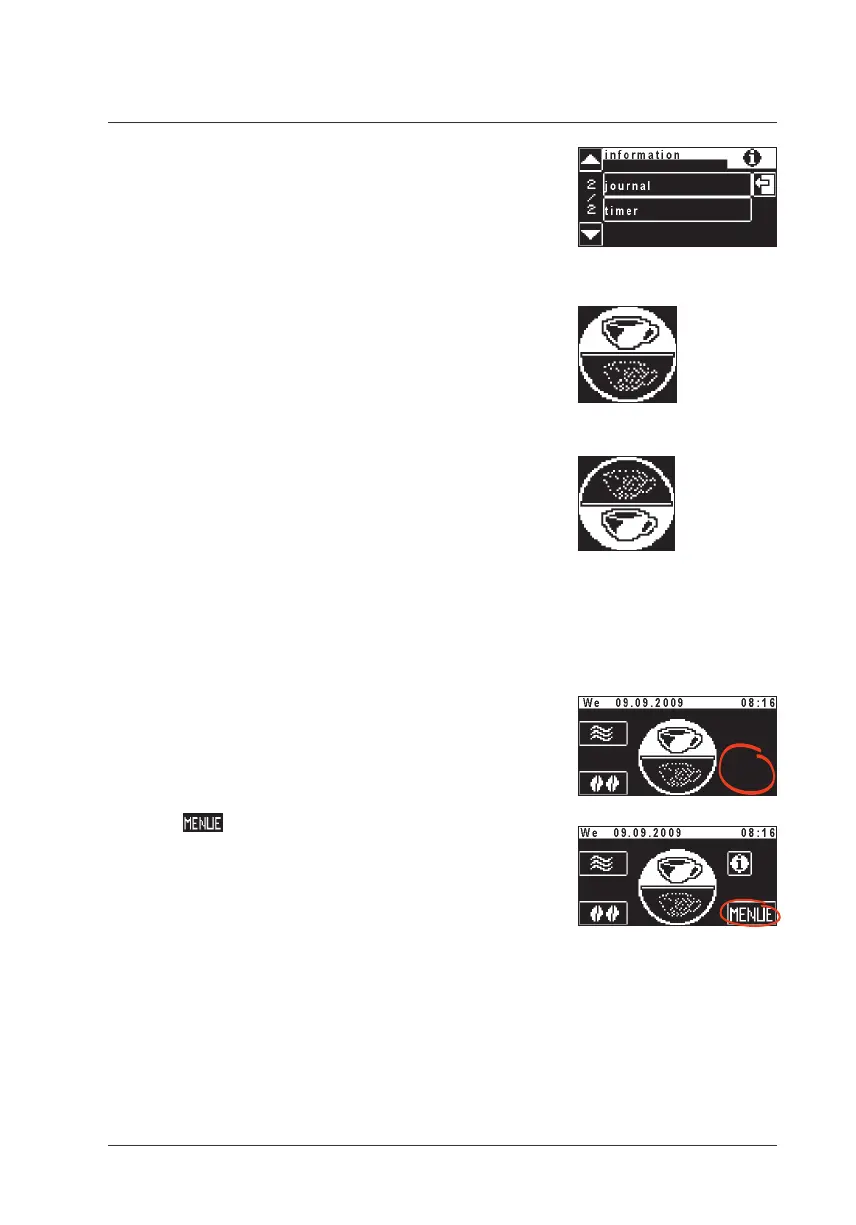
Journal
y List of logged error and status messages
(for telephone support)
Timer
Display of the timer status (On / Off) y
Display of the next switching time y
3.2.4 Toggle pad (optional)
Each beverage button may be doubly assigned.
This is possible using a secondary level for the beverage
buttons.
Level 1 activated.
Touch the toggle pad
Level 2 activated.
Touch again to switch back to level 1.
3.2.5 To main menu
Call up the main menu
Touch clear area on the ready to operate display
Additional pads are activated.
Touch
The main menu is displayed.
Level 1 is active
Level 2 is active
Toggle pad (active / inactive)
w Settings w Operating
options
page 33
Ready to operate display
... with additional pads
Delayed fade-in
w Settings w Operating
options
page 33













 To Next Page