The Schbot Wind X2 is a robot window cleaner designed to provide a smarter and more convenient lifestyle through its dual self-water-spraying feature. This user manual outlines the safety instructions, specifications, product description, cleaning modes, installation, usage, app control, maintenance, and troubleshooting for the Wind X2.
Function Description
The Wind X2 is a robot designed to clean windows automatically. It features a self-water-spraying system that can operate in both manual and auto modes. The robot uses suction to adhere to glass surfaces and employs different cleaning paths ("Z", "N", or "Z|N") to cover the entire window. It is equipped with anti-falling sensors and a safety rope for secure operation. The device can be controlled via a remote control or a dedicated mobile application.
Important Technical Specifications
- Product Model: Wind X2
- Size of Main Unit: 245 x 245 x 78 mm
- Net Weight: Approximately 1.53 KG
- Adapter Input: 100-240VAC ~ 50/60Hz
- Adapter Output: 24.0V ⎓ 3.75A
- Rated Wattage: 80W
- Battery Type: Rechargeable Li-ion Battery
- Battery Capacity: 600mAh
- Battery Rated Voltage: 14.8V ⎓
- Charging Time: Approximately 1-2 hours
- Minimum Workable Surface: 60 x 50 cm
- Water Tank Capacity: 100 ml ±10 ml
- Working Noise: <75dB
- Spraying Drive Type: Motor Drive
- Operating Temperature: 0°C - 40°C (32°F - 104°F)
Usage Features
Installation:
- Charging: Plug the adapter into the Wind X2, connect the adapter to the AC plug and extension cable. The LED indicator will show solid red during charging and turn green when fully charged (after 1-2 hours).
- Cleaning Pad Attaching: Attach the original cleaning pads to the bottom of the Wind X2, ensuring they do not cover the wheel belts or anti-falling sensors. Avoid spraying too much water on the pads to prevent slipperiness.
- Fill Up the Water Tank: Open the water tank lid, fill it with clean water, and seal the lid. Do not use dirty, thick, corrosive, or flammable liquids.
- Safety Rope Fixing: The safety rope must be tied tightly to indoor fixtures before use. Ensure the rope length is appropriate for cleaning and check for any damage or loose knots. Set a danger-warning area for no-balcony windows.
To Use Wind X2:
- Switch On/Off: Plug Wind X2 into power supply, then hold and press the switch on the device for about 2 seconds to turn it on. Place the robot on the window glass. Repeat the process to turn it off.
- Start Cleaning: Ensure the edge of Wind X2 is at least 8cm away from window frames or corners. Press the "Start," "N," "Z," or "Z|N" button on the remote or app to begin cleaning.
- Stop/Pause/Resume: Press the "STOP" button on the remote to stop cleaning. Press the "Pause" button to pause, and press it again to resume.
- Take Wind X2 Back: After automatic cleaning, the Wind X2 will return to its starting point and beep. Use the remote to move it to a reachable location. Hold the hand grip and safety rope, press the switch button for 2 seconds, and remove it from the window. Clean the pads and empty the water tank if not using for a long time.
Cleaning Modes:
- "Z" Cleaning Mode: Starts in the center of the glass, detects the frame upwards then left, and cleans in a "Z" shaped path.
- "N" Cleaning Mode: Starts in the center of the glass, detects the frame upwards then left, and cleans in an "N" shaped path.
- "Z|N" Cleaning Mode: Cleans the glass using both "N" and "Z" shaped paths.
Self-Water-Spraying System:
- Manual Mode: After turning on Wind X2 and pressing the start button, it enters manual water-spraying mode (solid blue indicator). Users can manually spray water using the button on the remote or app.
- Auto Mode: Press the Auto/Manual Water Spraying Switch to enter auto water-spraying mode (blinking blue indicator). Users can set spray intervals (3s, 5s, 8s, 10s) via the app.
App Use:
Download the "iGLASSBOT" app from the Apple App Store or Google Play by scanning the QR code.
- Open the app.
- Turn on Wind X2 and place it on the glass.
- Use the app to search for Wind X2's hotspot (e.g., CleanRobot XXXX).
- Tap the hotspot to pair the app with Wind X2.
- Control the robot via the app's control panel.
Maintenance Features
- Cleaning Pads: Wash and dry the cleaning pads after each use.
- Wheel Belt: Clean the belt with a soft, damp cloth and then dry it.
- Air Inlet: Wipe the air inlet regularly.
- Battery: Fully charge the battery (about 1-2 hours) and turn off Wind X2 if not used for a long time. Charge it at least every 3 months to prevent battery death. Replace the battery pack after 1 year of purchase.
Safety Instructions and Warnings
- Use only original adapter, plug, and battery.
- Ensure adequate ventilation around the adapter.
- Always switch off Wind X2 before cleaning or maintenance.
- Do not use in high moisture environments or handle the adapter with wet hands.
- Do not use on cracked glass or uneven surfaces.
- Keep hair, loose clothing, fingers, and body parts away from openings and moving parts.
- Do not use in areas with flammable or combustible liquids/gas.
- Check the safety rope and extension cable for damage before use.
- Fasten the safety rope to indoor fixtures.
- Do not use on rainy or moist days.
- Switch power on before placing the device on glass.
- Ensure Wind X2 sticks properly to the glass.
- Ensure the cleaning pad is correctly placed to avoid water leakage.
- Do not spray or pour water onto Wind X2 or its adapter.
Product Warranty and Exclusions
The Wind X2 comes with a 1-year limited warranty against original defects in workmanship or material, applicable only through authorized distributors. Improper usage, non-compliance with the manual, or force majeure will void the warranty. Normal reductions (battery aging, mopping cloth aging) are not guaranteed. Exclusions include normal wear and tear, reduction in battery discharge time due to age/use, expired warranty, damage from accident/abuse/misuse, force majeure, and lack of purchase record.
Recycling
The product should not be treated as household waste. It must be taken to an appropriate collection point for the recycling of electrical and electronic equipment to prevent negative environmental and health consequences.
The Wind X2 complies with Directive 2014/53/EU and RoHS 2.0 Directive (EU) 2015/863. The manufacturer reserves the right to make changes in text, design, and technical specifications without prior notice.

 Need help?
 General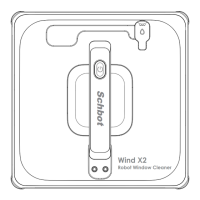

 To Next Page