To use Wind X2
Note: Hold and press the switch for about 2 seconds again to turn it off.
Start Wind X2
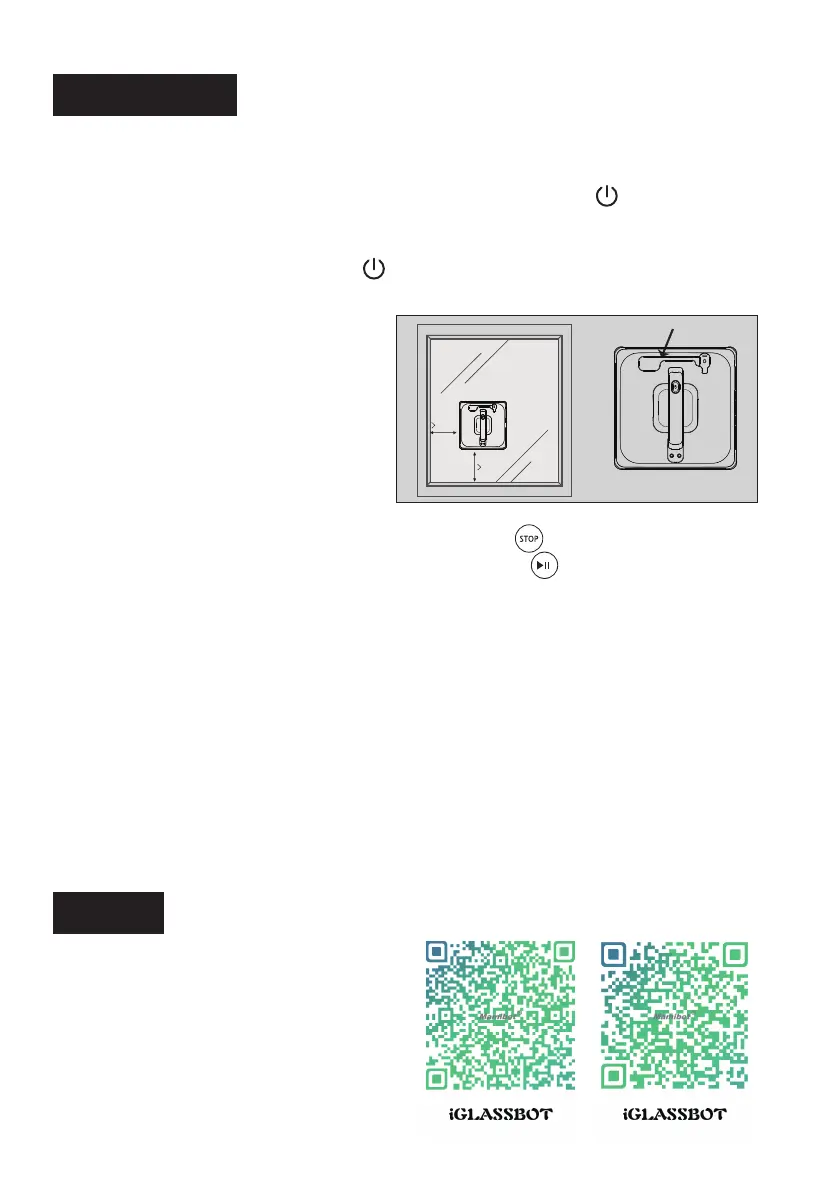
1). Make sure the edge of Wind
X2 is 8cm or further away from
window frames or corners before
cleaning.
2). Press the “Start”/”N”/”Z”/”Z|N”
button on remote or App to start
clean.
on remote to stop it.
on the remote to
Stop/Pause/Resume
1). When Wind X2 is cleaning, press STOP button
2). When Wind X2 is cleaning, press Pause button
pause it, and press it again to resume cleaning.
Users can also operate Wind X2 via App.
APP Use
8cm
8cm
App.
Take Wind X2 back after cleaning
Wind X2 will return to its starting point automatically after cleaning is
finished. There is a beep remind when cleaning finished.
1). Use remote to move Wind X2 to a reachable location;
2). Hold the hand grip and the safety rope, press switch button on Wind
X2 for 2 seonds, then take it off from the window;
3). Clean the pads in time and dry it for future use;
4). Empty the water tank if you are not going to use it in a long time.
11
Schbot
* Please charge the Wind X2 fully before use.
Switch on/off
Plug
Wind X2 in power supply, hold and press the switch on Wind X2
for about 2 seconds to turn Wind X2 on, then put Wind X2 on the
window glass.
Schbot
Wind X2
Robot Window Cleaner
Schbot
Wind X2
Robot Window Cleaner
Scan QR Code or searching
“iGLASSBOT“ from Apple store
or Google play to download
the App.
iOS System:
Requires iOS 7.0 or later. Compatible
with iPhone, iPad, and iPod touch.
Android System iOS System


 To Next Page