Troubleshooting
Malfunction
Possible Causes
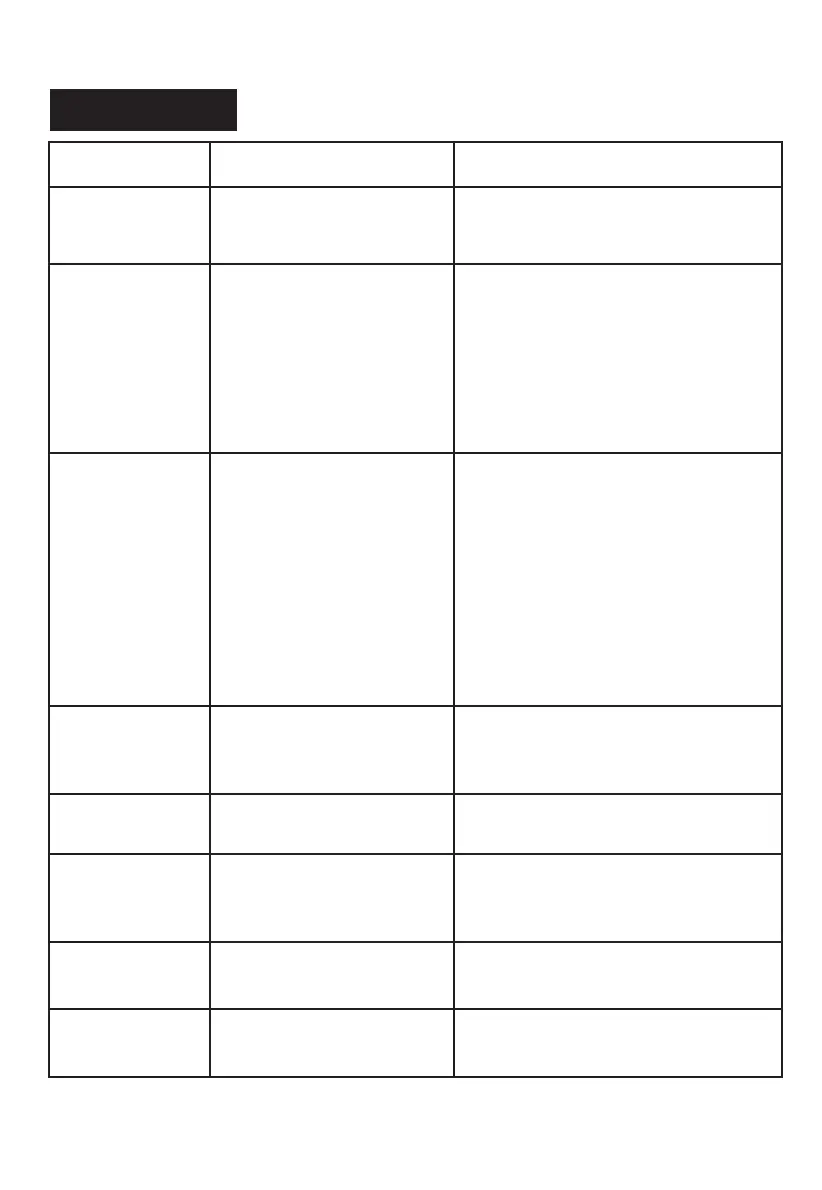
Wind X2 gets
slippery or works
in
irregular pattern.
Solutions
14
Schbot
1. Glass is too dirty or too wet.
2. Cleaning pad is too dirty
or too wet.
1. Change cleaning pad.
2. Cleaning the driving wheels.
3. Use remote to restart it manually.
Wind X2 stops
with blinking red
indicator light.
Insufficient suction power.
1. Check if the cleaning pad is attached
properly, replace it correctly.
2. Check if any crack on the glass, avoid
the crack when use.
3. Check if the frames are with uneven
area/rubber part, use remote or App to
operate Wind X2 manually and keep it
away from the uneven area/rubber part
when cleaning.
Wind X2
can't be started
after switched on,
or works in
irregular pattern.
Edge detection sensor
abnormal.
1. Remove the cleaning pad and
re-attach it, making sure it is placed
exactly within its velcro area and does
not cover the edge detection sensors.
2. Open App on your phone, connect it
with the robot and find out if any RED
indications on the corners of App
interface (Red indications on the App
interface means the edge sensor is
malfunctioned).
3. Edge detection sensors failure,
contact after-sales service.
Red indicator
light blinks, buzzer
beeps once per
second.
Improper connection of
power supply.
Check if the plug is connected well, or
the screws of the extension cables are
screwed tightly.
Hardware failure.
Contact after-sales service.
Both red and blue
indicator blinks.
Remote does not
work.
1. No battery inside or
battery has low power in
remote.
2. Remote is broken.
1. Replace the battery.
2. Replace the remote with new one.
Wind X2 got stuck
on glass frames.
Edge detection
misjudgement.
Stop Wind X2 first, pull the robot
lightly to reachable location.
Both red and blue
light on, no beeps.
Wind X2 is not
sticked
properly on
glass.
Put Wind X2 onto glass manually,
make sure it sticks properly.


 To Next Page