www.scheppach.com / service@scheppach.com / +(49)-08223-4002-99 / +(49)-08223-4002-58
GB
|
25
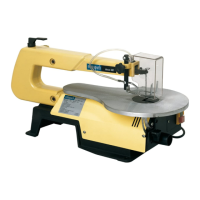
8.3 Changing the saw blades
Warning: Switch o the saw and remove the
mains supply plug before installing saw b!ades
in order to avoid injuries caused by unintentio-
na! activation of the saw.
A. Flat saw-blades Fig. 6
Use the adapter with at saw-blades.
The saw-blade is xed with Allen screws.
A 1 Saw-blade removal, g. 7+8, 10
• Extract the saw-blade by sliding the table’s inlay
up, then unscrew the tightening screw (1).
• Slightly press the upper arm (M) down (g. 10).
• Then remove the sawblade by pulling it forward out
of the supports and through the access perforation
in the table.
A 2 Inserting the saw-blade:
• Put the saw-blade with the two adapters into
the lower support, the other end into the upper
support.
• Slightly press the upper arm (M) down (g 10)
before hooking it in.
• Tighten the blade with the tightening screw (1)
(g.7) by rotating it clockwise. Check the tightness
of the blade. Keep on rotating clockwise in order
to tighten the blade even more.
B. Saw-blade with pins
B 1 Saw blade removal, g. 7 + 8
• Extract the saw-blade by rst unscrewing the
tightening screw (1).
• Remove the saw-blade from the upper and lower
support by slightly pressing the saw´s upper arm
down (g. 10, M).
B 2 Inserting the saw-blade g 7, 9-11
• Lead one end of the saw-blade through the
perforation in the table and insert the saw-blade
pins into the notch. Repeat this procedure at the
upper blade support.
• Before hooking it in, slightly press the saw´s upper
arm down. (Fig 9; Nr. 10)
• Check the position of the blade pins at the supports
(g 11).
• Tighten the blade by means of the tightening
screw. Check the blade´s tightness. Keep on
rotating clockwise in order to tighten the blade
even more. (Fig. 7).
8.4 Chip extraction
ATTENTION: Only operate the device with an extrac-
tion system.
Connect a suitable chip extraction system (not includ-
ed in the scope of delivery) to the suction connection.
K Lock nut
L Hexagonal bolt
Ouantity Description
4 Hexagonal bolts (6mm) 1/4-20 x length
4 Flat seal (7mm) 9/321.0
4 Washers (7mm) 9/321.0.
8 Hexagonal nuts (6 mm) 1/4-20
First of all, drill holes into the seating surface and
then insert the screws.
• A foam rubber base for reduction of noise is
not supplied with the saw either. However, we
expressly recommend that you use such a base
to keep vibration and noise to a minimum. Ideal
size 400 x 240 mm.
8. Assembly
8.1 Setting the saw bench, Fig. 2
Setting the angle scale
• Release the star button (A and bring the saw
bench (B) to a right angle (C) in relation to the
saw blade.
• Use a 90° angle tc measure the right angle
between the blade and the bench. The saw blade
be 90° to the angle.
• Close the star button again when the distance
between the blade and the 90° angle is at a
minimum. The bench should then be at 90° to the
saw blade.
• Release the lock screw (D) and bring the indicator
to the zero position. Fasten the screw. Please note:
the angle scale is a useful piece of supplementary
equip ment, but should not be used for precision
work. Use scrap wood for saw tests, adjust the
bench if neces sary.
Note: The bench should not be on the motor
block, this can cause undesireable noise.
Horizontal saw bench and diagonal cuts, Fig. 2+3
• The saw bench can be positioned into a 450
diagonal position or be left in the horizontal
position.
• You can read o the approximate slope angle
by using the angle scale located under the work
bench. For more exact adjustment, use scrap wood
for some saw tests; adjust the bench if necessary.
8.2 Blade guard assembly, Fig. 4
Install the blade guard to the holder as shown in the
diagram. Secure the screws with a nut and washer.
• Lift the saw onto the frame and base and push it
onto the workbench.
• Familiarize yourself with the saw operating
elements and features.


 To Next Page