Page 1.31
Chapter 1
Operating Elements
SCHILLER AT-2plus 6-Channel ECG Unit
SERVICE HANDBOOK Issue 1 June 1998
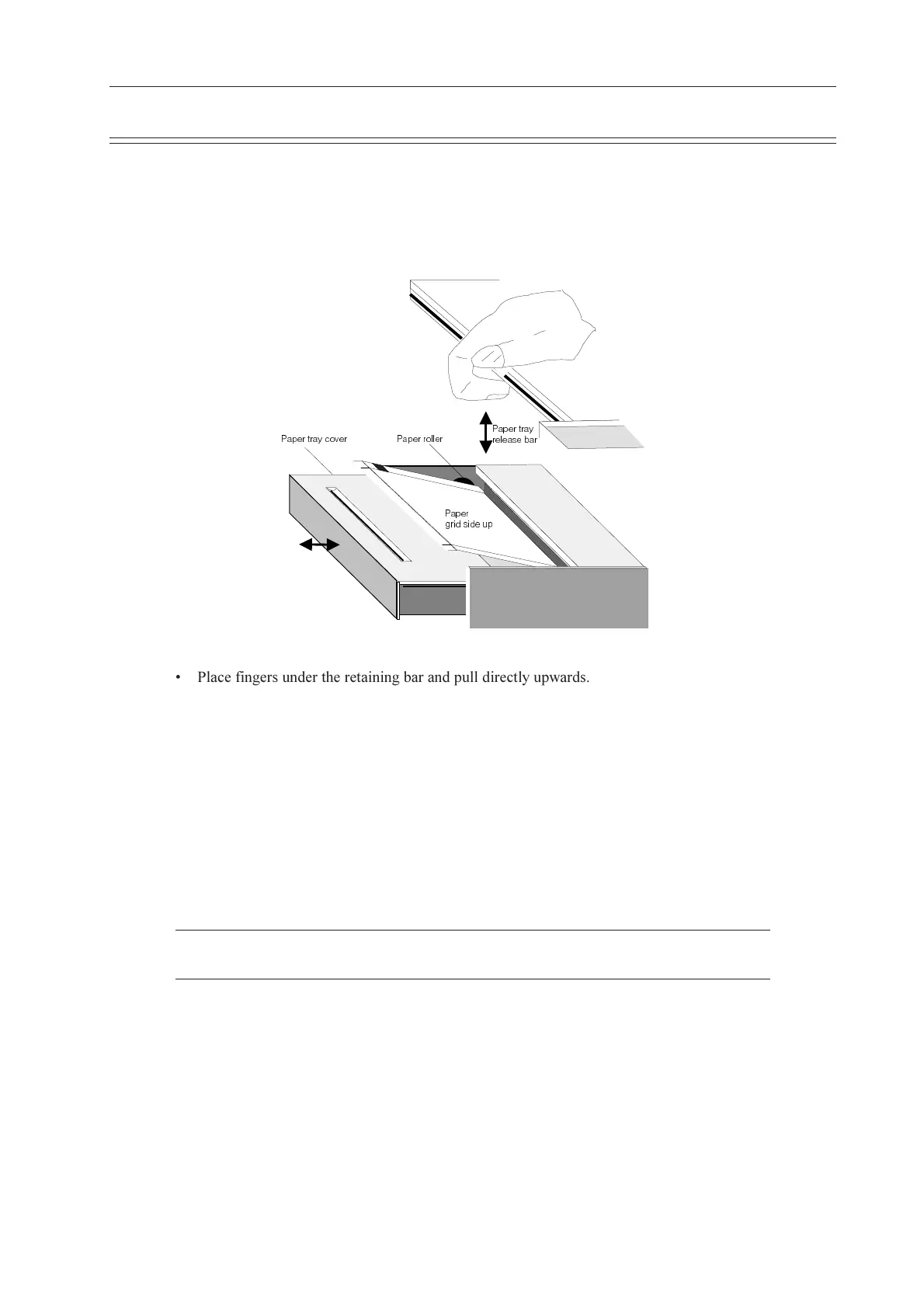
Replacing the Recording Paper
The recording paper must be replaced as soon as the end of the paper is indicated by a red stripe
on the lower edge. After the indication first appears, there are about 8 pages left. However, we
recommend that the paper be replaced immediately. If no paper is left, the printing process is
interrupted and a warning is given on the screen. To replace the paper proceed as follows:
@Q`UbdbQiS_fUb
@Q`Ub
WbYTcYTUe`
@Q`UbdbQi
bU\UQcURQb
@Q`Ubb_\\Ub
Place fingers under the retaining bar and pull directly upwards. The paper tray cover
releases.
Withdraw the cover from the unit. DO NOT FORCE, THE PAPER TRAY COVER RUNS
FREELY OVER THE DEDICATED RUNNERS.
Remove any remaining paper from the paper tray.
Place a new paper pack into the paper tray with the printed (grid) side facing upwards.
Place the beginning of the paper over the black paper roller on the paper tray cover.
Return the paper tray cover in position and press firmly until secure.
Press the STOP key to transport the paper to the start position.
Note: SCHILLER can only guarantee perfect printouts when SCHILLER original chart paper
or chart paper of the same quality is used.













 To Next Page