Installation
Command Configuration
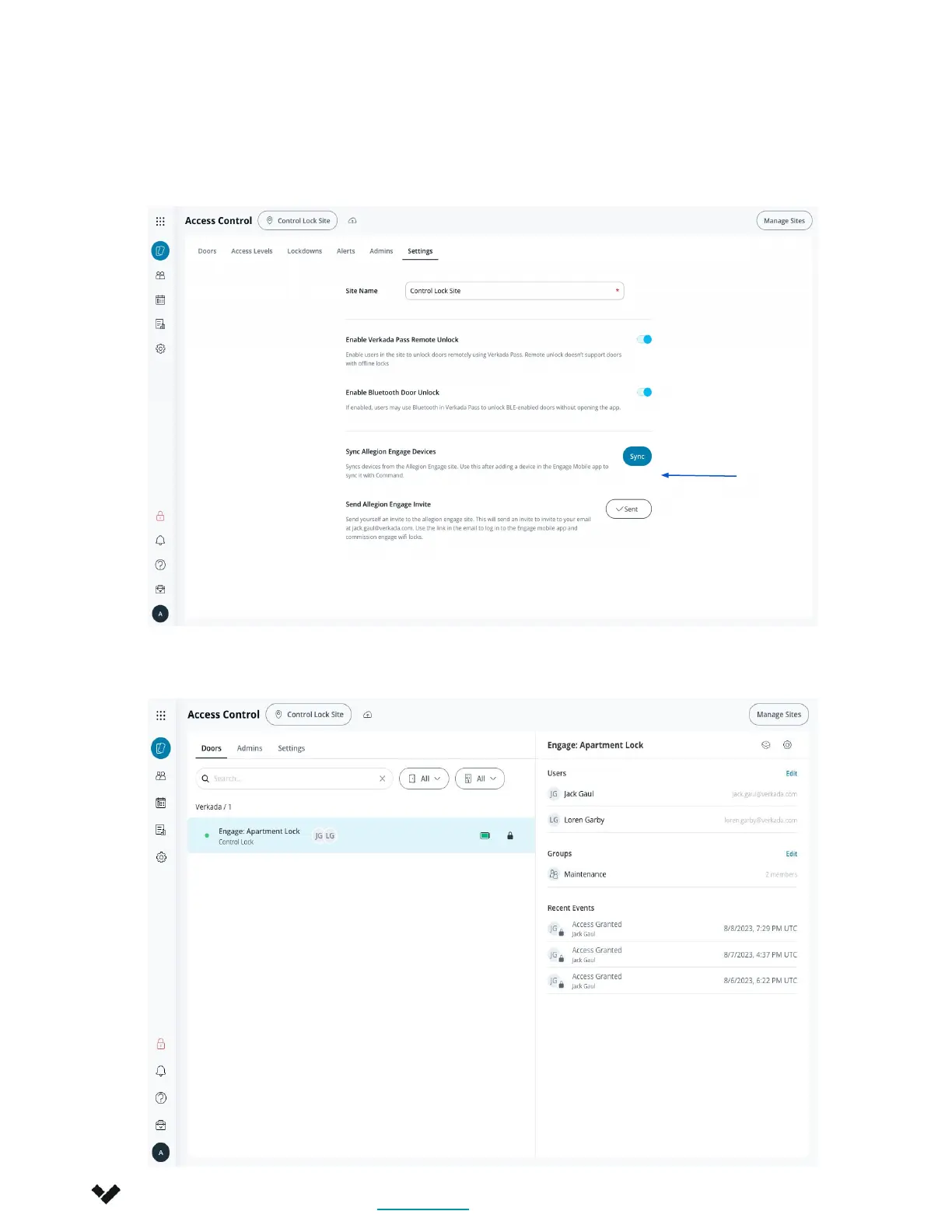
3. Once all configuration has been completed on the Engage app and the devices are
paired, click the SYNC button to pull the configurations into Command. If your
configuration was all correct, you will have functioning locks in the site!
4. Verify that the lock shows up in Command. Add a User or Group and test the remote
unlock with an account that has been given access.
Verkada Inc. 405 E 4th Ave, San Mateo, CA 94401
sales@verkada.com
All specifications are subject to change without notice
Copyright © Verkada Inc. All rights reserved.
7






 To Next Page