Installation
Command Configuration
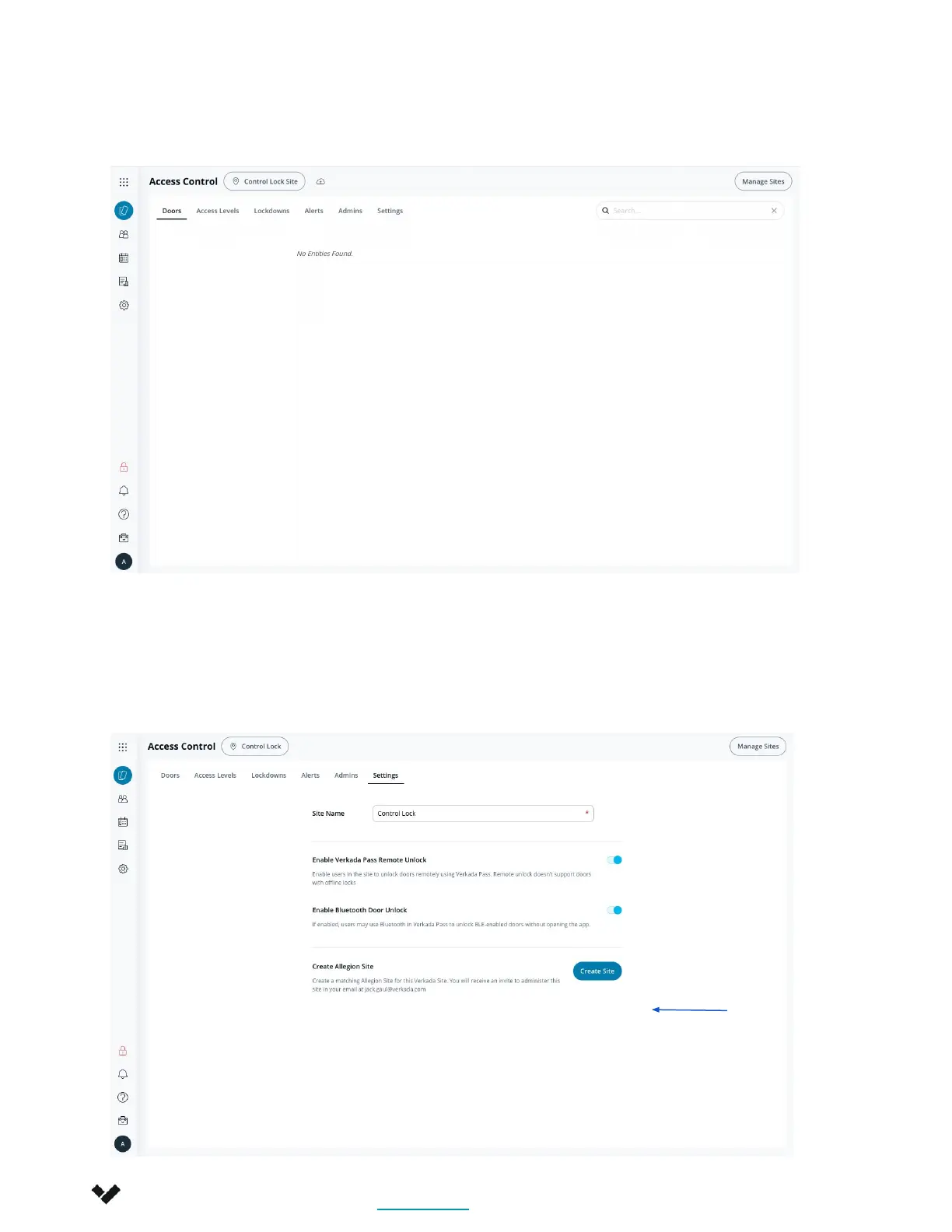
1. Create a new Verkada Site with no Verkada equipment.
2. Create Engage Site
a. In the Settings page of your Verkada site, click Create Site. This will create an
Engage site and prompt an automated email to be sent to the email associated
with the user. YOU MUST USE THE SITE THAT VERKADA CREATES IN ENGAGE. Not
one you have created.
Verkada Inc. 405 E 4th Ave, San Mateo, CA 94401
sales@verkada.com
All specifications are subject to change without notice
Copyright © Verkada Inc. All rights reserved.
6






 To Next Page