EasyManua.ls Logo

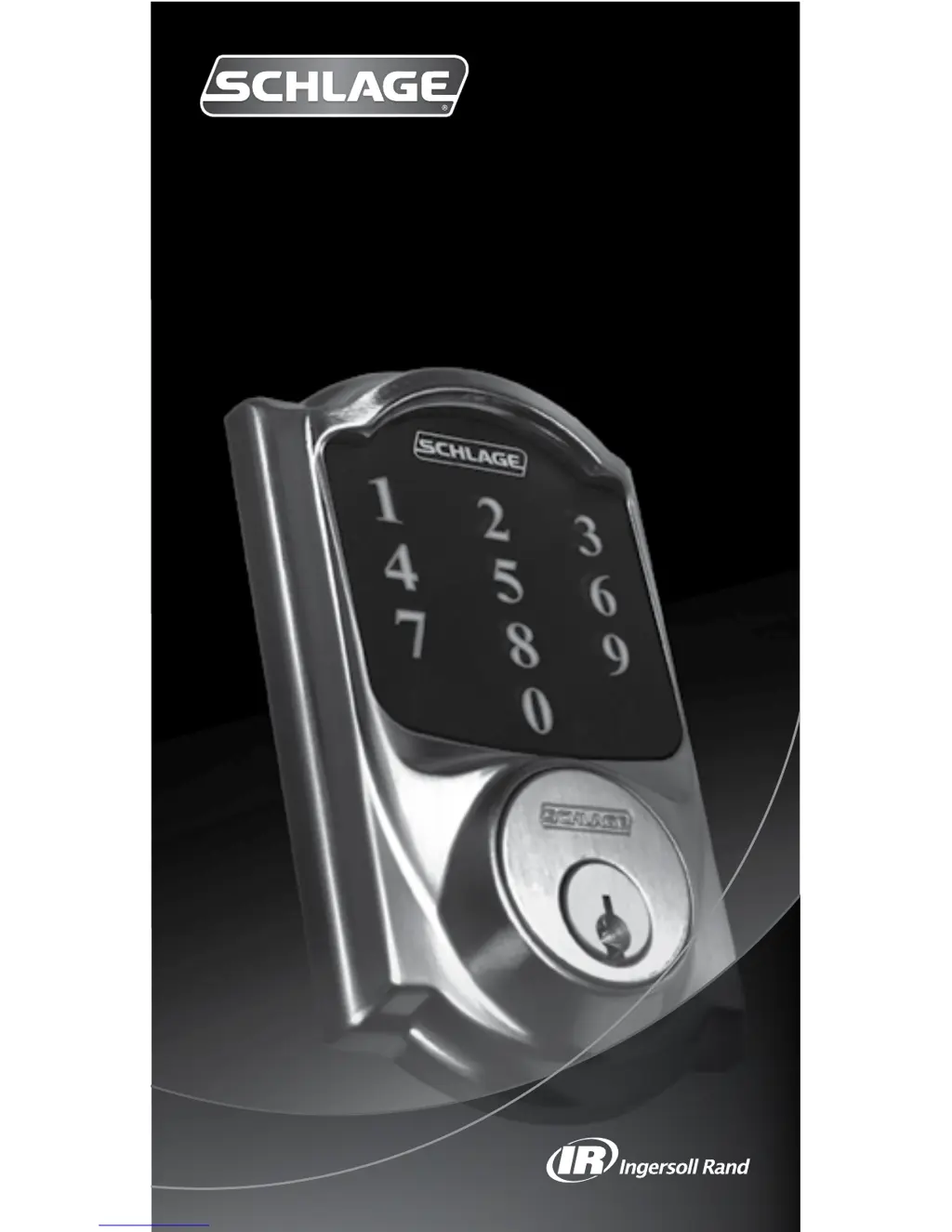
Schlage Touchscreen Deadbolt with Alarm - User Manual

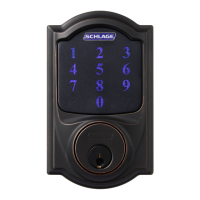
Schlage Touchscreen Deadbolt with Alarm
16 pages
Print Icon
To Next Page IconTo Next Page
Loading...
Touchscreen Deadbolt with Alarm
User’s Guide

Questions and Answers

  • A
    Adam WilliamsSep 10, 2025
    Why can't I change Programming Code on my Schlage lock?
    • D
      Dr. Anthony GravesSep 12, 2025
      If you are unable to change the Programming Code on your Schlage lock, ensure that '3' was pressed after entering Programming Mode. Also, the second Programming Code entered must match the first. Finally, the first 4-6 digits of the new Programming Code cannot match an existing User Code.
  • S
    Shannon ScottAug 22, 2025
    How to find forgotten Programming Code for Schlage Touchscreen Deadbolt with Alarm Locks?
    • H
      hernandezanitaAug 23, 2025
      If you've forgotten your Programming Code for Schlage Locks, check the back of the guide or the back of the Alarm Assembly for the default Programming Code. If necessary, restore the lock to factory settings.
  • C
    criveraAug 25, 2025
    Why can't I add a new User Code to my Schlage lock?
    • C
      Carl PerryAug 25, 2025
      If you're unable to add a new User Code to your Schlage lock, it could be due to several reasons. Ensure that '1' was pressed after entering Programming Mode. It's also possible that the lock already has 30 User Codes; delete one before adding a new one. Also, ensure that the second User Code entry matches the first. Finally, the new User Code cannot match the first 4-6 digits of the existing Programming Code.
  • C
    Charlotte SullivanAug 26, 2025
    Why User Code does not unlock Schlage lock?
    • W
      William HooverAug 27, 2025
      If the User Code you entered does not unlock the Schlage lock, the User Code entered is not a valid User Code.
  • G
    gwilliamsAug 27, 2025
    What to do if User Code cannot be entered after Outside Schlage button is pressed on Schlage Locks?
    • S
      Susan BrownAug 28, 2025
      If the Outside Schlage button is pressed and you can't enter the User Code, Vacation Mode may be enabled. Disable Vacation Mode to resolve this issue. Alternatively, too many incorrect User Codes may have been entered. Wait 30 seconds and try again.
  • S
    Susan MillerAug 29, 2025
    Why is there a delay before unlock and the yellow dot is flashing on my Schlage lock?
    • D
      Dustin BowmanAug 29, 2025
      If, after entering a User Code to unlock the Schlage lock, the yellow dot flashes and there's a delay before it unlocks, the battery is likely low and needs to be replaced.
  • G
    Gary JonesSep 18, 2025
    Why NEXIA services are not available for my Schlage lock?
    • P
      Patricia SullivanSep 18, 2025
      If NEXIA services are not available for your Schlage lock, the lock may not have been properly enrolled into a bridge.
  • L
    Lisa TaylorSep 12, 2025
    Why can't I delete all User Codes on my Schlage lock?
    • R
      Randy WellsSep 12, 2025
      If you are unable to delete all User Codes on your Schlage lock, ensure that '6' was pressed after entering Programming Mode and that the 2nd Programming Code entered was valid.
  • K
    Kevin ScottSep 8, 2025
    Why can't I delete a User Code on my Schlage lock?
    • B
      bchambersSep 8, 2025
      If you are unable to delete a User Code on your Schlage lock, it could be due to several reasons. Ensure that '2' was pressed after entering Programming Mode. Additionally, the first User Code entered must match a current User Code, and the second User Code entered must match the first.
  • N
    Nichole MartinSep 5, 2025
    Why deadbolt will not extend or retract as expected on Schlage Touchscreen Deadbolt with Alarm?
    • J
      Joyce GibsonSep 5, 2025
      If you are experiencing issues with your Schlage lock's deadbolt not extending or retracting as expected, the suggested solution is to browse to answers.schlage.com for help with adjusting the bolt/frame alignment.

Summary

Lock Setup

Locking and Unlocking

Locking from the Outside

How to lock the deadbolt from the exterior of the door.

Unlocking from the Outside

How to unlock the deadbolt from the exterior using a valid User Code.

Locking from the Inside

How to lock the deadbolt from the interior using the thumbturn.

Unlocking from the Inside

How to unlock the deadbolt from the interior using the thumbturn.

Replacing the Batteries

Programming the Touchscreen

Add User Code

Adds one User Code. Codes can be 4-8 digits long. All codes must match length.

Delete User Code

Removes one User Code at a time from the lock's memory.

Change Programming Code

Sets the 6-digit code used to access and modify lock programming.

Delete ALL User Codes

Removes all programmed User Codes from the lock.

Change User Code Length

Sets User Code length (4-8 digits), which deletes all existing codes.

Enable;Disable Auto-Lock

Automatically relocks the deadbolt 30 seconds after unlocking.

Programming the Alarm

Powering the Alarm

Instructions on how to turn the alarm system on or off using the Inside Schlage Button.

Alarm Setting Descriptions

Details alarm modes (Activity, Tamper, Forced Entry), their triggers, indicator lights, and sounds.

Changing the Alarm Mode

Adjusting the Sensitivity Level

My Codes

Factory Default Reset

Troubleshooting

Emergency Key Override

Schlage Touchscreen Deadbolt with Alarm Specifications

General IconGeneral
AlarmYes
CompatibilityZ-Wave (BE469NX CAM/CEN/ACC)
Battery TypeAA
Number of Batteries4
MaterialMetal
Key OverrideYes
Programmable CodesYes
Auto-Lock FeatureYes
Weather ResistanceYes
FinishAged Bronze, Bright Brass, Satin Nickel, Matte Black
KeypadTouchscreen
User CodesUp to 30
Backup Power Option9V battery
Finish OptionsAged Bronze, Bright Brass, Satin Nickel
InstallationStandard door prep

Related product manuals