8. Operation of the control software
40|108
Reference Manual |Edition 4.0 (10-2013) |
EcoCut 3300
8.4
WIRE SCREENS
8.4.1
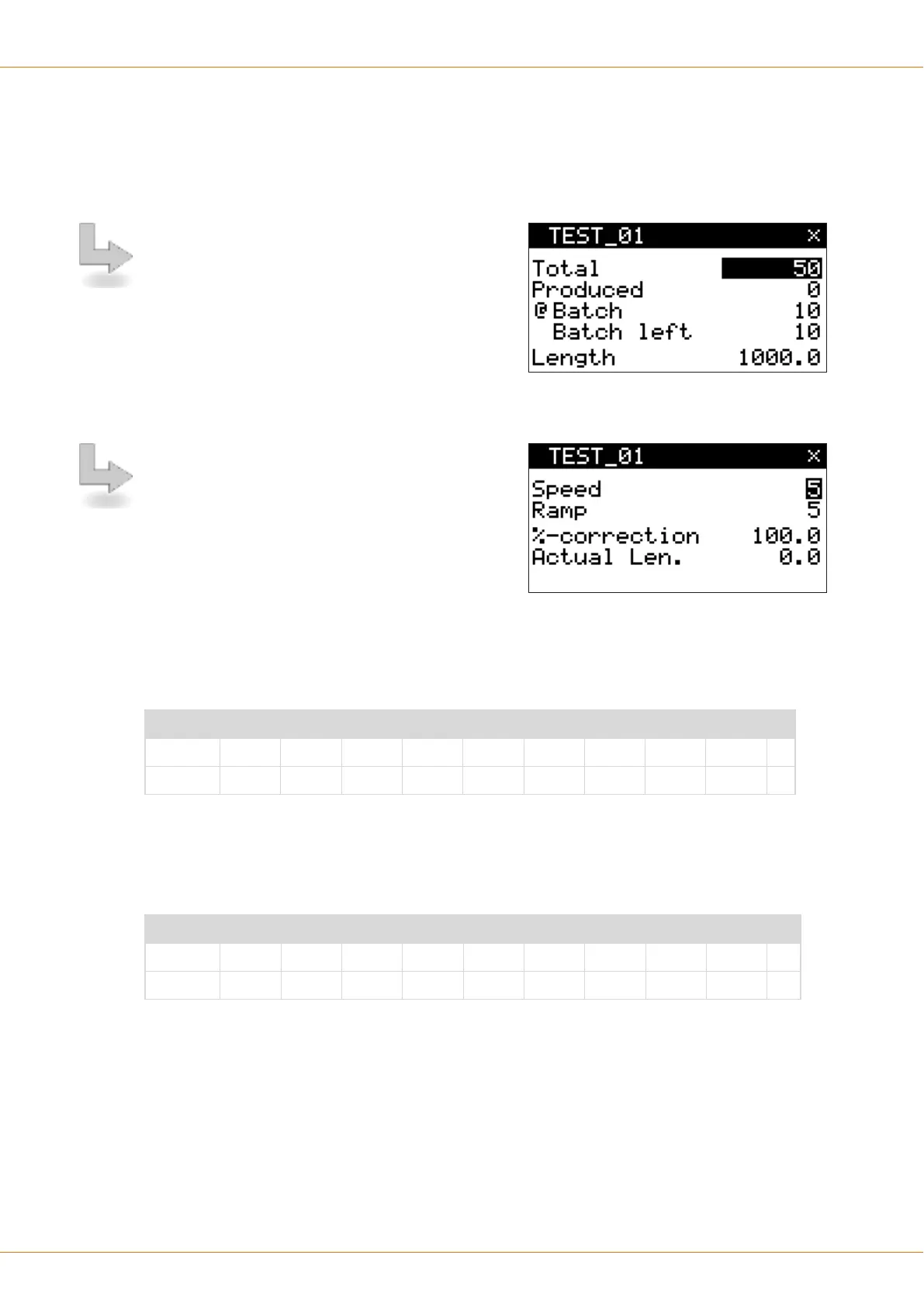
Wire data 1
After switching on the EcoCut
3300 the user automati-
cally accesses the screen „Wire“.
The number of wires to produce (Total), the batch (@
batch / @ batch left) with batch size and the wire
length is determined here.
Press [+], [OK] to delete the production status.
Press the key [×] to enter the following screens.
8.4.2
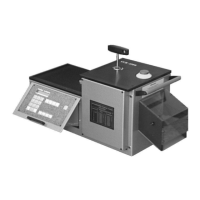
Wire data 2
Here the speed and the ramp (acceleration) with which
the wire shall be transported is determined.
Speed
These settings change the feed speed of the transport; whereas 0 is the smallest and 9 the largest selecta-
ble value.
Table of speeds
Step 0 1 2 3 4 5 6 7 8 9
m/s 0.1 0.2 0.3 0.5 0.75 1.0 1.2 1.4 1.5 1.6
Ramp (acceleration)
These settings change the ramp (acceleration) of the transport, whereas 0 is the smallest and 9 the largest
selectable value.
Table of ramps
Step 0 1 2 3 4 5 6 7 8 9
ms 1000 501 334 251 200 167 143 125 111 100


 To Next Page