8. Operation of the control software
Reference Manual |Edition 4.0 (10-2013) |
EcoCut 3300
45|108
8.6
CONFIGURATION
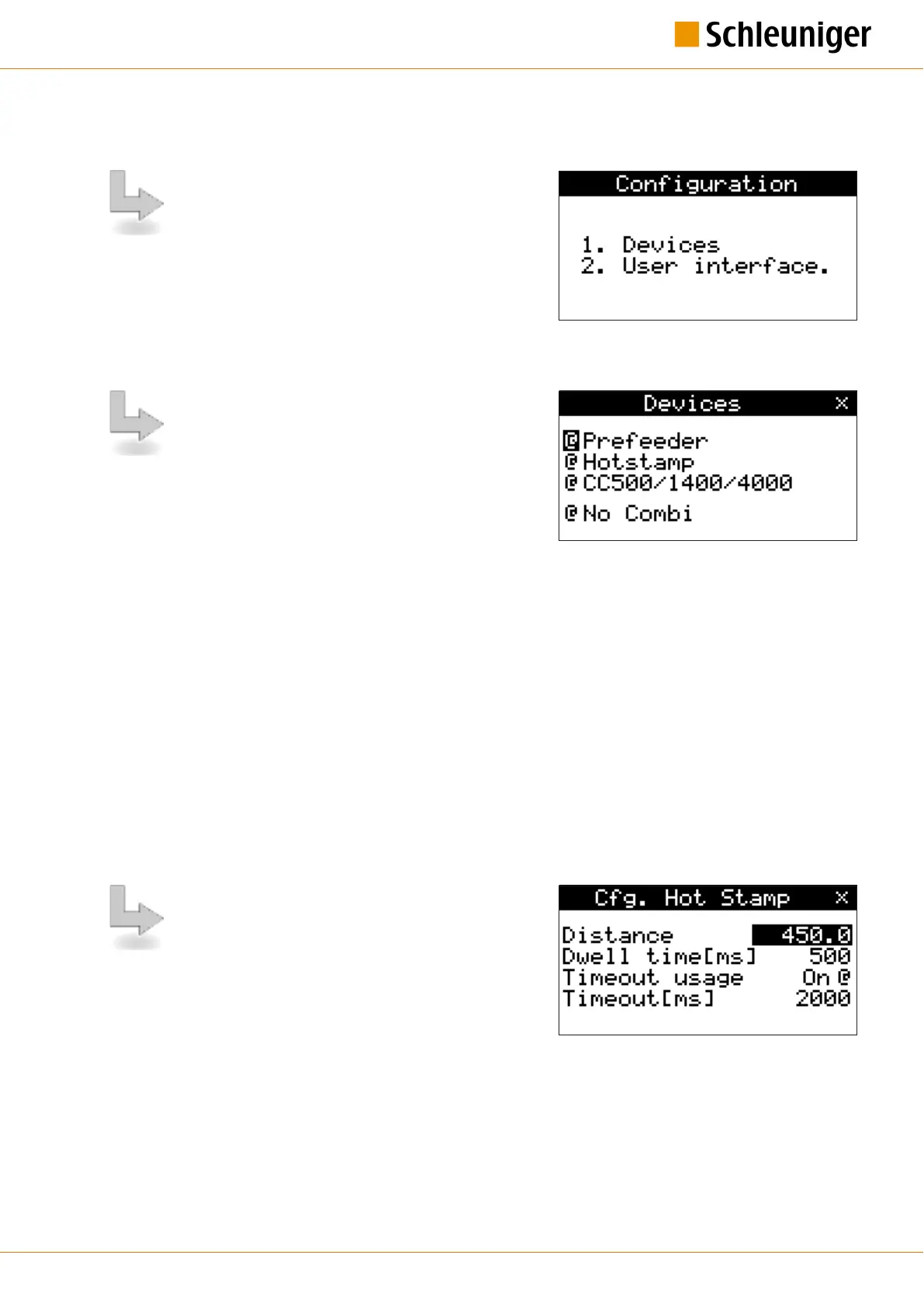
From the main menu the screen „Configuration“ can
be reached with the key [3]. In the „Configura-
tion“ screen all necessary machine settings can be car-
ried out with the following items:
▄
[1] Devices
▄
[2] User
8.6.1
Devices
In this screen the following devices can be activated /
deactivated and the "Combi" function is switched on/
off.
Feeders:
▄
PreFeeder
Marking devices:
▄
HotStamp
Post processing devices:
▄
WireStacker
▄
CableCoiler
Additional screens are activated accordingly.
Combi on / no Combi
With the operation of a wire marker device the wire feeding on the EcoCut 3300 is interrupted through
the Combi input until the marking procedure is completed, see chapter "9 Operation using a marking
device (Page 53)".
During automatic processing without a marking device, the feeding on the EcoCut 3300 is stopped as
long as the switch between pin 4-5 remains closed. The processing continues as soon as this switch is
opened again. See also chapter "14.2.2 For use with a HotStamp (Page 80)".
Configuration HotStamp
In this screen all parameters for the wire marker device
are determined. See also chapter "9 Operation using a
marking device (Page 53)".
Distance
In order to correctly position the marking the distance between the two devices must be entered into the
EcoCut
3300. See also chapter "9.2.1 Determining the distance (Page 53)".


 To Next Page