8. Operation of the control software
44|108
Reference Manual |Edition 4.0 (10-2013) |
EcoCut 3300
Symbol Meaning
Saved and current wire data are different.
Deleting a wire
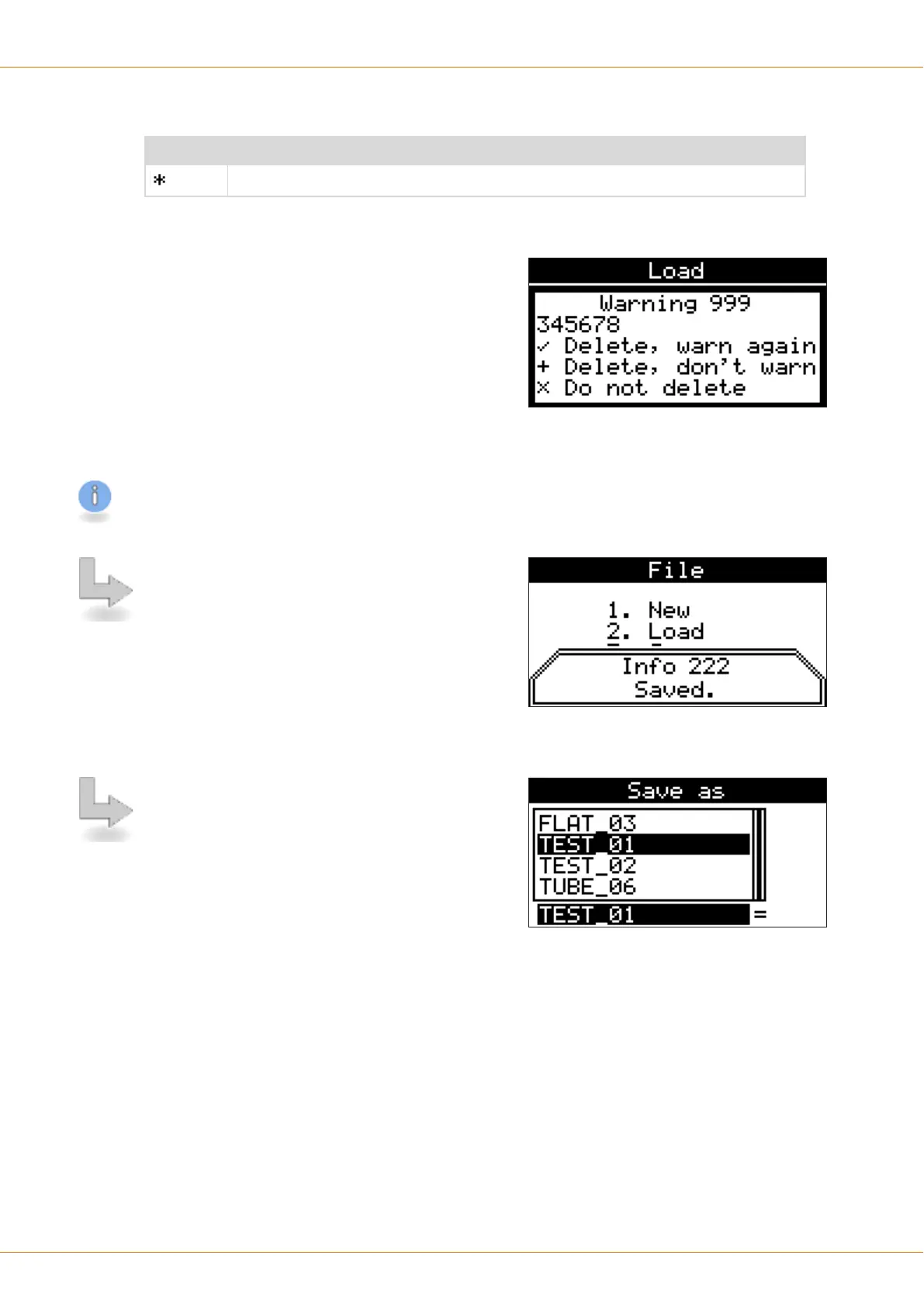
At the screen „Load“ and „Save as“, wires can be
deleted by pressing the [+] key. The warning "999" is
shown.
The entry is confirmed with:
▄
[OK] The wire is deleted and with further deleting
procedures the warning is issued again.
▄
[+] The wire is deleted, while the warning does not
appear again with further deleting procedures
until this screen is exit again.
▄
[×] The wire is not deleted.
The selection [+] „Delete without warning“ is useful if several wires are intended to be deleted.
8.5.3
Save
With the menu „Save“ the loaded and edited wire can
be saved. If a new, unsaved wire has to be saved by
means of „Save“ the user is automatically guided to the
„Save as“ screen.
8.5.4
Save as
This screen operates like the screen „Load“ with the fol-
lowing exception:
With [OK] the actual wire is saved and the screen "File"
is displayed again.
Procedure
In the list in the upper area of the screen, the name of
the wire can be selected with [UP] / [DOWN]. On the
text input field below the name can be entered directly
or an existing name renamed. The list selection thereby jumps to the next entry.
▄
With [OK] the present wire is saved under a new name.
▄
With the key [+] delete, the currently selected wire on the list is deleted, see chapter "8.5.2.3 Deleting a
wire (Page 44)".
▄
The screen can be left with [×] without loading a wire.


 To Next Page