EasyManua.ls Logo

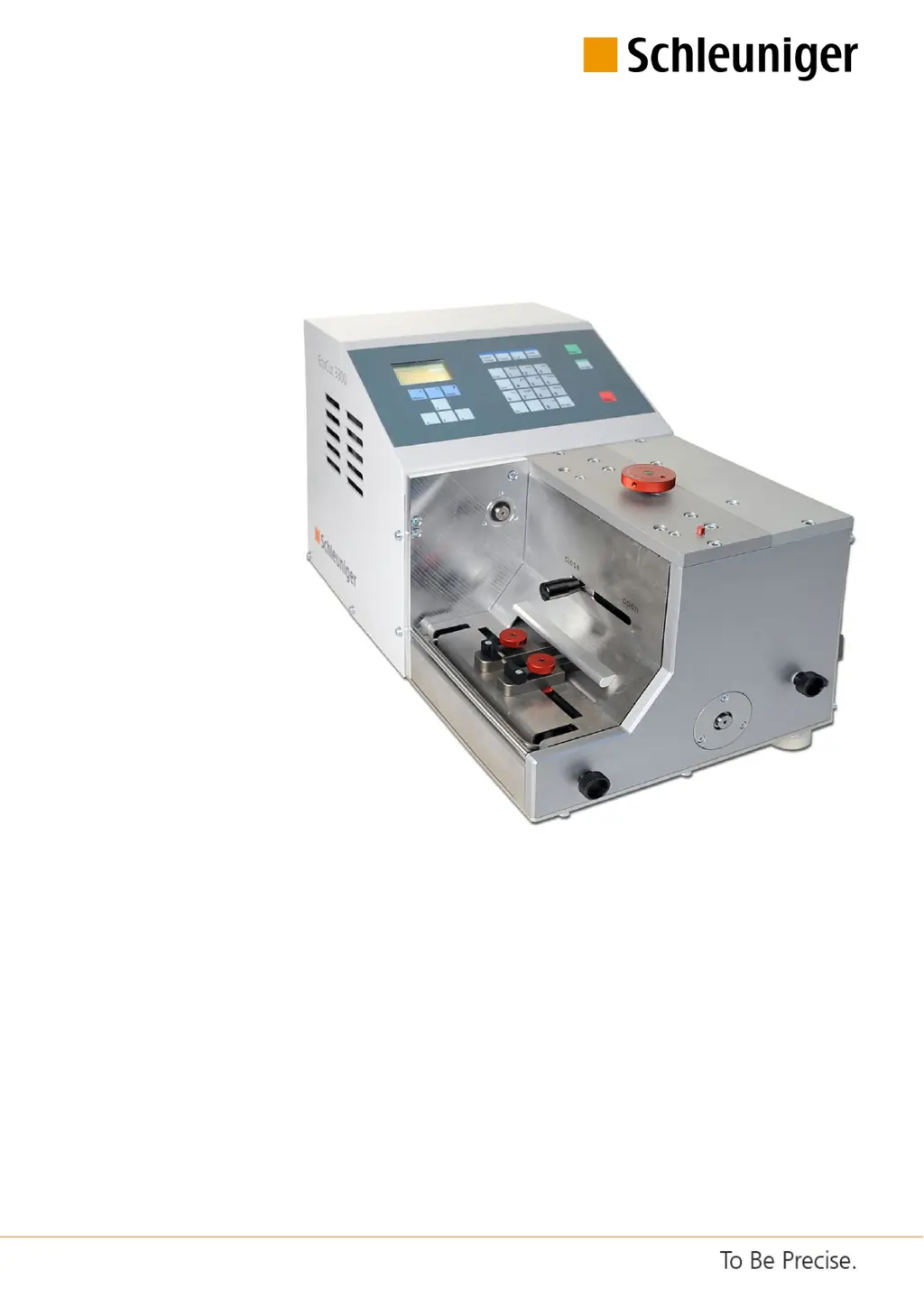
Schleuniger EcoCut 3300 - User Manual

Schleuniger EcoCut 3300
108 pages
Print Icon
To Next Page IconTo Next Page
Loading...
EcoCut 3300
Automatic Cutting Machine
Reference Manual
Software Version 1.1x |Edition 4.0 (10-2013)

Table of Contents

Questions and Answers

  • H
    henrykristiSep 23, 2025
    What does it mean if my Schleuniger EcoCut 3300 displays 'No pedal detected'?
    • T
      Tabitha PowellSep 23, 2025
      If the Schleuniger Cutter displays 'No pedal detected', it appears on diagnostic if a pedal is being tested but none is connected.
  • S
    smithlorraineAug 23, 2025
    What to do if my Schleuniger Cutter displays 'Over temperature fault Production canceled'?
    • B
      Bryce LarsonAug 25, 2025
      If the Schleuniger Cutter shows an 'Over temperature fault Production canceled' message, it indicates that the electronics are overheating. To resolve this, switch off the machine and wait for five minutes to allow it to cool down.
  • S
    Susan BrownAug 25, 2025
    What does it mean if my Schleuniger EcoCut 3300 says 'No more memory. Delete first'?
    • M
      Matthew VaughnAug 26, 2025
      If the Schleuniger Cutter displays 'No more memory. Delete first', it means the wire memory is full, containing the maximum of 100 wires. To save new wires, you need to delete existing ones.
  • L
    Lisa HillAug 27, 2025
    What to do if my Schleuniger EcoCut 3300 displays 'Motor switched off'?
    • R
      rebecca39Aug 27, 2025
      If the Schleuniger Cutter displays 'Motor switched off', it means the motor encountered a heavy load condition and, as a result, switched off. To resolve this, switch the machine off and then on again.
  • L
    Lauren RichAug 27, 2025
    What does 'Invalid name, empty or used: \ / : * ? " < >' mean on my Schleuniger EcoCut 3300 Cutter?
    • R
      Robin GloverAug 27, 2025
      If the Schleuniger Cutter displays 'Invalid name, empty or used: \ / : * ? " < >', it indicates that the file name you entered is invalid. Characters like / : * ? " < > are not allowed in the file name.
  • S
    sandovalgeorgeSep 15, 2025
    What does it mean if my Schleuniger Cutter displays 'Cutter head could not initialize'?
    • D
      Daniel WadeSep 15, 2025
      If the Schleuniger Cutter displays 'Cutter head could not initialize', it means that the light barrier is defective or the switching flag is not mounted correctly.
  • J
    Jennifer MasonSep 12, 2025
    What does it mean if my Schleuniger EcoCut 3300 displays 'Communication error to PPI'?
    • A
      Adam WoodSep 13, 2025
      If the Schleuniger Cutter displays 'Communication error to PPI', it means that the PPI is not implemented.
  • M
    Michael GonzalezSep 14, 2025
    What does it mean if my Schleuniger Cutter displays 'Cutting cycle not finished correctly'?
    • T
      Tanner BishopSep 14, 2025
      If the Schleuniger Cutter displays 'Cutting cycle not finished correctly', it means that the light barrier is defective.
  • B
    Brian CollinsSep 5, 2025
    What does it mean if my Schleuniger EcoCut 3300 Cutter displays 'No feedback from HotStamp'?
    • E
      Erica LewisSep 5, 2025
      If the Schleuniger Cutter displays 'No feedback from HotStamp', it indicates that the HotStamp device is not responding. This is a message from diagnosis.
  • R
    Richard EdwardsSep 3, 2025
    What to do if my Schleuniger EcoCut 3300 says 'RAM corrupted. Machine stopped'?
    • L
      lisa74Sep 3, 2025
      If the Schleuniger Cutter displays 'RAM corrupted. Machine stopped', it means the internal memory changed unintentionally. Replace the hardware.

Summary

Safety Guidelines

Warning Notices

Explains danger, warning, caution, and notice symbols used in the manual.

General Safety Notes

Essential safety guidelines for operation and the environment.

Sources of Danger and Risks

Identifies potential hazards and risks associated with the product's use.

Intended Usage of Product

Defines intended application and warnings against misuse.

Personnel Qualification Requirements

Requirements for operators and technicians.

Personal Protective Equipment (PPE)

Recommended PPE for minimizing injury risk.

Safety Installations

Instructions for safety interlocks and emergency stops.

Product Description

Dangerous Zones on the Machine

Identification of hazardous areas and safety markings.

Installation and First Commissioning

Installation Safety Instructions

Crucial safety guidelines for installation.

Positioning and Initial Operation

Steps for unpacking and initial operation.

Control Software Operation

Operator Panel Overview

Description of display and keyboard layout.

Machine Configuration Settings

Machine settings and device configuration.

Diagnostics Procedures

Procedures for checking machine components and peripherals.

Password Restriction Management

Managing user levels, passwords, and access rights.

Diagnostics and Troubleshooting

General Fault Localization

Basic steps and safety for identifying faults.

Error Messages List

List and description of error codes.

Warning Messages List

List and explanation of warning messages.

Maintenance and Maintenance Schedule

Maintenance Safety Instructions

Safety guidelines relevant to maintenance.

Maintenance Schedule Overview

Overview of maintenance tasks and intervals.

Maintenance and Repair Work

Instructions for carrying out maintenance and repair tasks.

Appendix

Software Upgrade Instructions

Instructions for upgrading machine software using Iguana.

Schleuniger EcoCut 3300 Specifications

General IconGeneral
BrandSchleuniger
ModelEcoCut 3300
CategoryCutter
LanguageEnglish

Related product manuals