EasyManua.ls Logo

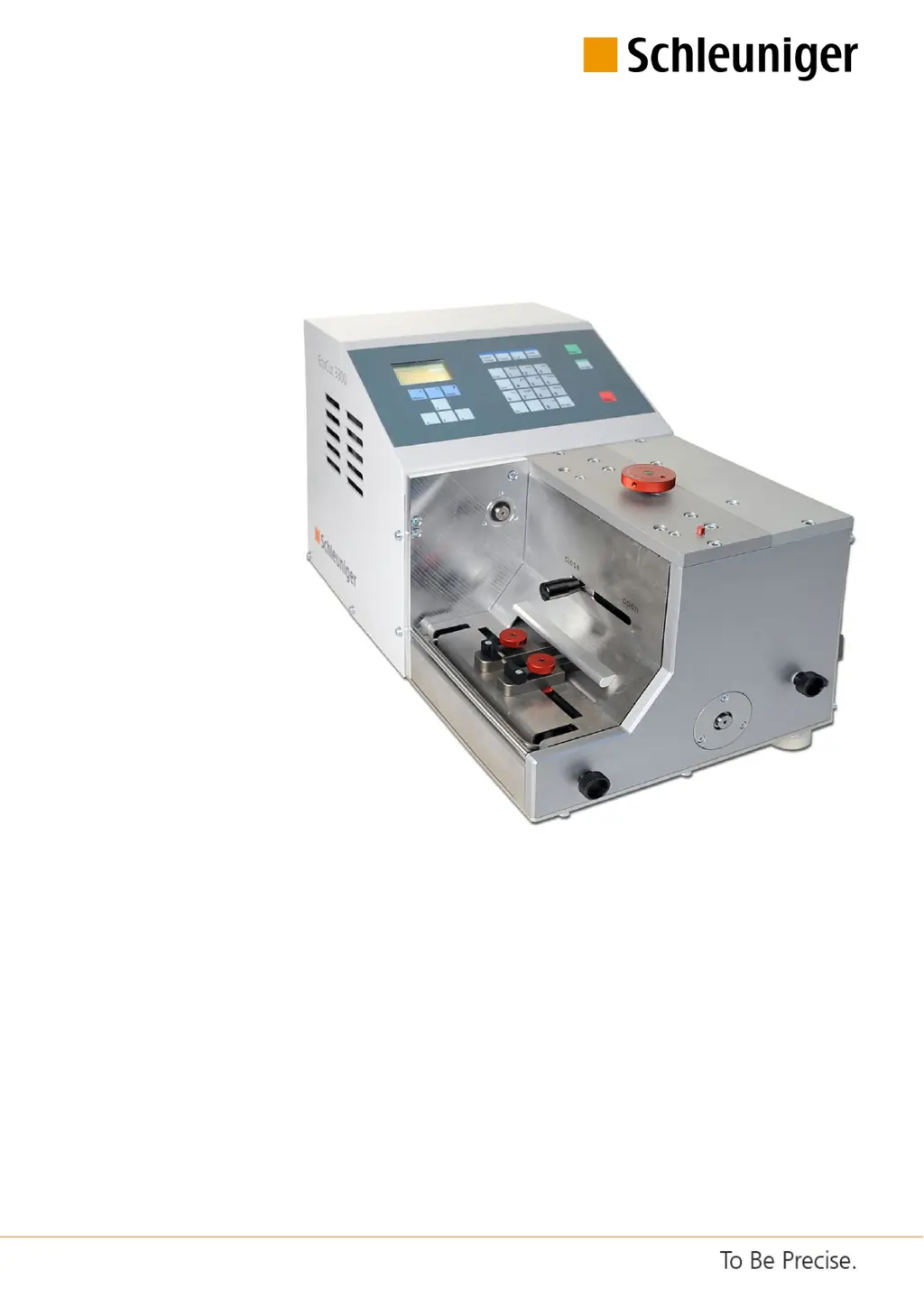
Schleuniger EcoCut 3300 - User Manual

Schleuniger EcoCut 3300
108 pages
Print Icon
To Next Page IconTo Next Page
Loading...
EcoCut 3300
Automatic Cutting Machine
Reference Manual
Software Version 1.1x |Edition 4.0 (10-2013)

Table of Contents

Questions and Answers

  • C
    candace14Sep 9, 2025
    What does it mean if my Schleuniger EcoCut 3300 Cutter displays 'Enter correct password!'?
    • R
      Robert HernandezSep 9, 2025
      If the Schleuniger Cutter displays 'Enter correct password!', it means the password entered for the selected user level is wrong.
  • S
    smithamberSep 7, 2025
    What does it mean if my Schleuniger Cutter displays 'Prefeeder blocked!'?
    • C
      Christopher MartinezSep 7, 2025
      If the Schleuniger Cutter displays 'Prefeeder blocked!', it means that the prefeeder is not switched on or the wire entry area is blocked.
  • K
    Katelyn NavarroAug 22, 2025
    What to do if my Schleuniger Cutter says 'Blade blocked! Production canceled'?
    • L
      Lynn MunozAug 22, 2025
      If the Schleuniger Cutter displays 'Blade blocked! Production canceled', it means the cutting procedure couldn't be fully completed, possibly because there's no feedback from the motor. This can be caused by wires that are too thick, blocking the blade.
  • B
    Brian CollinsSep 5, 2025
    What does it mean if my Schleuniger EcoCut 3300 Cutter displays 'No feedback from HotStamp'?
    • E
      Erica LewisSep 5, 2025
      If the Schleuniger Cutter displays 'No feedback from HotStamp', it indicates that the HotStamp device is not responding. This is a message from diagnosis.
  • K
    Kim BushSep 4, 2025
    What does it mean if my Schleuniger EcoCut 3300 displays 'HotStamp timeout'?
    • R
      Rebecca LopezSep 4, 2025
      If the Schleuniger Cutter displays 'HotStamp timeout', it means the HotStamp device is not responding. This is a message from production.
  • R
    Richard EdwardsSep 3, 2025
    What to do if my Schleuniger EcoCut 3300 says 'RAM corrupted. Machine stopped'?
    • L
      lisa74Sep 3, 2025
      If the Schleuniger Cutter displays 'RAM corrupted. Machine stopped', it means the internal memory changed unintentionally. Replace the hardware.
  • B
    bsimsSep 1, 2025
    What does it mean if my Schleuniger EcoCut 3300 Cutter says 'Actual value not in range'?
    • R
      rachael31Sep 1, 2025
      If the Schleuniger Cutter displays 'Actual value not in range', it relates to a %-correction calculation. If the value is beyond the permitted range, the calculation isn't carried out.
  • L
    Laura GuzmanAug 31, 2025
    Why does my Schleuniger Cutter say 'Safe mode! No production possible'?
    • G
      Gregory RiveraAug 31, 2025
      If the Schleuniger Cutter displays 'Safe mode! No production possible', it indicates that initializing could not be performed. Contact the local Schleuniger distributor.
  • J
    Jennifer HansonAug 30, 2025
    What to do if my Schleuniger Cutter displays 'Tow error beyond the limit'?
    • K
      Kara WarrenAug 30, 2025
      If the Schleuniger Cutter displays 'Tow error beyond the limit', it indicates that the pulling force is too high. You should check the wire entry area.
  • W
    William MontgomeryAug 28, 2025
    What to do if my Schleuniger EcoCut 3300 displays 'Cutting motor could not brake'?
    • D
      David MendozaAug 29, 2025
      If the Schleuniger Cutter displays 'Cutting motor could not brake', it means there is an error with the motor control unit. To attempt to resolve this, switch the machine off and then on again.

Summary

Safety Guidelines

Warning Notices

Explains danger, warning, caution, and notice symbols used in the manual.

General Safety Notes

Essential safety guidelines for operation and the environment.

Sources of Danger and Risks

Identifies potential hazards and risks associated with the product's use.

Intended Usage of Product

Defines intended application and warnings against misuse.

Personnel Qualification Requirements

Requirements for operators and technicians.

Personal Protective Equipment (PPE)

Recommended PPE for minimizing injury risk.

Safety Installations

Instructions for safety interlocks and emergency stops.

Product Description

Dangerous Zones on the Machine

Identification of hazardous areas and safety markings.

Installation and First Commissioning

Installation Safety Instructions

Crucial safety guidelines for installation.

Positioning and Initial Operation

Steps for unpacking and initial operation.

Control Software Operation

Operator Panel Overview

Description of display and keyboard layout.

Machine Configuration Settings

Machine settings and device configuration.

Diagnostics Procedures

Procedures for checking machine components and peripherals.

Password Restriction Management

Managing user levels, passwords, and access rights.

Diagnostics and Troubleshooting

General Fault Localization

Basic steps and safety for identifying faults.

Error Messages List

List and description of error codes.

Warning Messages List

List and explanation of warning messages.

Maintenance and Maintenance Schedule

Maintenance Safety Instructions

Safety guidelines relevant to maintenance.

Maintenance Schedule Overview

Overview of maintenance tasks and intervals.

Maintenance and Repair Work

Instructions for carrying out maintenance and repair tasks.

Appendix

Software Upgrade Instructions

Instructions for upgrading machine software using Iguana.

Schleuniger EcoCut 3300 Specifications

General IconGeneral
BrandSchleuniger
ModelEcoCut 3300
CategoryCutter
LanguageEnglish

Related product manuals