5
SRB-E-301MC
Operating instructions
Safety-monitoring module
EN
5.2 Adjustable applications
Rotary knob
position
Reset button /
feedback circuit
Cross-wire
monitoring active
Input / Sensor
configuration
1, 5, 9, 13 Yes Yes NC / NC
2, 6, 10, 14 Yes No NC / NC
5.3 Changing setting or application
Description / procedure Rotary (mode) switch System response LED indications
U
B
U
i
QS
Factory setting Position 1 Ready for application 1 - - -
Switch operating voltage on Position 1 Ready for application 1 Lights up Lights up Lights up
Change SRB-E application
Switch off operating voltage Select desired application (2) - - -
Switch operating voltage on Ready for application 2 Lights up Lights up
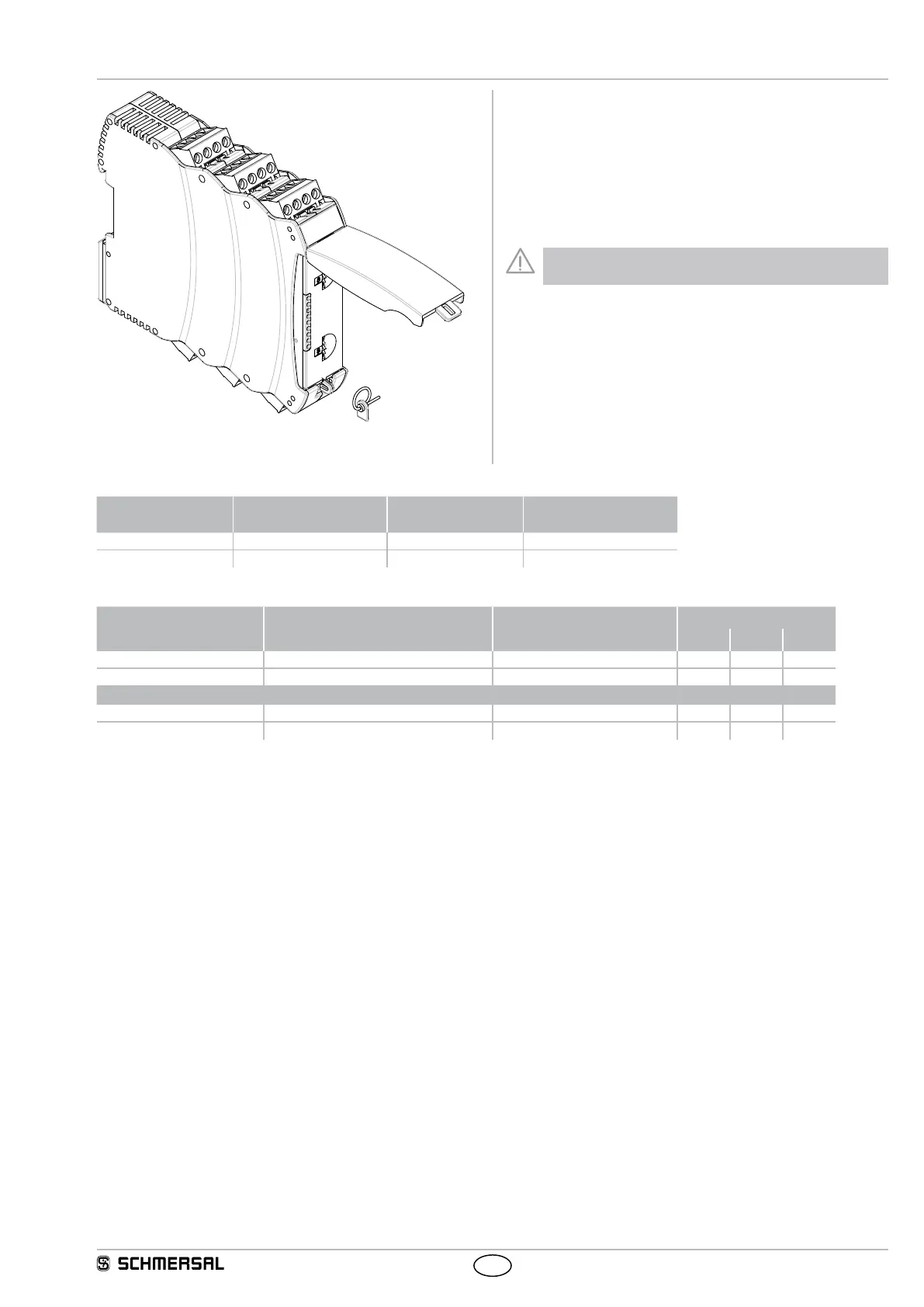
Adjustment of application using rotary “mode” switch
• Open front transparent cover (see fig.).
• Opening is carried out by lifting side with lock.
• Select desired application using rotary mode switch by turning up
or down (see 5.3).
• After performing setting, close front cover again.
• Front cover can be secured with a lead seal to protect it from being
opened unintentionally
Only touch the components after electrical discharge!






 To Next Page