35
The „Rinsing / Initial filling“ function will perform two draw-in and dosing cycles. The old solution will be
flushed out of the cylinder, subsequently new liquid will be filled in. However, a change of solutions (e.g.
caustic soda ⇔ hydrochloric acid) is not possible in this manner since the contents of the cylinder will not
be ejected without residue, hence an intermixture with the new solution will take place. The respective
working steps including notes on the further way of proceeding will be shown on the display.
You can interrupt the „Rinsing“ function at any time using the <START/STOP> key, with repeated pressing
of the <START> key causing „Rinsing“ to continue. If you press the <F5> key, the rinsing process will be
stopped definitely, and subsequently the cycle will be completed with the burette being filled.
It should be noted that the dosing or titration solution, when remaining in the hoses over longer periods
time, may alter owing to the diffusion of constituents of the air. In cases of doubt you should also start the
„Rinsing / Initial filling“ function.
Upon completion of filling, the TITRONIC
â
ââ
â
universal Piston Burette is ready for work.
4.5 Filling
If the volume to be dosed or titrated exceeds 20 ml or 50 ml, respectively, the burette will refill automatically
with the set “Filling time” (& “Switch-on image, setting the filling time” chapter).
After the cancellation of one of the three functions of the TITRONIC
â
ââ
â
universal Piston Burette the display
will show the respective basic menu of a function. Here you use the <FILL> or the grey key of the manual
key button to start the „Filling“ function. Upon completion of the manually started „Filling“ function the dis-
play will automatically be reset to zero. In other cases the display of the volume will remain on the display,
and the further consumption of dosing or titration solution will be added up to the volume display. You can
influence the filling process using the adjustable filling time. In the case of liquids with a higher viscosity it is
recommendable to set a longer filling time to prevent the formation of air bubbles; for concentrated sul-
phuric acid, for instance, a filling time of 60 - 90 s should be set.
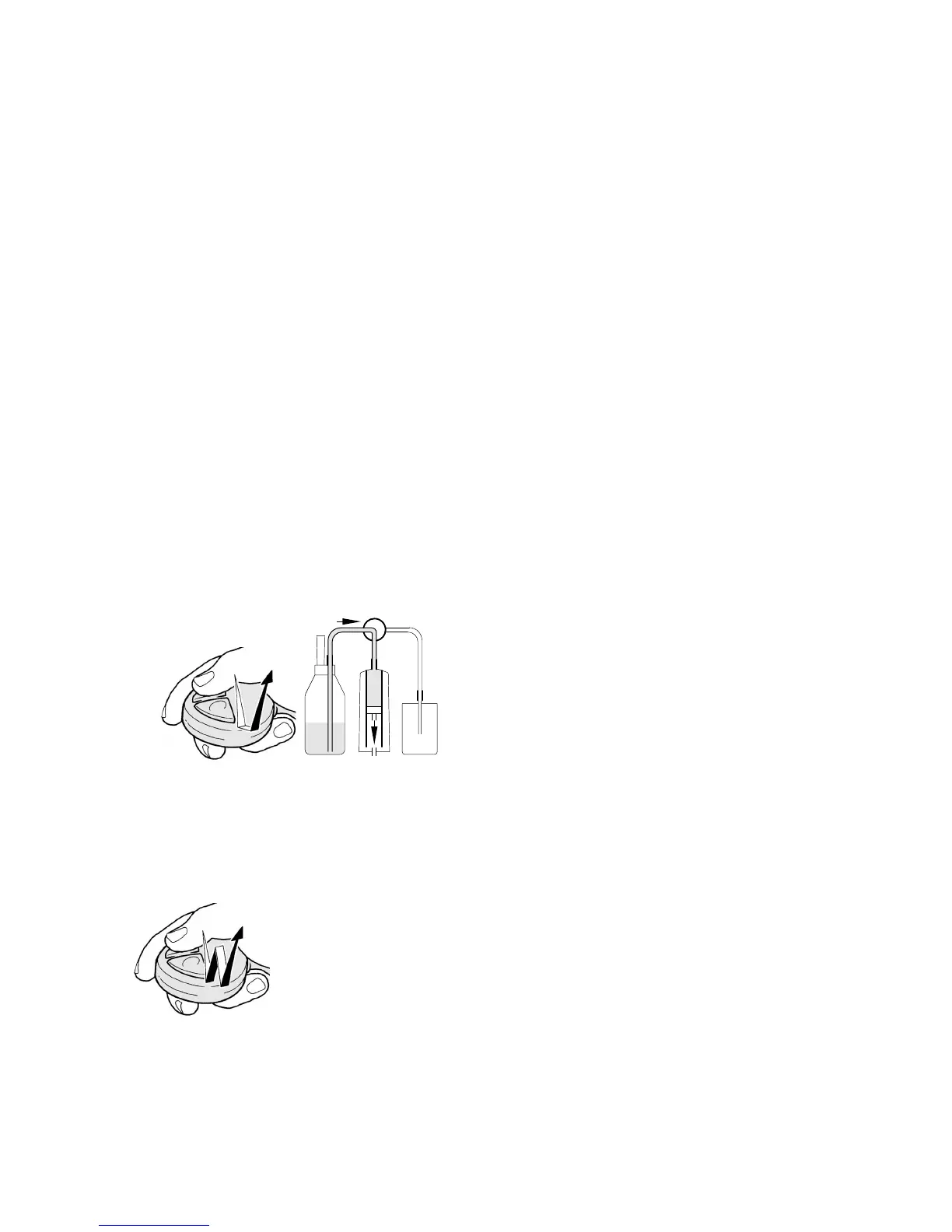
Fig. 14
long
(2 seconds min.)
Fig. 15
2 short clicks
(2 x 0.3 seconds max.)
Filling
After the last pressing of a key, wait at least for
1 second, then press the grey key until "filling"
starts. The TITRONIC
â
ââ
â
universal Piston Burette
will fill within the set filling time, the display will be
reset to 0.00 ml.
The piston burette will fill automatically a soon as
the volume of 20.00 ml or 50.00 ml has been
ejected and dosing or titration has not yet been
completed. The display will show the total volume
consumed in << 12.97 >>.
If a printer or a computer (PC) is connected, the
displayed volume will be output in [ml].
Resetting the display to 0.00
After the last pressing of a key, wait at least for
1 second, then press the grey key twice at a short
interval (0.3 s max.), the display will be reset to
0.000. If a printer or a computer (PC) is connected,
the displayed volume will be transferred in [ml].



 To Next Page