washMaster Installation guide
539715.AB Page 16 / 21 07.2019
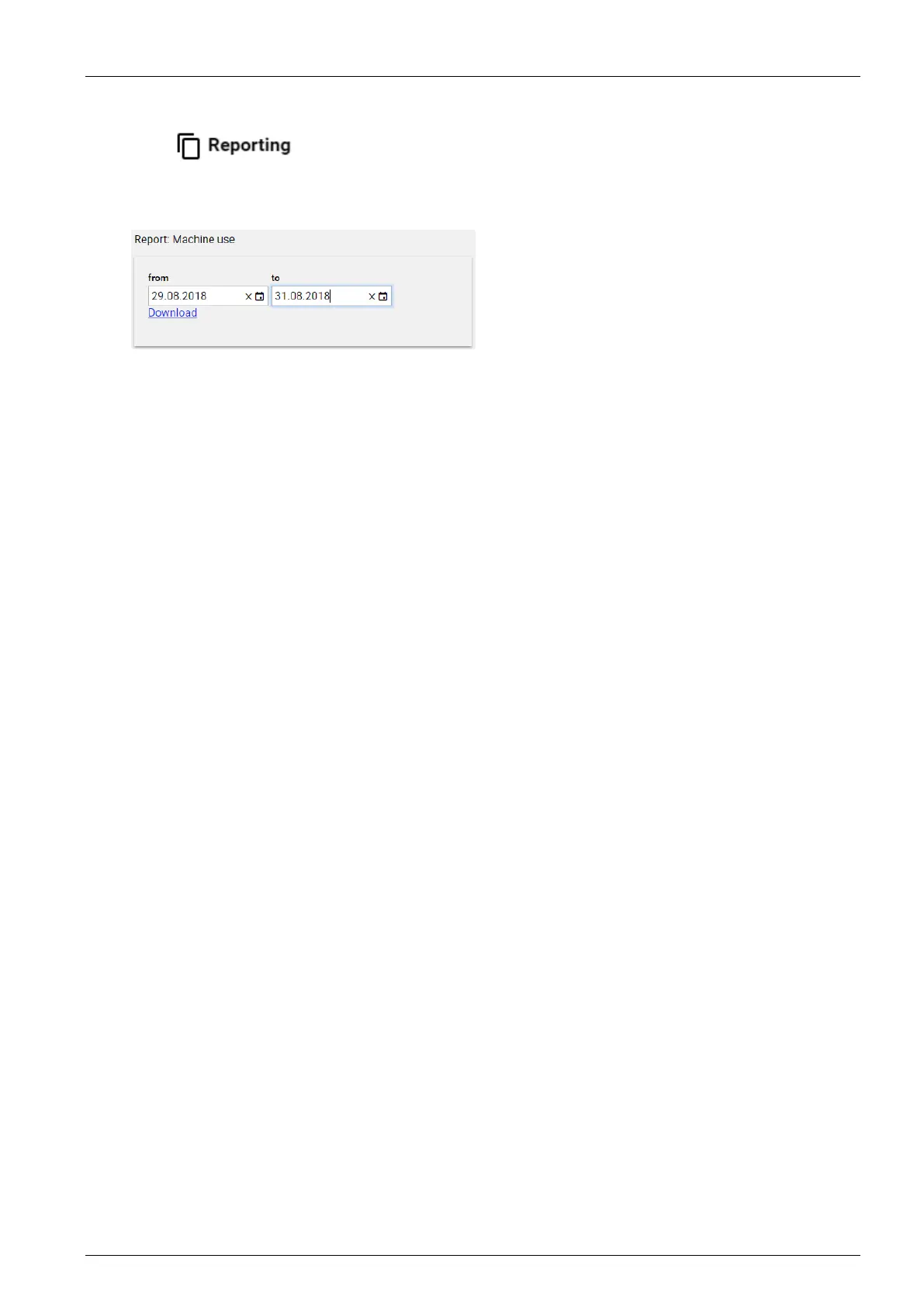
3.1.16 Reporting
The
menu allows you to create various types of reports.
Select the start and end time for the desired report type in the popup and select “Download”.
A report file is generated which can be viewed and edited in Excel.
The data can be sorted and filtered in Excel.
Machine utilization
Start Time Start of the action, e.g. start of programme execution, construction
of a laundry facility or addition of a machine.
End Time End of the action, for example, end of programme execution,
extinguishing a laundry facility, removing the machine.
Processing Time Processing time in the backend.
Online Mode The bookings are processed immediately.
Offline Mode The bookings are processed at a later time.
Use Type Use allowed Valid debit
Reversal Reverse posting if a programme is aborted
Use denied Programme was not released, e.g. because of
low balance
Availability of machines, laundries and groups
Online Indicates whether a posting was made in online or offline mode.
Property Manager Id ID of the property management
Property Manager Name Name of the property manager
Laundry Group Id ID of the laundry group
Laundry Group Name Name of the laundry group
Laundry Facility ID ID of the laundry facility
Laundry Facility Name Name of the laundry facility
User ID ID of the user
User Name Name of the user
Machine Name Internal name for the machine
Machine Display Name Name assigned to the machine
Amount Debited or reversed amount
Card ID Card number



 To Next Page