washMaster Installation guide
539715.AB Page 3 / 21 07.2019
2.2 Additional functions
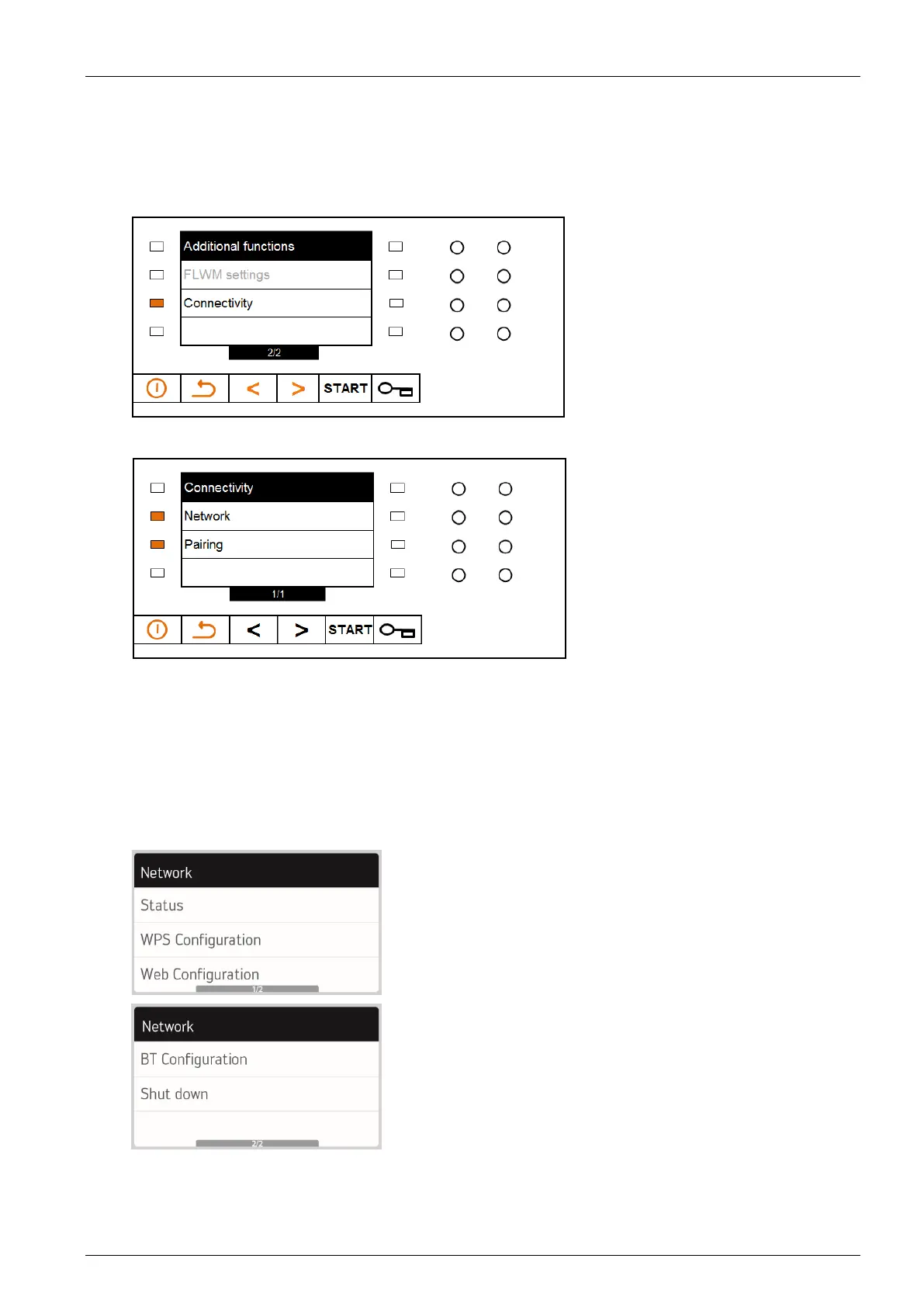
To make specific settings after activating the Connectivity module, press the light bar next to
“Additional functions”.
Enter the code 29 / 05 / 17 (field test: 03 / 04 / 05).
The Additional functions menu appears.
Select “Connectivity”.
Network settings can be made and pairing functions can be performed here:
• Select the menu item Network to check the connection status and make various
configurations.
• Select the menu item Pairing to configure the link between the machine and an account.
2.2.1 Network
The following options can be selected in the network settings:




 To Next Page