washMaster Installation guide
539715.AB Page 8 / 21 07.2019
3 Online settings for administrators
3.1 Configure backend
3.1.1 Create / change price list
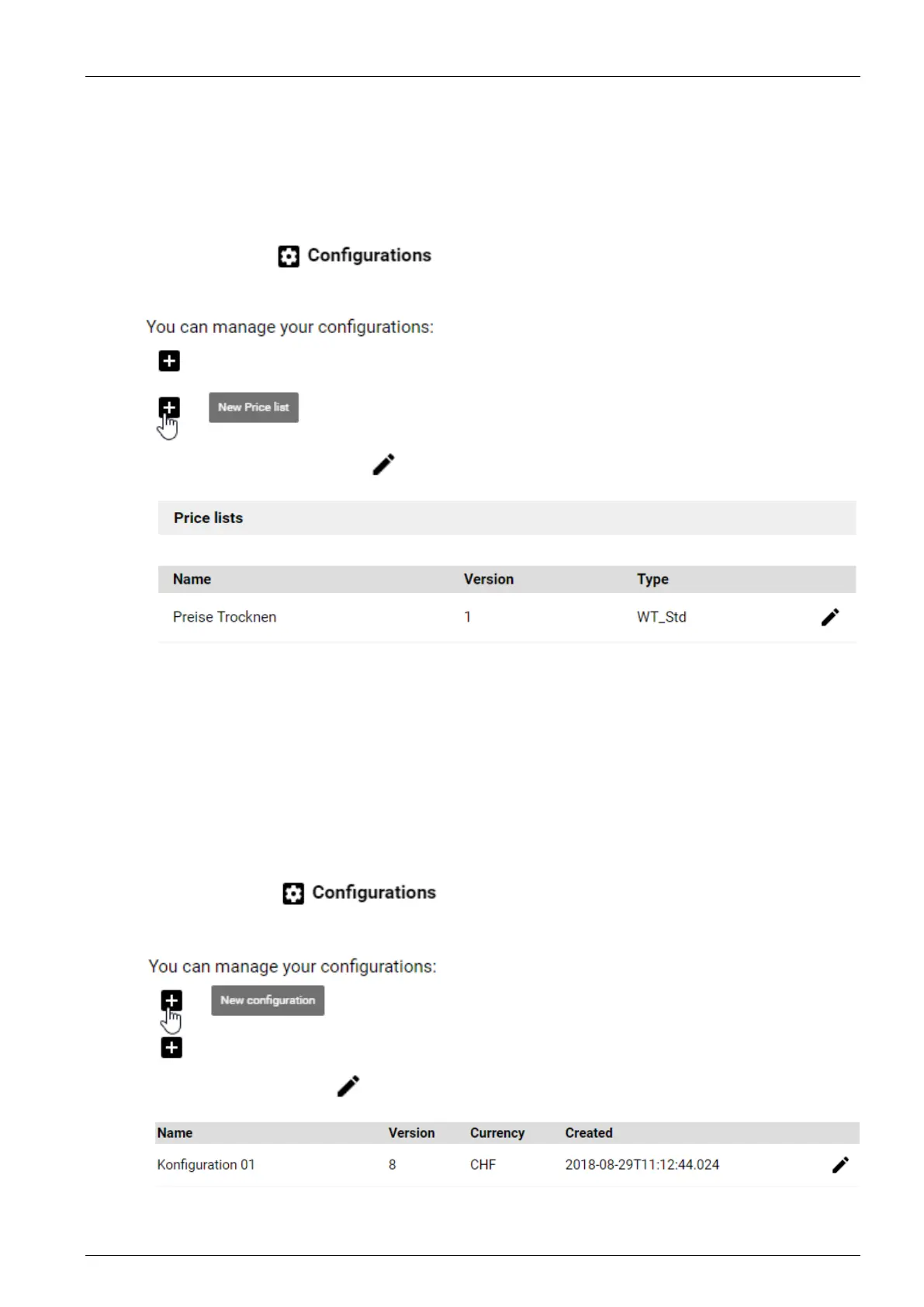
Select the menu . You now have two options:
• Either select the function “New price list”:
• Or click on the “Edit” symbol
of an existing price list:
Enter a new name for the price list or change the existing name.
Select the type of price list: “Washing machine (standard)” or “Dryer (standard)”
Copy the standard prices or change them if required.
Press “Send configuration” to save the price list.
A new price list or a new version of an existing price list is created. In both cases, the price
list is not yet used, but only when a corresponding configuration has been assigned to a
laundry group.
3.1.2 Create/change configuration
Select the menu . You now have two options:
• Either select the option “New configuration”
• Or select the “Edit” icon
of an existing configuration.



 To Next Page