SEL-787-2, -3, -4 Data Sheet Schweitzer Engineering Laboratories, Inc.
20
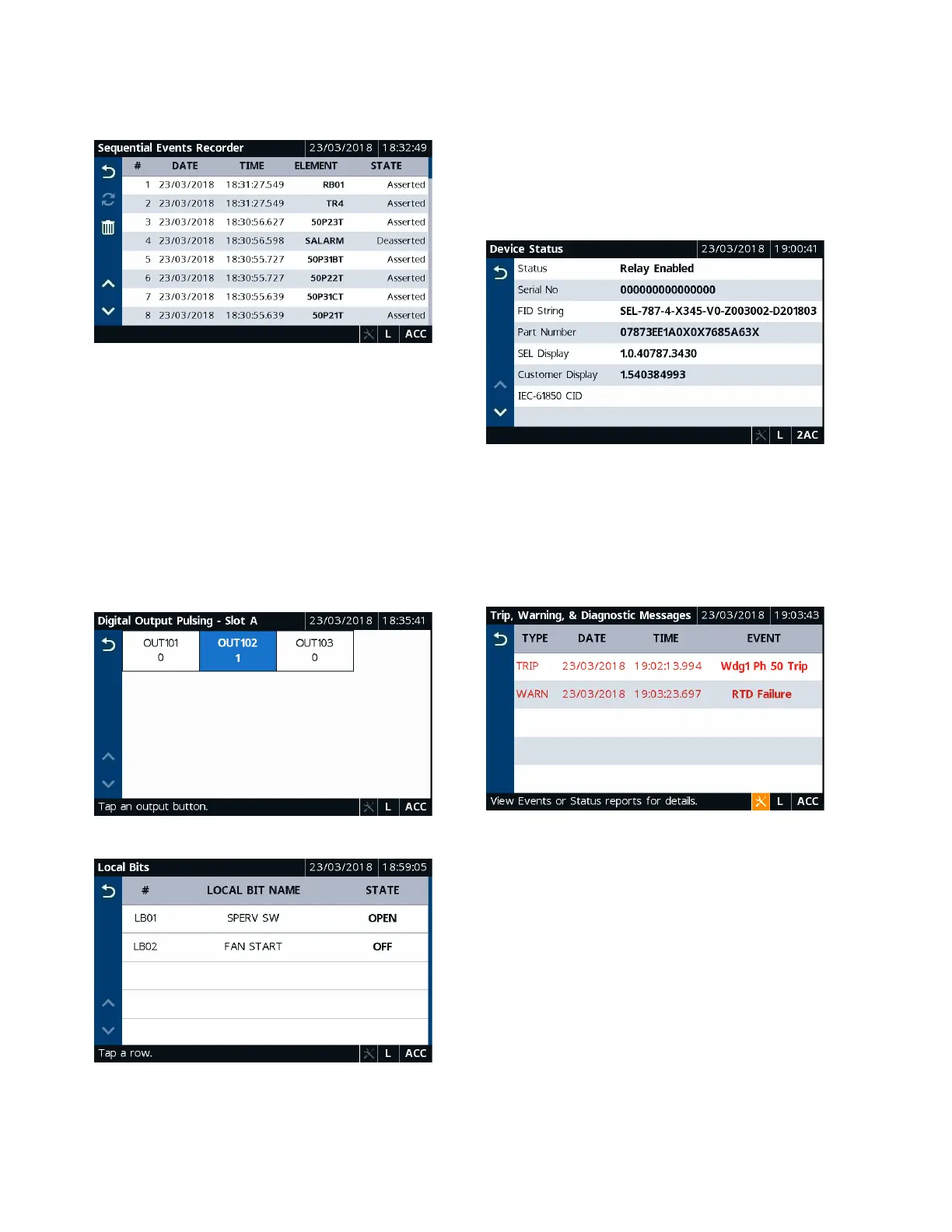
Tap the Sequential Events Recorder application to view
a history of the SER reports (see Figure 26).
Figure 26 Sequential Events Recorder
Tapping the Trash button, shown in Figure 26, on the
Event History and Sequential Events Recorder screens
and confirming the delete action removes the records
from the relay.
Control Folder Applications
Tapping the Control folder navigates you to the screen
where you can access the Breaker Control, Output Puls-
ing, and Local Bits applications. Use the applications to
perform breaker control operations, pulse output contacts
(Figure 27), and control the local bits (Figure 28).
Figure 27 Digital Output Pulsing–Slot A
Figure 28 Local Bits
Device Info Folder Applications
Tapping the Device Info folder navigates you to the
screen where you can access specific device information
applications (Status, Configuration, and Trip & Diag.
Messages) and the Reboot application. Tap the Status
application to view the relay status, firmware version,
part number, etc. (see Figure 29).
Figure 29 Device Status
To view the trip and diagnostic messages, tap the Trip &
Diag. Messages application (see Figure 30). When a
diagnostic failure, trip, or warning occurs, the relay
displays the diagnostic message on the screen until it is
either overriden by the restart of the rotating display or
the inactivity timer expires.
Figure 30 Trip and Diagnostics



 To Next Page