Service Manual
4
V
ECTOR
C
ONTROLLER
-S
ERVICE
M
ANUAL
Part 1 Operation
Commissioning
The electrical machine control system can only be
activated if the drive configuration has been properly
selected:
• Set the parking brake.
• Turn the ignition key on, and run the engine at
idle.
• Put the transmission in neutral.
• Activate the PTO switch
• When Indicator light comes on, put
transmission in proper pumping gear.
A bar graph on the display will indicate that the system
is being initialized.
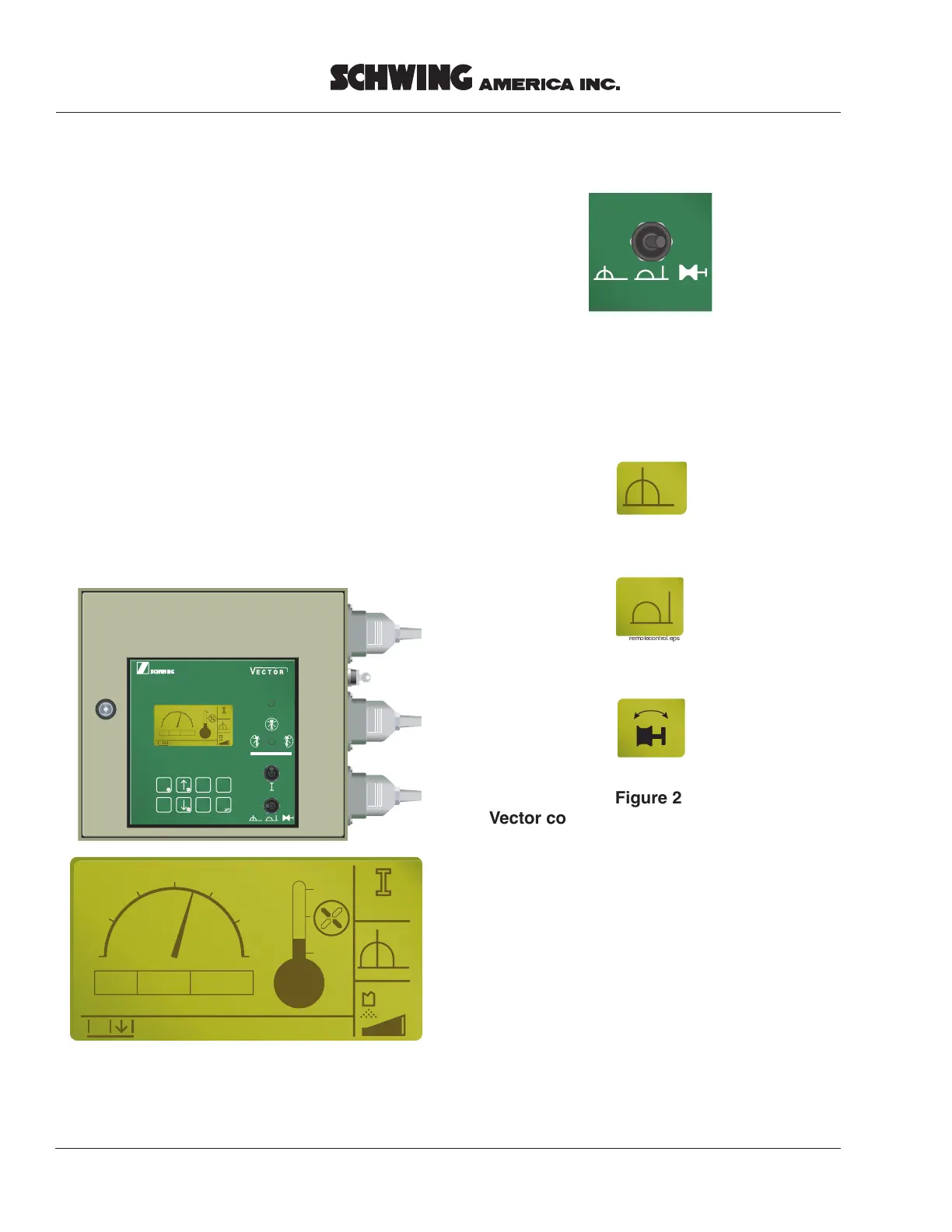
The start screen (Figure 1) will be displayed after
initialization.
• Select the desired mode of operation with the
switch in the lower right corner of the vector
cover.
• When the control mode is selected, the display
will indicate that with one of the pictures
(Figure 2) on the right side, center of the start
screen (Figure 1).
vectornormal.eps
1
0
2
3
PTO
Menu: [ENTER]=ON
1760 rpm
x1000
Start
52˚C
HOME HELP
CLEAR ENTER
OFF
QUIT
+
-
START
commissionart2.eps
1
0
2
3
NA
Menu: [ENTER]=ON
1760 U/min
x1000
Start
52˚C
Figure 1
Vector start screen
vectorramchange.eps
localcontrol.eps
remotecontrol.eps
Figure 2
Vector control mode display, local (top)
remote (center) ram change (bottom)



 To Next Page