Steps 1 & 2
Steps 1 & 2
Step 2
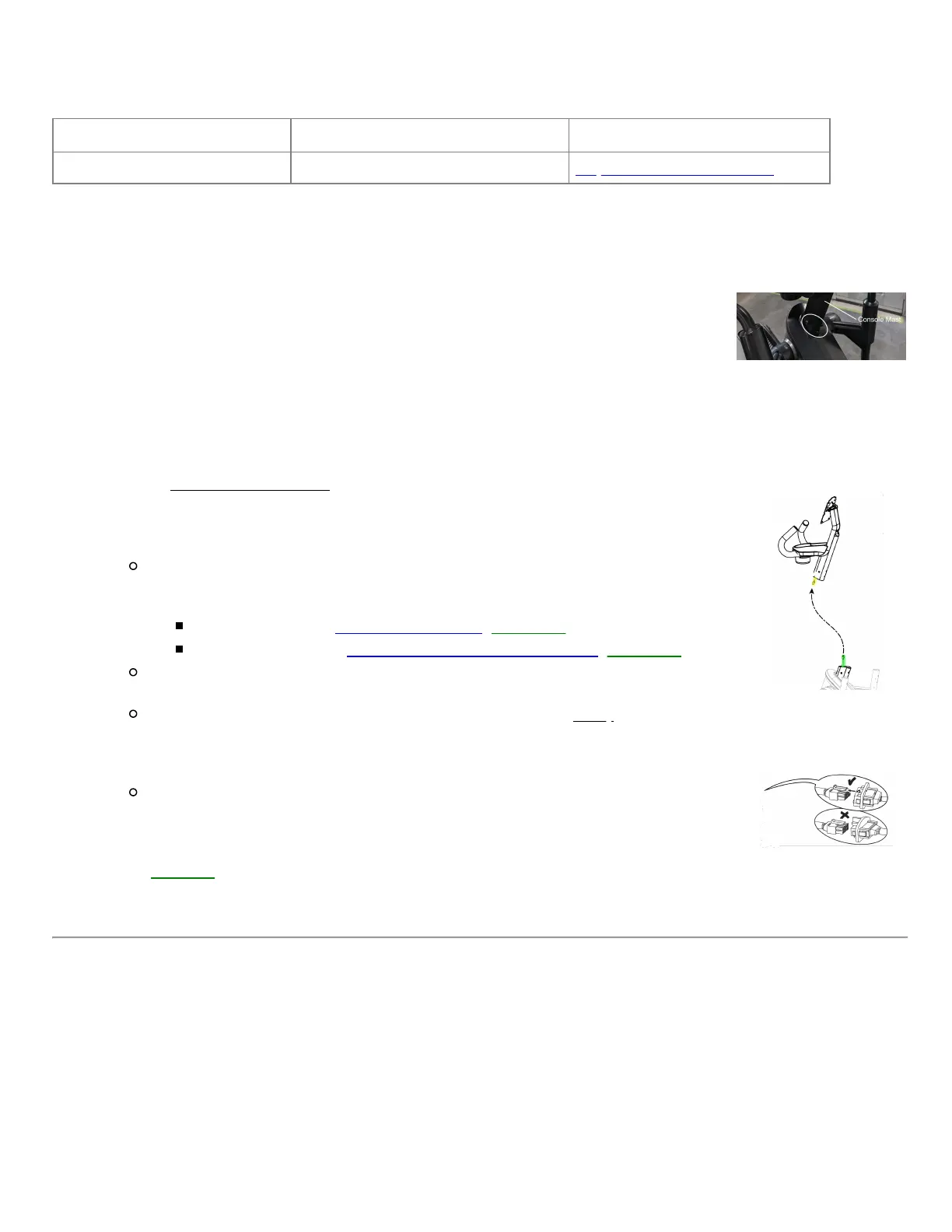
Inspect the cable connection at the bottom of the console mast
Tools Required: Estimated Time to Complete: Service Manual Procedure:
6mm hex key/Allen wrench 10 minutes Replace the Console Mast
Access the connection
Important: Unplug the power cord from both the front of your machine and the electrical
outlet before continuing
1. Starting with the console removed from the section above, use a 6mm Allen wrench
to loosen and remove the four bolts attaching the handlebar assembly to the
console mast.
2. There is one bolt on either side of the mast and two bolts on the user's side.
3. Slightly pull up on the console mast to expose the cable connection.
Check the cables
1. There is one cable connection from the Base Hub (circuit board controlling
resistance, speed, and incline) to the console mast. Be careful to not allow the cable
to fall into the frame while troubleshooting.
2. Unplug the cables; check the following items before reconnecting:
Damage - Check for cut, crimped, or frayed wires, loose connectors, and
missing/bent pins within the connectors. If a cable or connector is
damaged, the replacement item depends on which cable is affected:
Cable from Mast: order a Mast Cable [15333.D1].
Cable from Frame: order a Mast to Base Hub Cable [15333.D2].
Connector Orientation - the color of the wires should match on both sides of
the connection (e.g., red wire matches red wire).
Connection Tightness - the cable connectors must be firmly pressed
together to properly secure the connection. The connectors have a latching
mechanism where a plastic tab on the male connector slides over a small
ridge on the female connector.
These latch components can also be used to confirm the connectors are
secured in the correct orientation.
3. Once all cables are reconnected, reinstall the console mast and console, then test if
the issue persists. Be careful not to pinch any wires when reinstalling the
parts [15333.E].
4. If the issue persists, check the next component in the section below.


 To Next Page