6
7
■ Other features of the 410i HRC Computer
The bike computer keeps track of a variety of feedback functions.
When a particular FUNCTION LED is on, that function readout will
appear in the corresponding window.
Interval Clock and Level Window: (Located in the upper right hand
corner of the computer) (Fig. 7)
Interval Clock – The INTERVAL clock will count down the time of each
interval to 0.
Level – If you change your resistance level during a program, this
window will display the newly selected LEVEL for a few seconds.
It will then automatically return to the INTERVAL clock display.
Time Window: (Also located in the upper right hand corner of the
computer)
Time – Displays workout time.
Function Window 1: (Located in the lower right hand side of the
computer) (Fig. 8)
Watts – The WATTS feedback function keeps track of the approximate
power required to pedal the machine. (To change the
displayed function from Watts to Mets, press the corresponding
scan/hold button.)
Mets – The METS feedback function is a calculation of the approxi-
mate calories per hour burned divided by the user's body weight.
It is a function used primarily to control rehabilitation prescriptions
and perceived energy exertion. It can be used to compare power
requirements between users of different weights. ( Press the
corresponding scan/hold button.)
Scan – When in SCAN mode, the computer provides a continuously
changing display as it alternates between the WATTS and METS
feedback functions. Press SCAN/HOLD again to lock in on the
WATTS function.
Function Window 2: (Fig. 8)
RPMs – The RPMs feedback function keeps track of your pedal speed
in strides per minute (press the corresponding scan/hold button).
Speed – The SPEED feedback function keeps track of your approxi-
mate miles per hour rate (press the corresponding scan/hold button).
Distance – The DISTANCE feedback function displays the approximate
miles total (press the corresponding scan/hold button).
Calories – The CALORIES feedback function displays the approximate
number of calories burned during your workout (press the corre-
sponding scan/hold button).
Scan – When in SCAN mode, the computer provides a continuously
changing display as it alternates between the RPMs, SPEED, DISTANCE,
and CALORIES feedback functions. (Press SCAN/HOLD again to lock in
on the RPMs function.)
PROGRAMMING THE 410i COMPUTER
FIG.7
FIG.8
■ Programming the Computer
1. To activate the computer, simply begin pedaling and maintain a
minimum speed of 50 strides/min.
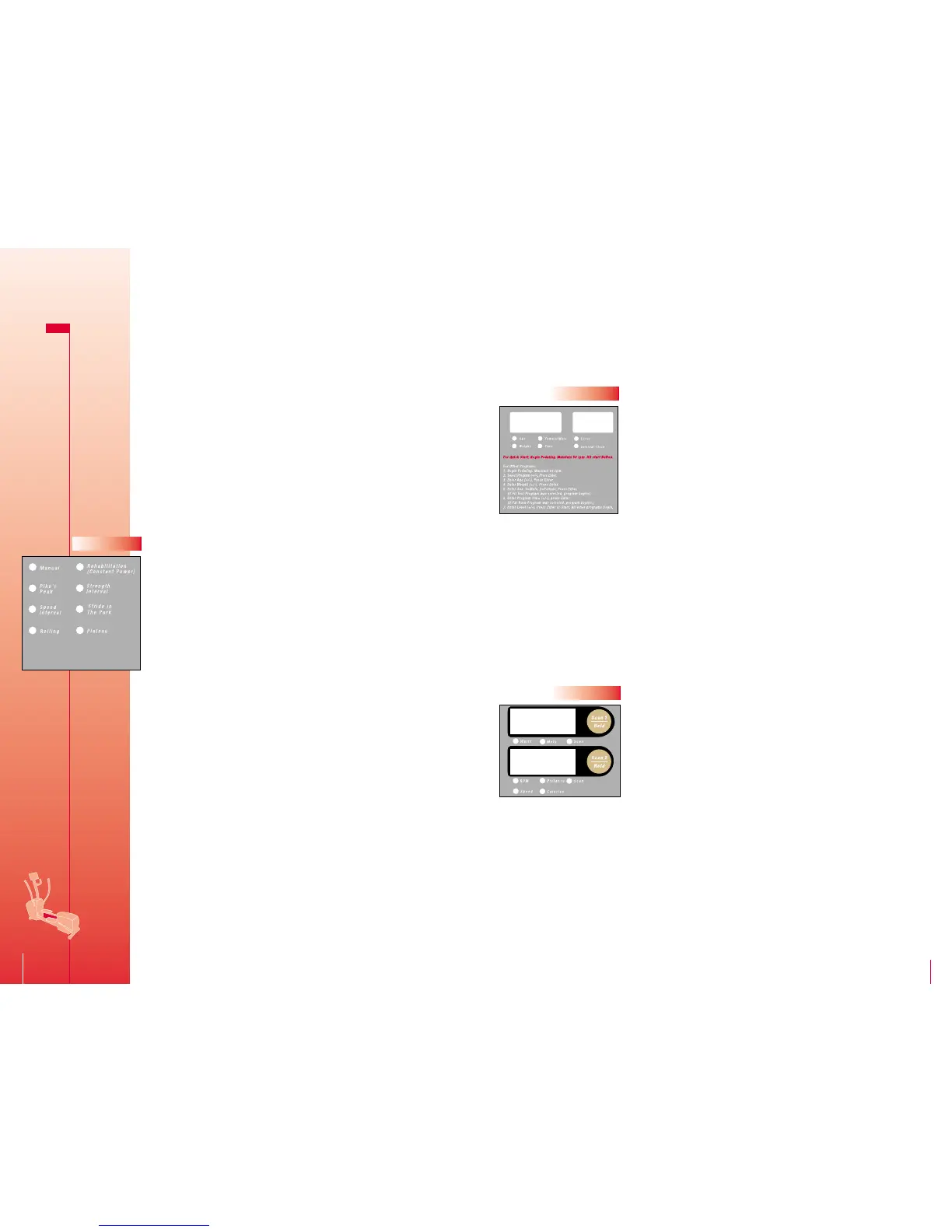
2. Select the desired PROGRAM using the UP and DOWN arrow buttons.
Choose manual mode or one of the seven pre-programs by lighting
up the LED next to your choice. (Fig. 6) Then press the ENTER button.
3. The AGE LED will blink, prompting you to enter your age. Change
the default setting as needed, by using the UP and DOWN arrow
buttons. Then press the ENTER button.
4. Enter your WEIGHT, changing the default setting as needed, by using
the UP and DOWN arrow buttons and then press the ENTER button.
5. Enter your GENDER by using the UP and DOWN buttons. A number
"1” in the upper right window indicates Male and a number "2”
indicates Female. Press ENTER when the correct sex is indicated.
6. Enter the workout TIME you want, by using the UP and DOWN arrow
buttons. Then press the ENTER button.
7. Finally, choose the LEVEL of your workout using the UP and DOWN
arrow buttons.
8. Press the START/RESET button and continue pedaling.
Note: You can change the workout level at any time during a
program using the UP and DOWN buttons. Also, by taking the time
to input your age, weight and sex, the computer can calculate a more
accurate calorie count. The computer will hold program data for 8
seconds when you stop to change direction or for some other reason.
After 8 seconds the computer will reset.
CAUTION! DISMOUNT THE 410i ELLIPTICAL TRAINER ONLY AFTER THE
PEDALS HAVE COME TO A COMPLETE STOP.
Reset – You can RESET and clear your computer of workout data
by pushing the START/RESET button, or by not pedaling for 30 seconds.
Manual and Rehabilitation: These two programs maintain a constant
torque resistance (manual mode) or constant power resistance
(rehabilitation mode) throughout the entire program time. The level
of effort can be changed during the program by hitting the UP or
DOWN arrow at any time. (Fig. 6)
Pike’s Peak, Strength Interval, Speed Interval, Stride in the Park,
Rolling and Plateau Programs: These programs provide a continuously
changing level of effort throughout the defined program time. These
programs can add variety to your workout and can help you achieve a
higher level of fitness by elevating your heart rate during specific
intervals.
FIG.6









 To Next Page